About this video
What You'll Learn
- How Litmus uses workflows to run chaos experiments against Kubernetes targets
- How probes define experiment hypotheses and measure application resilience during chaos
- How the Kafka demo tracks failures with Grafana and workflow results
Uma and Kartik from the Chaos Native team walk through Litmus, a Kubernetes-native chaos engineering project. They cover the ChaosCenter portal, workflows and probes, then demo Kafka chaos with Grafana and AWS EC2 termination.
Jump to a chapter
- 0:00 Holding Screen
- 0:30 Introductions
- 0:52 Introduction & Topic Overview
- 1:25 Guest Introductions (Ooma and Kartik)
- 4:22 Transition to Presentation
- 4:30 What is Chaos Engineering & Litmus?
- 4:53 What is Chaos Engineering? (Traditional vs. Proactive)
- 6:13 Principles of Cloud-Native Chaos Engineering
- 10:25 Introducing the Litmus Project
- 11:12 Litmus Project Status & Traction
- 12:23 Litmus Use Cases (CI/CD, Production)
- 13:14 Litmus Architecture Overview
- 14:50 Chaos Experiments and the Chaos Hub
- 16:23 Observability with Litmus
- 16:45 Litmus Integrations (CI/CD Tools, Captain)
- 17:19 Chaos on Non-Kubernetes Targets
- 18:15 Chaos Native Services
- 19:00 Questions
- 19:05 Q&A Start
- 19:10 Q&A: Importance of Observability for Chaos
- 22:28 Q&A: Running Chaos in Different Environments
- 24:59 Q&A: Litmus Resource Requirements
- 27:20 Q&A: Scheduling Chaos
- 28:29 Demo Start & Agenda
- 28:45 Demo Overview
- 30:00 Installing Litmus
- 30:10 Litmus Portal Installation
- 33:22 Accessing the Litmus Portal UI
- 34:40 Exploring the Litmus Portal Features (Workflows, Hubs, Targets)
- 35:25 Litmus Dashboard / UI / Hubs
- 38:30 Deploying our First Experiment
- 40:48 Application Chaos Demo Setup (Kafka)
- 51:15 Running the Kafka Chaos Experiment
- 54:09 Explaining the Chaos Workflow & Hypothesis (Probes)
- 54:35 Kafka Chaos Experiment
- 57:50 Resilience Grading Explained
- 1:00:41 Viewing Workflow Execution & Experiment Pods
- 1:01:10 Observing Kafka Logs and Grafana During Chaos
- 1:03:33 Viewing Experiment Pod Logs and Chaos Results
- 1:05:27 Non-Kubernetes Chaos Demo (AWS EC2 Termination)
- 1:07:06 Demos Concluded & Open Q&A
- 1:07:13 Q&A: Extending Probe Types
- 1:16:00 Questions
- 1:19:29 Q&A: Attacking Kubernetes Control Plane & Infra Components
- 1:23:20 Failing Chaos Demo
- 1:27:09 Conclusion and Farewell
Full transcript
Generated from the English captions. Timestamps jump the player to that moment.
Read the full transcript
0:52 Introduction & Topic Overview
0:52 Hello, and welcome to today's episode of Rawkode live. I'm your host Rawkode. Today, we're gonna be taking a look at Litmus, a chaos engineering project that aims to bring chaos engineering to Kubernetes in a cloud native and Kubernetes Kubernetes native fashion. Now, before we get started on taking a look at that project, I also just want to encourage you to please subscribe to the YouTube channel and click the bell, and also join our Discord community where we have lots of conversation during the show and after the show to discuss all the projects that we cover.
1:25 Guest Introductions (Ooma and Kartik)
1:25 Now joining me today to discuss Litmus are members of the Chaos Native team, Ooma and Kartik. Hi there. How are you both? Doing great, David. Thanks for inviting us here. Happy to be here. Looking forward to this live session. Yeah. I think chaos engineering is is getting a lot more traction. I see a lot more people talking about it day after day, month after month, and I'm really excited to be able to just get a taste for what Litmus can do to my Kubernetes cluster, both good and bad. And then also worried about what is gonna
1:57 uncover in some of my actual production clusters. But I guess that's a problem that we all have to tackle eventually. Do you both wanna just, take a a few moments to kind of introduce yourself, tell us a little bit about you, and then we'll start talking about Litmus. Sure. Again, thank you, and happy to be here. I'm Omar Mukhara, CEO of Chaos Native, also I'm, a maintainer on the Litmus Chaos project, which is now in, CNCF sandbox. To tell a little bit, more about me, I live in Bangalore, with my two sons and my wife.
2:33 Basically have been a technology architect in the past. About ten years ago, I jumped into entrepreneurship with, starting CloudByte storage company, which then we, pivoted into Open EBS to write storage for Kubernetes, which is, still, one of, the popular projects in CNCF. And then while I was doing, Open EBS project, we tried to do chaos engineering for Open EBS. That's when Rawkode and I started writing, Litmus, which became a CNCO project, and then we recently spun off, the project from MyData into a company for, its own development. The projects are to focus on this project, and it's chaos, native.
3:19 We also have launched, a chaos conference called Chaos Carnival, to focus, more on cloud native chaos engineering and also a little bit more open and, open for everyone kind of a thing. So that's a bit of my introduction. Looking forward to, this session here. Cool. Let me go ahead and introduce myself. Hello, everyone. I'm Kartik. I'm a lead maintainer of the Litmus Chaos project, also from Chaos Native. So I have a shared history with Ooma. We worked on Open ABS, MyData, and he came up with Litmus as a way to test the resilience of OpenEBS over a
4:03 period of time while it's useful for everyone else and if you had separate project. I'm having a blast maintaining Litmus and interacting with the community, and I'm really looking forward to this session. Yeah. Glad to be here. Awesome. Thank you very much. So I believe we've got some slides where we're gonna just kinda cover what that message and give everybody a little bit extra flavor. So if we can get that screen shared, we'll jump through to the slides, and then we'll move on to the hands on component afterwards. Awesome. Thank you very much. Alright. You, David.
4:30 What is Chaos Engineering & Litmus?
4:42 So with that introduction, I just want to take about ten to fifteen minutes. After that, I think David has plenty of a live session, with Litmus. So what I want to do here really is talk very briefly about chaos engineering that we all know of and the the new cloud native chaos engineering and then introduce the project, why we started Litmus, really. So quickly, chaos engineering is all about avoiding downtimes. Unplanned downtimes are always expensive. Right? So you don't want to be that doing that. So what we are seeing so far in the last decade is
4:53 What is Chaos Engineering? (Traditional vs. Proactive)
5:27 test, don't wait. Right? So you do the testing on the operation side of your DevOps loop and then find the issues or tunables that are needed, and get back into the shape. Right? So this is, we know that. So so far, it's all about, trying to do it on demand or you do chaos engineering after you burn your hands with, some expensive downtime, that's really been the case. And, proactive chaos engineering is slowly catching up. The reason why so many things are, happening around chaos engineering is there is a real push, from the new ecosystem around cloud
6:12 native. I'll get to that. But, so far, how it's been done is, you know, it's it's done based on a need, and it is generally done by SREs on the operation side of it. You don't have a very tight integration of kiosk engineering itself in CA and CD. And, generally, observability is not a a preplanned thought, rather it is an afterthought. And communicating with management, convincing the management is all based on the need. Right? So chaos engineering is a great practice. That is a proven practice, but it is not like a science where everybody knows how to do it. Or it's
6:13 Principles of Cloud-Native Chaos Engineering
6:54 not as easy as, you know I know Kubernetes, but I also know how to do chaos engineering on Kubernetes. Right? So that's that's not how it's been till recently. But chaos engineering is starting to begin. We all know that Kubernetes itself is, you know, has crossed the chasm. Everyone is in the middle of adopting it or already adopting it adopted it. But the chaos engineering for Kubernetes is still only market, I would say. That really means that there are new tools being available. People are beginning to think that we need chaos engineering now that they adopted, Kubernetes.
7:35 Right? So we are going to see a lot of, innovation. Peep people like us trying to put chaos engineering into mainstream, for bringing resilience into Kubernetes. Right? So now let me talk a little bit about cloud native chaos engineering. It's really about, you know, trying to do chaos engineering specifically for cloud native environments. I would call it as a cloud native chaos engineering. So what's so different about it? Right? So, these are the five principles that we think, should be different about chaos engineering. Right? Kubernetes and the regular cloud native ecosystem would not be as popular as it is today if
8:22 it is not for open source. Right? So chaos engineering should also be built, maintained in open source. Right? So that's that's one thing that we see. And, also, it should be community collaborated. Like, all the helm charts, chaos charts, chaos experiments, chaos workflows should be, you know, developed in collaboration with the community. Then it becomes much easier. There are going to be much, you know, resilient, the test itself. There's less chance of false alarms and all. And then chaos engineering, you start, and then you end up maintaining all your scripts. So there is going to
9:00 be an operator of its own, versioning of the chaos experiments. So you need to have custom resources, open API around that. Then comes how do you scale it? How do you scale your chaos experiments for a system that's got hundreds and thousands of nodes, multiple clusters, cross cloud, all this stuff? We just need to be able to manage chaos engineering just the way how you've been managing your Kubernetes configuration itself. That is through GitOps. Right? So GitOps should be applied for chaos engineering also. And the last one, but they're not the least, how do you actually
9:39 know that a fault has happened? Because you introduced it or there was an actual fault. Obviously, when we introduce a fault or multiple faults, you're going to have some description, and you want to understand what's going on there. Oh, okay. This is still alright because I introduced it. Now I exactly know where to look at. So that's called observability. Observability is a super key thing. We call it as open observability. You don't want to get logged in into some of the observability tools. You basically try to keep open standards around that. So this is what
10:15 I call as a set of chaos engineering principles for cloud native environment. And we built Litmus project exactly around these principles. Right? We started about around thirty months ago starting to build the first Litmus project or a little bit more than that. And we started in open source. We built a chaos hub, chaos operators, and then now we built a cross cloud control plane for chaos engineering where you can run, chaos engineering on Kubernetes, off Kubernetes in the same fashion. You can scale them up using GitOps. You can do the observability. So we're almost there with the two dot
10:25 Introducing the Litmus Project
10:59 zero coming out, you know, soon. We're announcing we just announced the beta is coming on March 15. So I'm looking forward to, having more feedback, coming from the community. So the status of the project itself, it's pretty wide event. I would say even the chaos native or we are known as the team was under my data. We are the prime sponsors or maintenance. There are a lot of contributions coming in from all over the places. Right? You can see some of these guys, the number in the brackets are a combination of either PR submitted, review previews, and
11:12 Litmus Project Status & Traction
11:41 a number of issues created and so on and so forth. But we are also happy to say that we are now closer to 50,000 installations of this, and we are pretty soon going to go into at least the application for incubation is already out there. Hopefully, in the next few months, we'll get to that state. And a lot of traction from various, companies apart from Chaos Native. You know, we would I would say more than thousand, users in various forms are there, but these are some of the primary users that we've been seeing, either contributing
12:18 or using in some form. Right? And, primarily, the use cases for Litmus is pretty straightforward. You can use them in CA pipelines when you're testing your code. You can do chaos testing. And you can also use Litmus as a trigger for your CD that you your code is good. Now it can be deployed in production. And later, you can also kick start chaos engineering once the deployment is done. Right? And you can also use it along with GitOps. And, you know, in general, CSED is, one of the, main reasons. And then, obviously, you use chaos engineering in production,
12:23 Litmus Use Cases (CI/CD, Production)
13:07 start with, staging, and then move on into production, etcetera, etcetera. Right? So at the outset, it's pretty simple. Litmus is, one installation for the entire enterprise kind of a thing. You have an helm chart. You get Litmus portal. You bring in, the experiments from the chaos hub. You can also set up a private chaos hub to manage the experiments, maintain the experiments among your team members or set of teams. It's like how you manage any other infrastructure code or the code itself. Right? So once you set up, Litmus, you get a Litmus portal, and then you
13:14 Litmus Architecture Overview
13:42 run chaos workloads on any Kubernetes cluster as a target. Or now it is also possible to set VMs or bare metal as a target also. Right? And then you can, put all this configuration into any other, CD tool, like Argo CD, Plug CD, or, Spinnaker or Jenkins x, and then, you know, move forward with that. So in a nutshell, Litmus is one, distributed chaos engineering tool, where you can manage all your chaos engineering needs for all of your team members and then run your chaos workflows or experiments at various targets and then have all the results,
14:24 pushed back into, Prometheus, and you have a single pane of observability for, knowing what's going on. Right? So one of the innovations that we did to achieve the scale and, flexibility is to integrate with our goal. Right? So now at the at the lower levels, it has its own operator chaos experiments. But at the upper level, it is integrated into other workflow. It is not an Argo workflow by itself, but Argo workflow plus some intelligence to consolidate, the status of, the experiments and results. And then this is how we actually do, GitOps and chaos engineering together. Right?
14:50 Chaos Experiments and the Chaos Hub
15:08 So this is a little bit of a details. You will write a chaos workflow, and then, you write, within that, you'll have a chaos engine. The moment you write a chaos engine, the operator picks it up, runs the experiments, and then we push the result and metrics back into, Prometheus metrics or, any other observability tool that we support. And, we keep these experiments either in a hub, in public hub, or you can also pull them into private hub. It's nothing but a private gate repository where you manage your experiments, and the workflows can use a mix of experiments from both the
15:45 hubs or many other hubs as well. Right? So we do have a lot of experiments that are required. I think we have about 40 plus experiments today, which are generally sufficient enough, to do the basic chaos engineering, advanced chaos engineering if needed. And, obviously, this is an open source project that is going to grow more and more. So, there's always some new experiment that's coming. So we do have, some fantastic experiments new experiments that are going to come out in the next, three to six months. We also do, have a built in, observability analytics, within Litmus.
16:23 Observability with Litmus
16:26 And, also, you can use the chaos annotations and metrics to put chaos indicators in your regular drop on the charts as well. So observability is an important piece for us, and we continue to improve that part of the area. And when it comes to the integrations, we are doing more and more with the help from community. Currently, we have integrations into GitLab, GitHub actions, Spinnaker. Recently, we did fantastic integrations into another sincere project, called Captain. So, basically, what happens is you can introduce chaos stages into those respective tools, which uses a CI library from Litmus,
16:45 Litmus Integrations (CI/CD Tools, Captain)
17:09 which underneath will invoke the regular CI Litmus experiments. So it's pretty easy to integrate. And we are also having architecture to introduce, chaos onto non Kubernetes targets. In this case, the experiments itself will run, on Kubernetes, as an agent, And then using the remote network APIs, of the respective target, we'll be introducing chaos. So it's a little bit early right now, but we do have experiments, for a few experiments for Amazon and Google, but a lot more are coming. And we see this area is a great area for collaborating with the with the community at large.
17:19 Chaos on Non-Kubernetes Targets
17:53 So we're also having a lot of plans to integrate with the CNC of projects, plus cross plane, OPA. We people keep coming. Okay. We are using OPA for security and policy control reasons. Chaos engineering also should be integrated into it. Why not? I think, you know, there is some work that's coming up. So before I leave it back to demo, you know, Chaos Native, it's it's about, you know, we continue to provide, free support, ad code, you to the project, but we are also starting to the purpose of Kiosk need to also use to, increase the adoption of Litmus,
18:15 Chaos Native Services
18:31 in the enterprises where they expect, the enterprise support and many services. So we have started, these services, in some form already. I took few users. Looking forward to, hearing more on this from the users and, and the community and enterprises, themselves. With that, I would like to say thank you very much for giving this opportunity. We'll turn it back on on to, the live session now. David, back to you. Alright. Thank you very much. I guess maybe we could just take a before we jump straight into the hands on section, why don't we kinda tackle a few
19:10 Q&A: Importance of Observability for Chaos
19:14 questions there? Like, I think you made it very clear that, you know, in order to do, you you know, any sort of chaos within a cluster is that monitoring and observability are almost paramount. What would happen, you know, if I don't have very good monitoring observability and I let let miss loosen my cluster? I mean, is that just gonna all go bad? I mean, like, basically, chaos itself is you're disrupting something that's working. Right? So the idea is you disrupt something which you expect might happen, and then you see whether my service are up or light. Right?
19:53 So what happens to your cluster really depends on what is the chaos that you are introducing. And, yeah, you know, you could use a node kill experiment and then kill all the nodes, then, yeah, you can bring it down. Right? That's very much possible. But the idea of observability is somebody knows that they are doing it. Right? That they're doing chaos. So the blast radius could be huge or could be low, but sometimes you have to have an eye on what's happening with chaos as a perspective in it. Right? For example, I have my Graphana
20:37 chart or any other chart showing the CPU usage of all my services on my cluster. And now for a certain amount of time, couple of hours ago, there was disruptions everywhere. And was it the time that chaos was introduced, and what was the chaos that was introduced, in which namespace it was introduced? That perspective, when you have it within your observability tool, it makes hundred times easier for whoever it is looking at to debug. Otherwise, you know, you are just throwing more, disturbance into the system, And you know that something is wrong, we are debugging. The purpose of chaos engineering itself
21:17 is to find what's wrong with the service. You debug and you fix it. So observability is is pretty important in that. At this marking that this is the chaos that I introduced during this period, having that available for the users is is very important. Yeah. Definitely. I think that makes a lot of a lot of sense. I think, you know, I like to think of this as, like, you know, we write code based on assumptions that we think this is what the code is doing. And then we correct that or we test that with tests.
21:48 And I feel like this is a good application of that to our production infrastructure or I guess any of our environments and that, you know, we run these applications that are horizontally scalable and fault tolerant. At least that's what it says on the box. But how often do we actually ever test that? How do we know that if I lose a node or if I lose a Kafka consumer that that is gonna be moved over to another machine or picked up by another horizontally scalable pod. And Litmus is the way for us to take those assumptions
22:18 and actually make them assertions that actually confirm that the behavior works the way that we want. And I think that is is really powerful. Is this something you know, based on the experience of you using this yourself in OpenEPS and and the customers that you're speaking or spoken to, do people run this in production, or do they run it in preproduction environments? Our experience I mean, nobody starts, not just Litmus or any other chaos engineering directly in production. One of the challenges always for the SREs that, we keep hearing is, you know, I finally determined that chaos engineering
22:28 Q&A: Running Chaos in Different Environments
22:58 is going to help me make my systems better, but my management is not yet approved. Right? So how they do typically is they don't even go into preproduction. They go into a little bit of a staged environment and always I mean, nowadays, the the upgrade environments are pretty robust, and people invest in a chain of the stages. You go with the development and then staging, preproduction, and then production. These are at least the four stages that we know of, and some people may have even more stages than that. Right? So it is okay to start with the development
23:46 itself. Right? So chaos engineering should be thought of as a next step to the development if possible. Right? So that's how at least our project makes it totally declarative where however you write a code to deploy a Kubernetes resource, you write one more declarative interface to do some testing around it. Right? So it's very easy, and it comes as an extension to your development process. So you can start with that and then into CI pipelines. Right? You introduce a chaos stage, and then you start with very small tests. You have nothing to lose if your CI
24:27 pipeline breaks totally. In fact, it's a good thing that you're breaking right now. And then we go into the staging and then run it for a few months. You see value in it. You get a chance to convince both your developers, your own teammates, and your management, and then run a game day on your staging and then go into production. Right? So that's typically how it's done, and we have seen significant results being produced in that fashion. Alright. Thank you very much. We have a couple of questions from the audience, so let me pop the first one up there.
24:59 Q&A: Litmus Resource Requirements
25:03 And, Mozz, welcome back. Nice to see you again. Has asked how big of a hardware network and resources that Litmus requires to be running inside of our cluster? Right. The new Litmus, we are talking about two dot zero. Right? The Litmus so far, one dot x, till a couple of months ago is you need to install Litmus on every Kubernetes cluster wherever you're going to run. Right? Now we are trying to make Litmus into more of an infrastructure tool set for your entire Kubernetes, ecosystem, not just one cluster, but for a set of team members. Right?
25:44 So, for that, you need to install Litmus application. And to begin with, it is, you know, the amount of resources are of a mega of, memory and, of a CPU is good enough. But it is a Kubernetes application. It is highly scalable. And the more, experiments that you run, it just can take up, more resources as you need. But we try to keep it, as thin as possible, And it's about op mega of RAM and the op of CPU should be good enough. Kartik, you want to add something more to that, please? Go ahead. Yep. I think you have answered it. Having
26:24 said that, the chaos control plane and the chaos parts that are launched from the experiments can have the resources defined for them in a declarative way. So we'll talk about that when we see the chaos engine custom resource. So you can define the requirements, the limits that you want there in case you are running a lot of experiments in parallel, etcetera. You you could control that. The minimum requirements, as Omar said, are low, But they may add up to more when you're running a lot of experiments in parallel, but you can control them. Yeah. So it's it's pretty lightweight. But if
27:03 you go if you wanna cause absolute carnage in your cluster, of course, the resource consumption is gonna grow within a number of experiments that you wanna deploy. So, I think that makes a lot of sense. And I guess the answer was there is, whatever you wanna throw at it. Okay. We got another question from Vishal. Does Litmus allow us to schedule chaos? I mean, like, if I want to I'm assuming and I'll I'll throw some extra words in there. Is that if I want to see next week at 3AM, I wanna run some sort of
27:20 Q&A: Scheduling Chaos
27:32 availability zone failure scenario. Is that something that is possible with Litmus? Yep. Yeah. Scheduling is one of the core features of the project. We allow it in various forms, and you can run it instantly. You can schedule it, and you can rerun a previous one, many forms of it, right, every hour, every day, every week, and you can do multiple combinations of that. Nice. Well, I think that's plenty of of chitchat as hopefully people interest has peaked. I think we've said a lot of really interesting stuff. I'm really I I really wanna see this in action. So I believe are
28:13 gonna walk us through and guide us through the installation and then some more advanced demos as well on top of So I'm very excited, and I will hand over to you. You're on mute, I'm afraid. Sorry about that. Let me share my screen. Awesome. Thank you. I hope my screen is visible. It is. You are live. Please take it away. Alright. So this is the agenda we have for today. We'll do a quick run through of the Litmus installation. What you'll see on the documentation today involves installation of the Litmus operator, pulling the experiments from the chaos hub,
28:45 Demo Overview
29:01 and then running the actual chaos. What we'll do today is install the Litmus version that is upcoming. We have it already in beta. So we have a component called the portal, which is essentially a web UI which will help you orchestrate chaos. So we'll do a quick installation on Litmus. After that, we have, a real world chaos scenario. We've taken, Kafka workload, a stateful set Kafka cluster, upon which we will run some test load and kill one of the brokers, and we'll see what happens. And, we'll see how you can hypothesize about the behavior of Kafka when you inject this
29:42 chaos, how you can place that hypothesis in a declarative way in, like, Kubernetes custom resource, called the Litmus Chaos Engine. And after that, if we have some time, we'll do chaos on AWS, cloud. We'll do a kill of an easy two instance and verify the health of the application that is going to be impacted by it. So this is how we this is what we have for the agenda and the more objectives. I'll very quickly go ahead and show you the procedure to install Litmus. So we have the Litmus chaos slash Litmus. This is the repository,
30:10 Litmus Portal Installation
30:20 and I am inside a folder called as Litmus portal. You could install it via Kubernetes manifest like this, a standard YAML file, or you can also do it via Helm chart. We have a help repository at Litmus chaos slash Litmus help. So you can pick your, bundles from there. For now, I'm just going to use my manifest. I've got two clusters with me, cluster one and cluster two, both around GKE. I'm going to install the Litmus portal on cluster two. And while that is going to come up, we'll move to do the app chaos demo
30:59 on cluster one in which I have already installed the Litmus Litmus components. And before we get on to doing the app chaos, I'll also show you another slide which talks about the demo setup and the use case and the hypothesis, all that. For now, let's just install Litmus. I have a VM instance here, which I can use to install resources on my Kubernetes cluster. So it creates Litmus namespace. As you can see, I have executed a command before where there is no Litmus namespace. We create a Litmus namespace. We create some dependencies like the config maps
31:42 and persistent volumes, and then we actually deploy the Litmus microservices. So Litmus has a control plane that consists of the a GraphQL server. It has a MongoDB to store the state of chaos, and it also has a few other RBAC related resources that get installed when you do the installation. Oops. Alright. Now you can see I have the three part running with the front end, which is actually the UI, this GraphQL server, and then this MongoDB. I'm going to try and access this, right, and bring up the UI on my browser. As we do this, if there are any
32:30 questions, David, please feel free to interrupt me. I can take those questions as we go along. Yeah. Definitely. Using NodePort, as you can see by default here, let me find out the external IPs of one of my nodes, and I'll use that to bring up the portal. So this is the IP, and I've got 32527. I've already exposed these ports on my firewall. I hope that's right. Okay. Yeah. You can see the portal is now opening up. By default, it takes admin and admin as the username and password. I think so. Okay. What's wrong? It is admin and Litmus.
33:22 Accessing the Litmus Portal UI
33:30 So once I get into the portal, I have the option to set up my project. So the Litmus portal allows you to, create your own project. Is each user is allowed to create his own project, his or her own project into which they can invite other team members, and they can invite team members in different roles as view admins or as people who have edit access and can run chaos. You we could do different things. I'm just going to create a different project called Rawkode. I'm just going to fill in some details here. It's going to provide some information.
34:25 Alright. So it has updated the details. I'll just navigate on this browser and just show you the different options that you have for a few minutes before we go ahead and do some experiments. Like, Uma was mentioning, in case of Litmus, the unit of execution of chaos is workflows. So your workflow could be just one chaos injection, or it could be a set of chaos injections ordered in a particular manner in sequence or in parallel. You could also use workflows to run some kind of a benchmark load or some other, test workloads along with chaos just to see
34:40 Exploring the Litmus Portal Features (Workflows, Hubs, Targets)
35:05 how it behaves under stress. So workflows are pretty flexible. You can construct them using the browser, the the portal, browser, or you can actually create them on Git, source them into your, both portal instance and execute it as well. You can create predefined workflows. We also ship what's called as the my hub. That is a chaos hub inside the the request portal. The chaos hub that you see here is the same as the one you notice, in public here at, up. It was chaos.io. So this is some kind of an open marketplace you can think for chaos.
35:25 Litmus Dashboard / UI / Hubs
35:46 So this is where our community is focused on contributing experiments into on picking experiments from. There are some categories of experiments here. The most used ones or the most used experiments are from the generic category. Most of the standard Kubernetes, fault injections are available here. But there are also experiments of other categories. For example, we have open APS and some Kafka and some Cassandra experiments. These are essentially the same faults as you would see in the genetic experiments along with some native checks that are, very specific to these applications. And they can also consist of experiments
36:21 that are related on specifically to that app and they're not general Kubernetes for failures or, those kind of things. So you have an instance of the hub embedded in your request portal. So you can construct workflows by picking experiments off the hub. But it's also possible for you to connect your own kiosk hub. Let's say, you have your own downstream implementation of request experiments and you have that in a private hub. You can actually pull that, where it has some access tokens and use that for creating workflows. As of now, I have a workflow which
36:59 is already constructed, so I'm going to use that. Let me move to the target section. So the target is how we call chaos execution environment. So in this case, the same cluster that has this particular portal installed is also the target, which is also called self cluster and Litmus terminology, and it shows that it is active. But I could also connect other Kubernetes clusters here. I can connect a target, and, request portal will actually communicate, with that cluster and inject chaos there via some agents. So I have this local cluster self registered. That is the portal is installed on this
37:44 cluster, and it is also an object of chaos. And once that happens, you will actually see a few more parts being spun up here. You can see something called, like, a subscriber. You're doing essentially the agent. Which is actually going to relay instructions from your portal onto your cluster target. And there are some workflow controllers, the chaos operator, and a few other other micro services, which we can talk about later, which help you to do chaos in a better manner. So with this, I can go ahead and quickly jump to the demo environment that I actually wanted to show you and
38:23 do chaos on. So we are done with the installations part of Litmus. The portal has been installed. It's as simple as this. And I can go ahead and run new experiments by creating a new workflow. I can schedule a workflow, and I can select the target on which I want to do chaos. There are some predefined workflows just for illustrative purposes that we've created. You can feel free to use them, or you could create your own workflow. And when you create your own workflow, you have a few options. You can select them from the chaos hub,
38:30 Deploying our First Experiment
38:59 like I said. You can select the experiment here, and you could choose to go ahead and add tunables for a particular experiment. This will eventually give you a chaos engine manifest, which looks something like this. I can show you that once I finished adding more experiments. So this will actually open up a browser, which is going to show you the manifest that is actually going to be created on your target cluster when you run chaos. This looks very similar to an Rawkode workflow, like Paul mentioned, but it has a few other characteristics. The steps are executed by a specific image
39:40 which understands Litmus API. And this is called the chaos engine, which is essentially how you define your chaos experiment to be like. And, this is a very quick snapshot. It has, some references about what application you want to do chaos on and what experiment you actually want to perform and and what are some of the tunables or options you want to run the experiment with. That's what the engine, exemplifies. It is essentially, a definition of how you want to do your chaos, what chaos you want to do, how you want to do it, and what
40:19 application you want to do, what are the run properties you would associate with the chaos experiment. All that can be defined here. And, the workflow embeds this chaos in in a long way. If you are the steps that are setting up dependencies, then you go ahead and run this. I don't have an application right now in this cluster to do my chaos on. So I'll just stop at this point, and I'll probably go ahead and show you the demo environment where we'll do the actual chaos today. Before we go there, I just wanted to know if there are any questions
40:48 Application Chaos Demo Setup (Kafka)
40:54 around the installation process. Yes. I think the the installation looked really simple, which is great. There were a couple of things that popped into my head as as you were working through that. Yeah. Like, it's using it's actually using Argo under the hood to do this to do this. Right? So it's kinda working hand in hand with that project, which I thought was That's true. Yeah. Really nice rather, you know, reinventing the wheel and doing something completely bespoke. So I like that. We also had a a question from Miles who asked, is it possible to target a specific
41:29 workload in deployment? And I think you just kind of showed that if you could pull that YAML back up. Yeah. I think that's a great question. Thanks for asking that, Miles. Yeah. Litmus, one of the crucial differentiators of Litmus is the fact that we can isolate, the chaos targets to the workload. For example, if you have a deployment that you want to do chaos on and you don't want chaos to be you you want to just restrict the blast radius to that deployment alone and or maybe any other downstream application that's depending on that deployment, but not any other application.
42:08 You could choose to do that in the way you construct your chaos engine. There are, some annotation checks that you can do. You can turn on in Litmus, and it's going to look for chaos annotation on a particular workload, and it's going to filter only those applications that has those annotations and also has the label selectors that you mentioned, and it's going to kill only that. I I will show that chaos engine in slightly more detail when we do the Kafka demonstration. But I'd also like to just augment what David said about the workflows. I think you made a great point about
42:47 not reinventing the wheel, David. So when we started off Litmus, and this is how you'll find it in the current documentation as well, the custom resources that were brought up for Litmus were capable of doing experiments in a particular way, individual experiments. But we thought there's a lot of value in allowing users to run complex scenarios because, you know, misfortune doesn't come singly. Sometimes it comes in clusters. So you have more than one failure occurring at a given point of time. All the same, a lot of people want to do failure testing when they're running performance
43:22 workloads. When they're doing performance testing, they also want to do some chaos and see how things are behaving. We found Argo as workloads as a way to enable that. And in fact, the idea was brought on board by one of our engineers from Intuit, Sumit, who was using Litmus that way and then suggested, why don't you actually make it the unit of execution within Litmus? So I think that that that's the backstory behind using Argo. Okay. I'm curious as well. You showed the, like, the chaos hub. I mean, are there any plans to use the artifact hub as a way to store
44:00 these chaos experiments? That that's a great question. We have had this we have touched upon this in the past, specifically when we contributed Litmus to CNCF as a sandbox project. Right now, the hub lives as it as its individual entity, and the artifact hub has the artifacts for deploying Litmus. Both the the Litmus control plane, and you can also have the Litmus experiments being installed via, manifest that you pull from the artifact hub. So the Litmus experiments that you see here, you can actually install them via manifest, And the the hub provides you more context
44:46 and metadata about a given experiment, what it's going to do, and why it's useful, and what are the artifacts associated with that. There's an experiment CR. Then there's a recommended service account that you run your experiment with. So in Litmus, each experiment is associated with the service account which you could choose to use because we felt that in a multi tenant environment when people are running in a self-service model, each running their own experiments, you don't really want them to run experiments with all the permissions that they can get. We just defined a minimum set of permissions
45:24 for each experiment. We are recommending users to use that, but it's not necessary. If you're if you have autonomy over the cluster, you can have an all encompassing service account that does all the experiment. But we have all that information around what this experiment does and what are the, you know, associated manifest, all that in the hub. Whereas in the artifact hub, you will find the same experiments available for installation as a helm chart. So we have a space for both to coexist, but it is a possibility. We really don't know what holds for the
45:59 future. As the project grows, we can see and see if we might probably revisit this this topic and this discussion to see how this hub can go on, whether it can run individually or whether it goes and gets merged into Artifact Hub. For now, I think Artifact Hub and the chaos hub both provide you options to pick experiments from. Okay. I'm gonna ask you a very difficult question now, but I think the most important one of the day, like, does the mascot have a name? We call it the chaos bird. There's a very interesting blog.
46:37 I can probably share that on the livestream comments later. As to how this came about, we've we wanted to, you know, make it a very restless sort of little thing, which always does experiments so you can see it wearing some kind of a coat Yep. Always going about a a lab, trying to do some experiments. So that was the general idea, and you will you'll find a lot of the mascot in the Litmus website as well in different, pauses. So, yeah, I think it's, something we got positive feedback on. People like the the chaos bird.
47:17 So yeah. Yeah. Definitely 10 out of 10. In fact, I've gotta say, like, the design and aesthetic of the dashboards as well and the logo, like, it it's all just really polished and cool, and I definitely need to get some chaos bird stickers now. Like, definitely one of my favorite cloud native mascots. Anyways, that's a small segue but I just had to see that was awesome. I really like it. So, you know, I I know we're about to do a more advanced demo and maybe you'll tackle this here but there's something that's kinda popped into my mind, you know. I can
47:45 imagine me running this in mean, I'm a little bit crazy at times and I will run this in production. I know I will because I wanna really test this in a real world situation. If things are going badly with an experiment, is there a way to revert, undo, delete, stop? Am I committed to the chaos, or can I pull out of the chaos? You could. So the Litmus supports an ability to abort experiments. So each chaos resource in Litmus has an engine state, which is essentially reflective of the current state of your experiment. It is always set to active by default.
48:27 You can go patch it to stop something that is going to be made available in the portal. You could disable portals for the portal today. I mean, you could disable the workflow in the portal today. That's essentially going to stop it from getting picked and stop the kiosk from getting rescheduled. We also have the about feature coming up on the portal. It's already supported by the back end if you're doing things by hand. You just need to patch your chaos resource with a particular state, and it's going to revert all the existing, chaos processes that have been started. Let's say
49:03 I'm doing some kind of network chaos where I've gone and injected some rules network rules on the network namespace of the remote container targets. By botting the experiment, those processes are going to be rolled back. And all the kiosk pods that were brought up to do the experiment to validate the hypothesis, etcetera, they are going to be removed as well. And there is something called as a chaos result. That's another custom resource. It is an artifact that's generated at runtime, which is going to have information of what happened thus far in your experiment and the
49:37 current state that it was aborted. You know a future that, okay, this was a run that was stopped. I can either restart it, or I can clear everything and start fresh again with the new hypothesis. So that's an option you could do. And it is something that we got a lot of feedback on early when we started the project about a couple of years back. So we said, we want to use Litmus in production. We really want it to be able to roll back the chaos and stop things immediately. And, yes, we recently, we're able to demonstrate
50:12 that we could you could do this at scale as well. Let's say you're doing chaos on hundreds of replicas at a given point of time, so you need to be able to stop chaos in all of them. So that's something that we we already support on a per experiment basis. The portal is going to enable that to be done for a workflow basis. I think that should be available very soon. Nice. Okay. Let's tackle one more question, and then I'll let you get back to your demo. Boss has asked a great question here. And what he's asking is, can I configure the
50:44 signal sent to my application so that I can handle maybe a graceful termination rather than a sec, which would be more of an abrupt termination of my application? Sure. There are a couple of experiments that you would see on the the chaos hub. I hope my the chaos hub is visible. It is. So you could you could see there is a bar delete experiment, something we also conducted a little earlier, And it has, a few options for you to define the nature of the kill. For example, nature of the delete, you could do it with force. You could do it
51:15 Running the Kafka Chaos Experiment
51:24 without force Flags, if you do it with force flags, you're going to have a zero termination grace period seconds, and it's going to immediately remove your part. That's about the part delete, an API driven part delete. There's also another experiment, an interesting one called container kill experiment, which is a lot to do with signals, the nature of the signals that you can push to your application. So by default, Kubernetes sends the the sit down. And if you if you do have hooks that you already have, some kind of pre stop hooks, then you will allow those to gracefully complete before
52:06 actually going and killing it off at the end of the, period termination grace period seconds that you might have defined for your application. But container kill experiment allows you to specify the nature of the, the termination that you pass your app containers. You can send sit downs, sit kills, all those kind of things. It's something that is, this is an experiment that is more of a remnant of the previous era before Kubernetes where Docker and Docker Swarm used to rule the rules, and it could do a Docker kill. Right? That work. But it's something that you
52:40 don't see too much in the Kubernetes world today. You generally go and sit down, and then you can provide some grace period seconds for your application. And you can factor in how long you want to wait for your application to recover before you validate your hypothesis or come to the final conclusion around what happened to your app. By that, let me elaborate. Litmus allows you to provide something called as status check timeouts. I'm just opening up the API specification for Litmus or rather what all you can provide in the Litmus Chaos engine resource, the Chaos custom resource. There is something
53:21 called as the status check timeout. It's essentially how long do you want for your application wait for your application to recover before you actually call out the experiment as a failure or as a success. So these are things that you can, tune where actually running your experiment depending upon your use case. What is the nature of your application? What are its dependencies? For example, sometimes you stateful applications which need more TVs. So you might delete them on one node. It has to get rescheduled on another node, but it has to mount the TV before it actually comes up. How much time does
53:59 that typically take depends upon your stateful storage solution provider. There are so many variables depending upon your app type and your experiment use case itself. So you could choose a lot of things, a lot of hooks and Litmus to help you arrive at, you know, the correct result, so to say. As far as the injection is concerned, with the bot delete experiment, you could do force and non you could do force deletes and the graceful deletes. We also have the container kill experiment where you can send the desired signal to see how your app or abstracts behave.
54:35 Kafka Chaos Experiment
54:35 Perfect. Thank you. Alright. I'll let you get back to your demo now. Sure. So this is the demo setup that I have. I just wanted to explain it for a second before delving into the demo itself. So I have a cluster in which the portal has already been installed, and it comes with all the Litmus microservices. We have the Litmus agents, workflow controller, the kiosk operator, and I have a metrics exporter and the actual kiosk experiment CRM artifacts. There's also monitoring namespace. So I'm monitoring the Kafka cluster here, and this is also where we'll observe the request
55:16 metrics and do what we call as chaos interleaved Grafana dashboards. That is it's essentially a Kafka dashboard that's also annotated with chaos metrics so you know happening to your app when kiosk is going on. And coming to the main workload itself, it's a Kafka cluster. I have three brokers. This image actually shows five. I actually have three along with Zookeeper to maintain state. And as part of this experiment, we are going to create some test load. I'm going to set up a very simple Kafka producer consumer pair running as two different containers in a single pod.
55:54 And we are going to create a message stream that has one topic with just a single partition, but we are going to replicate that partition across three brokers. So you might all know that going to be a partition leader amongst those three brokers. It's actually going to handle the data traffic, the rights. So we are going to identify the partition leader amongst those three brokers, and we're going to kill them. Once we kill that, there's going to be a failover. There's going to be a partition a partition leadership failover. So there's going to be another broker
56:34 which is going to take up the leadership of that partition. And the broker that we kill might happen to be just a partition leader, or it can also be the active controller or the controller broker, which is actually keeping this Kafka cluster together, orchestrating failovers, speaking to zookeeper, and all that. So depending upon which of those you kill, you will will probably see a slight difference in the in the experiment execution. And what happens when we kill is, of course, the failover happens, but the consumer that we've created here as part of the test load setup
57:08 is configured with a message time out. So it has a time out on how much time it can wait for before it stops receiving IO or data. And if there's no data received within the time out, it's going to give up and the board is actually going to fail. And if at all, the failover happened quickly enough and your your timeout was set correctly for this environment, and it depends lot on the environment you are running this in. Depends upon the storage classes you're using, the network, the CNI provider, and so many things like that.
57:40 So we are going to hypothesize about what's the right time out. We're going to start off with something that's small. We're going to we're going to see how the experiment fails and what are the information we collect as part of the failure. And then we are going to do the same experiment with the larger time out and verify our hypothesis of an unbroken message stream. Right? And the experiment should just continue. The message stream should continue. It should not be broken, all that. But but as we do this experiment, this is essentially the use case that I'm going
57:50 Resilience Grading Explained
58:13 to demonstrate. Many times, when you do your experiments, it's not just your core application behavior that you're going to check. You may have that as one of your main constraints, but you also have a few other things you want to observe as part of your experiment. So this is where observability is very important. You want to know what's happening to different services when you do your experiment, and you should be able to visualize that. And that's why without observability, chaos is like shooting you know, trying to shoot a dark cat in a dark room kind of a thing. So you need observability.
58:50 What Litmus also provides is the ability to consume observability information from the outside. That is you could look Litmus has the ability to look for from it is metrics or the like. For example, you could basically say, during this experiment when I start this experiment and when I end this experiment, I expect that there are no offline partitions or under replicated partitions. During the experiment, when I kill the part, the broker, it's possible that I may have under replicated partitions because one of them is down. But when I begin and when I end eventually, I want things to be fine. I should
59:25 not have any problems, and I should never experience data loss, or the data integrity should be maintained. I should not have offline partitions. All those things are auxiliary checks you want to make, while the primary constraint is they want to see my message stream to be unbroken. So these are things you want to factor in into your experiment, something that we call as declarative hypothesis. Many times, you run your experiment as automated drums. So you might not be at hand always to see what's happened. So you want some things to be automated, some checks to
59:57 be automated as well. So we'll do that in Litmus. I will show you how to do that in the experiment. And all these steps that I mentioned, all about the experiment, the prerequisites to set up the cluster, what the use cases is about, what's our hypothesis, and what are what are the demo steps, all that has been documented in in here. We we recently ran this as a boot one of the boot camp sessions during kiosk carnival. So we have all that information here, so please feel free to take a look at this after we are done.
1:00:31 Okay. So without much more discussion, let me just go ahead and wait. Let me go ahead. I have lost my cluster instance here, but don't really mind because I have my lens set up for the same cluster. So you can see I have Kafka clusters. There's three brokers. I have the Kafka exporter already set up along with Zookeeper. And then I also have the Litmus microservices that I mentioned are running. And I have a portal here, in which I have already done several workflows before this. I'm just going to make use of the same setup.
1:01:10 Observing Kafka Logs and Grafana During Chaos
1:01:13 So let me schedule this experiment around. I'm going to select, the self clusters. That is we're going to do this experiment on the same cluster where the portal has been installed. I already have my workflow manifest in my workspace, and I'm going to say that I'm going to create my own workflow. I'm going to upload my YAML. So there is a a workflow manifest called Kafka WF Multipro. I've selected that. So here is where you see the big manifest. Right? I'll take a few seconds to describe this. There was a good question sometime back around, can I
1:01:59 isolate my experiment to particular workflow? So this is the section where you do it. You provide the namespace of the workflow of the workflow, some filter such as the label, and what is the app kind. Then there's something interesting. It's called as the annotation check. I've set it to false here, but you can actually turn it on. So what this does is, let's say, there were multiple deployments or multiple stateful sets rather, which share the same details such as a alpha. Maybe one of them was running with dev image, one was running with production image,
1:02:37 it's running with, you know, a different fix, different instrumentation. You want to target a specific workload. So I can choose to do a second level filtering by adding an annotation on the stateful set called Litmus chaos dot I o slash chaos set to true. And I can set this to true. So it's actually going to find out all these stateful sets that match this criteria, but it's also going to check which of them has the annotation. And then it's only going to target that particular app. And, I'm using the service account, call it as admin, to run this experiment.
1:03:11 And the chaos engine, which is, what I'm talking about, also has a way for you to specify whether you want monitoring turned on or turned off. So I have a Kafka cluster dashboard here on my Grafana. I have used the standard JMX exporter dashboard, and we've just instrumented it with Litmus annotations. So whenever chaos happens, you will see, those annotations appearing here. And, if I want, this monitoring to be enabled on a per experiment basis, I can choose to send the monitoring through, or I can turn it off. And you can see this is the hypothesis
1:03:33 Viewing Experiment Pod Logs and Chaos Results
1:03:48 I mentioned. So right at the beginning and at the end of the experiment, we don't want any under replicated partitions. So I'm querying a Prometheus server, which is at this endpoint, and this is the query that I'm going to run. And I'm, going to do some comparison. I'm going to check the deviation. I'm going to look for the desired status here. Edge mode for a probe, and we call these probes on the, declarative hypothesis. Probes are called probes. Probes can run-in different modes. Edge indicates that it is going from the beginning and end of the experiment.
1:04:24 And we have another probe. It's the same Prometheus probe. I have a different metric here, not just at the beginning and at the end, but through the experiment duration, I don't want any offline partitions. And this is going to be continuous more. So even as the chaos occurs, we are going to validate this. There are some run properties as you can see, as you could imagine. These are the polling intervals for this probe to get executed and characteristics for retrying that if there's a failure. There's also an other probe, which is called as a command probe, where you can see
1:04:56 I'm running a cube CTL command, which is something that is telling you that a pod which has this label, Kafka liveness, which is essentially the load pod which is being brought up, should have the consumer container always ready through the experiment duration during the chaos period. And that's the indication that the message stream is unbroken for me. So I have all these probes set up. Then I have some information about the Kafka deployment itself, what's the service name, what's the Zookeeper details, how do I want to kill, all that information is provided here in the chaos engine.
1:05:27 Non-Kubernetes Chaos Demo (AWS EC2 Termination)
1:05:35 So this is the chaos engine. Once I'm happy with what I have, I'll go to the next step. So in Litmus, we define or we enable what's called as resiliency grading. So this workflow just has one experiment, but I could choose to have more than one experiment, in which case, I can assign some criticality to those experiments. For example, I'm doing the part failure with 10 points, but I might just be doing a network loss with seven points. Depends upon how much the experiment means to you, which is also reflective of how much your application is already in place already mature
1:06:10 to take those experiments. So I could choose the weights for the individual experiments. And, eventually, this will help me get a resilience score for this workflow, which is essentially a ratio of weight into the experiment success points divided by the total points. Right? And that is something you can compare, release on release, build on build to see what's happening with your application and how much you are becoming more resilient. I just have one experiment, so I'm going to select all points. Have an option to schedule experiment once or repeat it multiple times according to a
1:06:47 schedule. I'm going to just do it once. And, yeah, that's it. And if I did not show it to you clearly, this experiment is now being run with, I think, something like seventy five seconds, if I'm not wrong. Yeah. So this is something that works on this cluster. I can repeat this experiment. I actually wanted to do this experiment with a lesser time out, but I just got started. This time out is actually good enough in this case on this Google cluster that I'm running. So the experiment is expected to pass, and we'll see how that success is reflected in the
1:07:13 Q&A: Extending Probe Types
1:07:30 different resources, kiosk resources. But if you lower that time, it's actually going to fail. So I think let's take a look at the success case first today. Once your workflow is running, you can see the visualization, the progress. So we just pull the chaos experiment here, and then it started doing the chaos. If you go to this lens setup, you can see some parts being brought up. So the Kafka broker part for you that you see here is actually the experiment part that has been brought up to run the chaos business logic. Right? And it actually started a liveness part
1:08:07 here, which is the test flow. And I can basically show you what that is going to throw out. There are three containers. I'm just going to show the Kafka consumer. It's basically a very, very simple message stream. You can see that it is just going to print a string and with and time stamp. It identified the leader broker, the partition leader to be Kafka one, so you can actually see that this is going down. And it has a readiness probe, so it's actually going to take some time before it actually comes up. Right? In that period, we want we don't
1:08:45 we don't want this container to give up. We don't want the consumer to give up and throw an exception saying the timeout has been exceeded. It has to pause and then continue. That's our hypothesis. And along the way, verify a host of other things, offline partitions, and particular partitions, and all that. You can see seventy five seconds was good enough. So it's a pretty slow setup. That's why I had to give a bigger timeout. The message stream is actually continuing. As you can see, it's not broken. So that's good news because you got your time out right in your first chart. The
1:09:16 hypothesis was validated, but often, it doesn't happen like this. You have to play around a little bit in order to actually come to the right conclusion. So I'm talking in the perspective of you running chaos experiments to identify what is a good deployment attribute. But just if you just flip this logic, you could you could run this on production, and you could just to find out if the things are all working good, what worked earlier, and does it continue to work today, all of that stuff. So you can see the Kafka pods here. The the pod is going to come up. It
1:09:51 has been restored its original state. And while all this is happening, if you take a look at the the Kafka Grafana dashboard, you can see this red area here. It is actually indicating the period of chaos. So while chaos is happening, you just have two brokers. You don't have three. So you have some other replicated partitions, which will and did eventually recover when you have all the brokers. And you could see the the broker count. It assumed the the broker that was killed probably happened to be the active controllers. We did not get a broker
1:10:27 count value here, but it's resumed after that. You can also get these annotations on all your panels if you do it as a refund annotation. So you you can identify what happened during your your chaos, what metric did, what increased, all that information, you can find it. Right? And we have done this a few times over the last few hours, so you can actually see that done across multiple times. So if you have not been on your system or you've you've been away and want to find out what happened when you went away and when chaos was
1:11:04 executed, what were the metrics? You can you can use this. This is what we call as interleaved dashboards, chaos interleaved app dashboards. And the metrics are something that you can find. There are a host of other metric. I just use the request chaos experiments to obtain this annotations, but there are also other experiments that you could make use of to construct dashboards of your choice. And with that, let's take a quick look at what happened to the experiment part. So the experiment part is here. It's actually completed. And I used a job cleanup policy of retain. So I
1:11:42 I can choose the choose for Litmus parts to be removed at the end of chaos, or I can choose for them to remain in completed state for me to go and check what has happened. So these are the pods. And if you just scroll up, you will actually see that it look for some default checks whether the application is alive before starting the chaos. And after doing the chaos or doing chaos, it checked several of these metrics that we wanted it to with what we're defined in the probes. The lep replicated partitions failed in the first check, but we provided some retries
1:12:16 and timeouts. Eventually, it succeeded. If you want it a more stringent kind of a check, you can reduce the timeouts and retries. And there were no offline partitions. It was always available. And finally, the message stream continuity check probe did did succeed eventually. So there was the consumer part, which it always found to be running. So this is something that determines the the hypothesis. So you can run your experiment, see what has happened during the course of your experiment using the the request portal. So request portal is a a cool way to see what's happening. Experiments still shows us running
1:13:00 because it is doing a few post chaos checks for post processing operations and filling in details into your logs, which you will eventually be able to notice. So once this ends, you can actually go and view your logs. So you have a logs button here, which you can always use to see the same information similarly to the way that you saw the information on Lends. So this was about how we run the Kafka experiment for a success case. And I mentioned that there is something called the results. Let me show that very quickly. This actually gets created. Okay. I'm on a
1:13:49 different setup. Let me do this on my actual console. Okay. You can do it on Lens as well. So there's something called custom resources. It was chaos.ivo and chaos the result. Yeah. So here it is. So you can see there's the customer source. It has information about what happened to your individual probes and what happened eventually to your experiment. It has the status of the experiment currently, and you will be able to use this information to generate some useful reports to see what has happened with your different chaos arms. It has some metadata as well,
1:14:30 what experiment is running, and what chaos engine it belong to. All that information is available here. So this was about the chaos result, and this is how we went ahead and ran an experiment. So I just can take some questions here before I move on to the next part of the demo. I can do the failure on for this, but it's going to be the same. A couple of probes are going to fail, and the chaos result is going to show up as fail instead of fast. So that's about how you can run a chaos experiment
1:15:04 using the portal. This is how you can define your hypothesis using probes and how you can visualize things using the portal. And you also saw the kiosk result. Yeah. That's all I had to show as part of this demonstration. And I can actually go ahead and show the next chaos experiment, is going to do chaos not on Kubernetes pod, but instead on an easy to instance, right, on Amazon Cloud. So Omar mentioned during his talk that you could provide details of your cloud, the credentials, and it's going to use the API provided by the cloud provider and go
1:15:48 ahead and inject some chaos. Getting started on this stream, not Kubernetes chaos, but we do have a few useful experiments that you can already start. But before I actually go ahead and show that, I just wanted to, you know, take some questions if there are any around what we just discussed. Yeah. So we have the launch, like I mentioned. Yeah. I guess there's a a few things kind of floating around my head. Like, what's in involved in protecting support for additional probes beyond, like, the, you know, the Prometheus probe, the command probe. Like, you know, if I
1:16:00 Questions
1:16:24 wanted to support, maybe taking a look at some logs in low key or creating influx DB or even reaching out to external systems to understand maybe, fee actual user feedback or request. Like, are the probes complicated, or is there something I can throw together pretty quickly? Yeah. So the probe documentation is available here. You can take a look at the different kind of probes. We use the Prometheus probe and the command probe in our current experiment. There are also a few others. There's a HTTP probe, which can which you can use to get the availability of some downstream applications.
1:17:05 You could provide the response code, and you could do get post different kind of HTTP commands. And verify if things are good here, there's something called as a KTSPRO, which is essentially trying to get information about Kubernetes resources. So there are a lot of custom and native resources on your cluster whose status you might want to observe, especially in the age of, you know, operators. There are a lot of applications that are being managed by operators, and you will find a lot of information about the health of those applications in CRs pertaining to them. So if you want to
1:17:44 get information about those, you can also use KTIS probes. But it is a great point, David. We can always extend these probes. The way they are being written is we're trying to make it a modular thing so you can actually fit in more probes. You can have more probe sources or probe types. You can have probes that are specific to some service measures. Say, for example, you can have something related to Thanos or Loki. Yeah. You you you can create probes like that, and there there there has been a lot of interest in creating new type of probes as
1:18:21 well as trying to extend this probe framework to do things like chain the probes and conditional probes, running some probes on it depending upon the result of others, and trying to use the output of one probe as input in another, which is what we're calling as chaining. All that is something we are working towards to improve this hypothesis validation framework. Definitely, something to consider, and we'll be really happy to take more user feedback about this. An issue on GitHub would be great. Yeah. I think that part of it really interesting. You know? I you know, I because
1:18:59 it's a cloud native project and people are running Kubernetes, you know, there are a lot of people that are using Prometheus. Right? That makes a lot of sense. And why that exists as a, you know, one of the first set of groups. Being with the rise of OpenTelemetry and that agnostic layer to where we store metrics, you know, a lot more people are now starting to look at like, data Datadog or Honeycomb and been able to query those as part of that probe, think, would be really important. Okay. Absolutely. What if I wanna get rather destructive
1:19:29 Q&A: Attacking Kubernetes Control Plane & Infra Components
1:19:31 using Litmus skills? Like, actually attacking the Kubernetes API server to see what happens to my cluster. Is that ill advised, or is that something that is potentially possible? And I'm curious about the way that things are reconciled when if I do break the API server. Yeah. We've had people try few things like that. So what happens if it's something that's a transient error, like you said, destroying the I mean, filling the API server part for a few seconds or minutes before it actually comes back. I think it's something that's doable. You might see things sort of
1:20:07 getting stalled for some time. You might not see outputs and logs and things like that, but they'll eventually get filled back once the Litmus the Kubernetes control when component is back up. So we've had people doing that kind of case. But if we want to do something larger scale, something more destructive for a longer period of time, something that is being discussed in Litmus circles by we will be able to or we will enable doing chaos on Kubernetes control plane itself by staying outside the cluster. The Litmus experiment business logic allows you to do that.
1:20:46 But today, it runs as a pod. There are also plans of running it as via CLI where you sort of effectively outside the cluster. You don't really run as pod, but you're still able to go kill things. You're using k this API, you also have other checks to see if your API is not responsive, how how long you can wait for the experiment to continue to run, then check the status and things like that. So so you could do it today, but only for transient errors. But if you want to do it for longer periods of time
1:21:14 in a much more destructive way, clean Kubernetes itself, I think that's something that we will enable over time. Having said that, there are a lot of add ons that people run-in Kubernetes, something that you you also you could also see on the portal. There's there is a category of experiments called SQ components or something that the Intuit folks have been driving in for some for some time, which is essentially some add ons that they have in their Kubernetes clusters. So there's some Prometheus and some Ingress controllers and Qproxy and few things different controller, few things like that. So
1:21:54 you could actually you wouldn't call them as most important, of course, queue proxies, but there are a lot of supportive tools when you run your Kubernetes workloads, when you're bringing up your staging or your production. It's not only going to contain Kubernetes and your business applications, but as a host of other things from the CNCF ecosystem that form your overall framework. It could be observability. It could be compliance things. It could be databases. It could be so many things. So you could use Litmus not just for your core application, but you will use it for other infra
1:22:31 components as well. And if that infra component happens to be the Kubernetes control plane itself, some of it is possible today, and some of it is going to be enabled in the future. Yeah. Okay. I think that's a really interesting thing, like, when there is a component that runs as state of of Kubernetes. Because I can imagine bringing in, you know, maybe pro to even chaos experiments themselves to integrate or work with eBPF and really start to do some crazy stuff there would be a lot of I I don't wanna say fun, but it does kinda sound like fun. So
1:23:02 Yeah. Alright. I think that's the only questions I have right now. If you wanna do this, the failure demo, and then we can we can do a quick demo. I think there's just one small thing about doing chaos on easy two instances. I can probably just share that. It's probably not going to take too much time. It's very sim simple, very similar to what we did with the Kafka experiment. I'm just going to schedule a workflow, and I create my own workflow. And I can upload my YAML that has the easy to terminate stuff here.
1:23:20 Failing Chaos Demo
1:23:49 And you can see that this chaos engine is basically trying to kill an instance which has this ID. It can also kill instances randomly if you choose to. Has some details here. And this particular experiment also uses a cloud secret, which I already have on my cluster. So there are some secrets that I created here for holding information about my and this is on next cluster, I think. Alright. I think it's the same one. Yeah. So there is a secret which holds information about my AWS access. So I'm just going to go ahead and run this,
1:24:26 and you know about the residency scores. Yeah. And it's going to run a new experiment. And the idea for that is one of these plus instance IDs, this one, to be precise, is actually going to be stopped for some time. And this node happens to be a worker node of the Kubernetes plus the Kubernetes, Kubernetes plus the AWS. So in case you want to do something more disruptive at a workload level, you have you do have node related experiments in Litmus, which are only using KTAS API, like, we have node drain. You basically create eviction
1:25:05 things and push out all the parts to effectively simulate node shutdown, things like that. But if you want to go and do something hard resets like that at the provider level, you could still do that. And these are experiments that will help you to do that. So this experiment is going to be in progress. You could you can see that there are some easy to terminate experiment parts that have come up here, which are actually going to do this experiment. And in this experiment, the hypothesis is very simple. It is going to kill a node.
1:25:39 I want to see a part, an engine x part. This is scheduled successfully, and it is coming back to running state. More like a vanilla vanilla case of a chaos experiment. So let me go ahead and show you my easy to instances. I think I need to do this. Yeah. You can see that it has been stopped, and it's going to come back to running state. The hypothesis also includes to includes to check on whether all the all the nodes in this cluster are back to running states. We want to leave the cluster in a similar state as we started it.
1:26:18 So it's going to check whether things are all online after it gets back. So that's essentially what this experiment does. And, yeah, you can see that it was brought back. So that's very quickly how you could run experiments on AWS instances. You can also do EBS detach, do something similar on Google Cloud as well. So yeah. So that's about how you can run different guest experience using the portal. A lot of these workflows and the information on how you can set up clusters and how you can run these experiments are available here. You can share that on
1:26:57 the chat or on the YouTube, like, video comments. So please feel free to take a look at that. That's pretty much what I had done, David, in terms of installation and then how you can run experiments. Awesome. We covered an awful lot there. Really interesting stuff. I hope other people kind of enjoyed what they see and they go and give Litmus a a play in their own. Alright. We've gone a little bit over, but I'll just give you both the opportunity. Is there anything you would to finish on just now? Anything you'd like to say before we
1:27:09 Conclusion and Farewell
1:27:33 say goodbye to our audience and leave some of that? Yeah. I think we can stick around for a few minutes and take any questions. Alright. If everyone has any questions, you got thirty seconds. Drop them in the chat or forever hold your peace. The show notes will include all of the links that were covered by both Ooma and Kartik. They will be available in the YouTube description. And, yeah, I hope people enjoy Plymouth Tuckness. Alright. I don't think we're gonna get any more questions. Alright. I just wanna say thank you both for joining me today. Really interesting
1:28:09 project. Lots of really exciting stuff there for people to do and play with. The demos were were great. It was good to see, you know, that, you know, some of those experiments can resolve nicely, which I hope we all hope. But of course, when they go bad, at least we have the visibility of the margin and observability. All those other tools that we really people to do. Do not go unleashing chaos into your clusters when you're not ready. Right? Very dangerous. Alright. Thank you both again. I hope you have a great day, and I'll speak to Austin. You too. Cheers.
1:28:37 Bye. Thank you. Cheers.
Technologies featured

Meet the Cast


Stay ahead in cloud native
Tutorials, deep dives, and curated events. No fluff.
Comments, transcript, and resources
More from Rawkode Live
View all 174 episodes




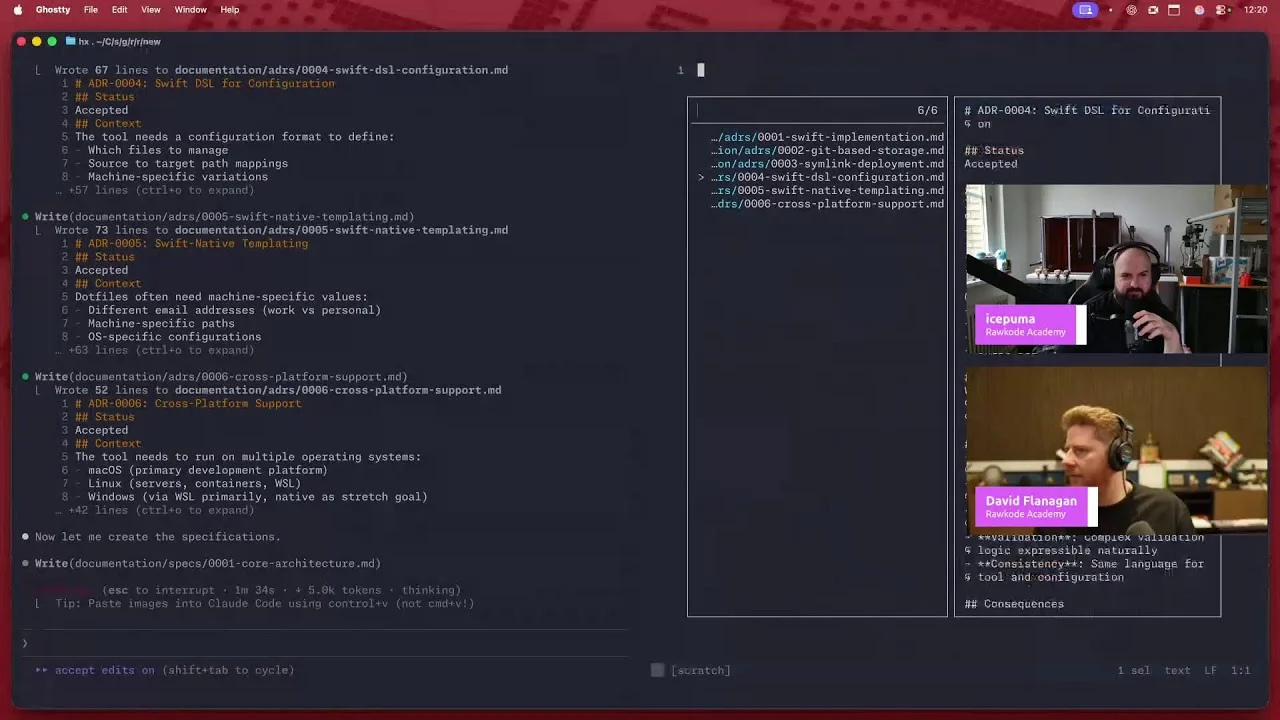

More about Litmus


More about Kubernetes

More about Argo


More about Helm

More about Grafana



Comments