Kubernetes Security Scanning: The 4 Tools You Actually Need
When it comes to Kubernetes tooling, the landscape is noisy and doesn't always have your back. Finding the right tools can be ... somewhat painful.
- Date
- Runtime
- 18:37
- Share
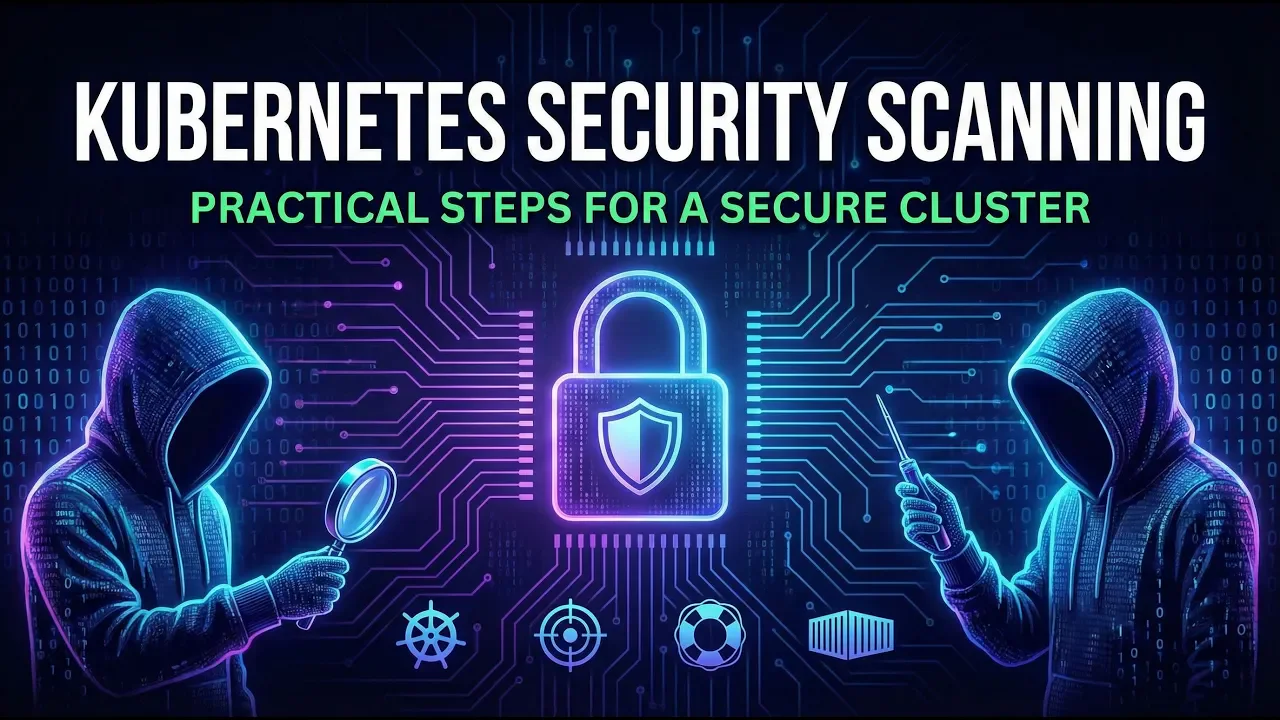
About this video
What You'll Learn
- Explain how kube-bench checks clusters against CIS benchmarks for hardening hygiene.
- Show how kube-hunter probes exposed ports, dashboards, and logic flaws from inside.
- Build an SBOM with Syft, then use Grype to find CVEs.
Four tools for Kubernetes day-two security: kube-bench for CIS hygiene, kube-hunter for red-team probing, Sonobuoy for CNCF conformance, and Syft plus Grype for SBOMs and CVEs. Demo runs them by hand, then automates via Spectro Cloud Palette.
Jump to a chapter
View 13 chapters
- 0:00 Intro: Keeping your cluster secure Day 2 and beyond
- 0:46 The problem with the CNCF Landscape (Too much noise)
- 2:02 The Security Stack: Selecting the right tools
- 2:21 Tool 1: KubeBench (CIS Benchmarks & Hygiene)
- 3:34 Tool 2: KubeHunter (Red Teaming/Offensive)
- 4:19 Tool 3: Sonobuoy (Conformance & Interoperability)
- 5:40 Tool 4: Syft & Grype (Supply Chain & SBOMs)
- 7:29 Demo: Running scans manually with CLI & Manifests
- 10:16 Analyzing KubeHunter results
- 11:20 Generating an SBOM with Syft
- 13:28 Demo: Automating security scans with Palette
- 14:30 Reviewing the automated reports (PDF/CSV)
- 16:25 API Access & Exporting Audit Data
Transcript
Generated from English captions. Select a timestamp to jump to that moment.
Read and search the transcript
0:00 Intro: Keeping your cluster secure Day 2 and beyond
0:00 In this video, I'm going to show you how to scan your Kubernetes cluster for vulnerabilities, and keep your cluster secure, not just on day one, but day two and beyond. First, let's set the scene. Nice try just Github. Oh. Oh, an awesome list. I know. Let's the landscape. Let's go to the landscape. Right. Security oh. Where do I even begin? When it comes to Kubernetes tooling, the landscape doesn't have your back. There's too much noise. Working out the right tools for you is a lot of work, effort, pain, fear, FOMO. This is why we need more opinions in
0:46 The problem with the CNCF Landscape (Too much noise)
1:35 cloud native to cut through the noise and give us a clear path to more sleep. At the end of this video, you will see a demo with Spectral Cloud, where I turn on all of my day two secondurity scanning operations with a toggle box. So before I show you how Palette automates all of this away for you, let's talk about the actual stack that we're going to be using. I wouldn't just pick random technologies from a CNC landscape, and you shouldn't either. Spectral Cloud have put a lot of effort and consolidating on what is the industry standard or at
2:02 The Security Stack: Selecting the right tools
2:14 least as close as we're gonna get for day two operations and security scanning in 2026 and beyond. First up, we have KubeBench by Aqua Security. This is our foundation. It checks the cluster against the SIS benchmarks, which is basically the global rule book if one were to exist for hardening Kubernetes. It's not scanning your cluster or looking at your cluster to find hackers and malicious activity. It checking for bad hygiene. Have you left anonymous authentication on? I hope not. Is your ACD encryption configured correctly? Fucking better be. Essentially, this is the bar for putting a Kubernetes
2:21 Tool 1: KubeBench (CIS Benchmarks & Hygiene)
2:58 cluster online. KubeBench will make sure you hit it. I would choose KubeBench because it maps one to one with the audits that your compliance team, security team are actually doing themselves. It turns what is typically a 200 page PDF into a pass fail checklist that you can work through to bring that conformance in line. Next, we move from setting the bar, preparing our defense, and to our offensive position. For that, we're gonna use KubeHunter. So while KubeBench looks at all your manifest and config files, KubeHunter acts like the red team inside of your network and your cluster,
3:34 Tool 2: KubeHunter (Red Teaming/Offensive)
3:47 actively probing your cluster, hunting for open ports, exposed dashboards, and logic flaws that a static config check will probably miss. And, of course, we use this because compliance doesn't always mean secure. You can do all the right things and pass your SIS benchmarks. But what if you still leave the keys in the back door? Cube Hunter will help you find those back doors before anyone else does. Third, we have Sonoboy. Now this is the only official tool from the CNCF for conformance testing. It answers the simple but critical question. Is this actually a Kubernetes cluster?
4:19 Tool 3: Sonobuoy (Conformance & Interoperability)
4:35 Now you could argue if it looks like a cluster and quacks like a cluster, it may be a cluster. But actually, the CNCF has a very strong test suite of thousands of tests that ensure that your API behaves exactly how the official specs says it should. We rely on this because custom distros and heavily modified environments do break things. So Sonoboy says you pass, you know your helm charts, your operators, your CRDs will actually work. This gives you a guarantee of interoperability with the entire Kubernetes landscape. If a tool targets Kubernetes and your Kubernetes cluster passes,
5:18 the tool will work in your cluster. As we layer on more and more and more more operators, hopefully not to the extreme of OpenShift, this gives you confidence that those operators will function and do their job. Again, we want more sleep, not less. Finally, supply chain. I mean, I could sit here and talk about how important supply chain is in 2026. We've all read the postmortems for the many, many attacks in 2025 attacking our supply chain as we deliver software. For supply chain checks, we're gonna use Sift and Grape from Encore. All the previous tools
5:40 Tool 4: Syft & Grype (Supply Chain & SBOMs)
6:15 I've just listed and discussed briefly protect our infrastructure, but these protect our workloads. SIFT helps us generate a software bill of materials, an SBOM, an ingredient list of every library inside of your containers and applications. Gripe then matches that list against the vulnerability databases to find CVEs. The anchor stack is chosen because of its high fidelity. In a world where Log4j and supply chain attacks happen day and night, and every day and every night. You can't just secure the platform. You need to understand your code and the code it runs on top of. So we put all this together.
7:03 We have the rulebook, the red team, KubeHunter, compliance and standards with Sonoboy, and an x-ray look at our stack with SYST. What's next? I'm gonna show you how to set all of this up in less than ten minutes. Wish me luck. So here I have my Kubernetes cluster. This is just using a Docker desktop with the Google microservices demo deployed. So we want to run through the four tools that I listed earlier to see the security posture of this cluster. In order to do that, we will deploy at least the first two Kubernetes manifests. One for KubeBench
7:29 Demo: Running scans manually with CLI & Manifests
7:57 and one for KubeHunter. So all we need to do is apply job cube bench to the cluster. This creates a job, which in turn creates a pod. We can grab the name of this and just run kubectl logs follow kubectl. Now, this will output via the logs all the information that you need to understand the pass and fail status for each of the checks or rules that it confirms against your cluster. If we just scroll to the bottom, we'll see that we have 62 pass, 12 fail and 59 warning checks. If we scroll back to the top, we
8:49 can start to see information on all the individual checks. If we look for our first warning, the first one is here. We can see here that the permissions on our CNI interface file are a little bit too permissive. Down here we can see that anonymous off argument is set to false or is not set to false. And our first failure I believe is that we don't have the appropriate Kubelet certificate authority argument configured. Now this output is obviously rather verbose and not easy to understand, visualise or build an action plan for right away. But there is
9:33 a lot of information here with remediation steps, So you can work your way through it until you have much better security posture than we get by default with kube admin running on Docker desktop. Next, we need kube hunter. And just like we did with bench, we apply the manifest, we run get pods, we can get a pod ID, or we can auto complete it, like so. Now this one may take a wee minute. So let's come back in just a moment. And done. Let's take a look at the output. Now it's worth knowing this only took around
10:16 Analyzing KubeHunter results
10:20 twelve seconds to run. We can see our single node, but seems to be coming through as two because of the two IP addresses. We can detect metric server, the Kubelet API, the API server, and as far as vulnerabilities go for what is happening on this cluster, we can see that lateral movement is available via ARP poisoning. We can see here we've got exposed interfaces. The API server is allowing discovery, and some credential access via service accounts. Now this is actually not too bad, but please bear in mind, this is a kube admin cluster on Docker desktop. This is
11:07 not fully representative of production. What you find could be a whole lot worse or hopefully a whole lot better. Alright. So the next step is we now want to take a look at all the images inside of our cluster and generate that SBOM. For me, I'm going to run this SBOM just failed target. We'll take a look at it in just a second. And if we kick that off, it goes to the cluster using kubectl, gets all the pods as JSON filters through it, grabs all the images, and now it is doing its scan. So
11:20 Generating an SBOM with Syft
11:48 what that looks like is here, we run get pods all namespaces, use JSON path, and then all we're doing is looping over that and running that against Sift. SIFT will then just take a moment and give us a report about any vulnerabilities around our images and application workloads running in our cluster. And now it is done. Now because this RAM is a bash for loop, the results are again a little bit difficult to understand because we'd have to loop through every execution of it to see the output. So, we're only going to focus on this
12:27 last image, which was the shipping service from our deployment. We can see here that this actually loads the image and works out which packages are installed, which executables are available and even analyses digest and metadata of files in some locations. To show us that we have GO123.2 which has some CVEs. Some are high, some are medium, and some one is critical. If we scroll up and take a look at the recommendation service, this has three criticals, more highs, more mediums, and even a few low. So it's very important to understand these CVEs exist because otherwise, how can you protect your
13:18 workloads and your cluster from these that may or may not be vulnerable? So let's get straight to it. What does this look like in palette? Well, a whole lot easier. Here, I have my imported local cluster, the exact same cluster, and to the Spectral Clouds palette. We click on settings, cluster settings, schedule scans. Boom. Boom. Boom. Job done. Now that wouldn't be a very good end to the video. So let's go into it in a little bit more detail. We can schedule these scans, but as this is an ephemeral cluster locally, I'm not going to bother to do that.
13:28 Demo: Automating security scans with Palette
14:00 I'm just gonna click save. If we click on scan, we have our configuration, penetration, conformance and SBOM scan. So the three we enabled and one that's always available if you wanna run it. We'll click run, run, and configure. We'll use SIFT and click go. And we'll be back to check on that when it's done. Alright. So our scans have finished. And here we have the results of KubeBench. So we can see that our file permissions are also not restrictive enough. This is a common thing that we're gonna see, but this is benchmark, so they are to encourage best practice. And it's nice
14:30 Reviewing the automated reports (PDF/CSV)
14:46 just to see a very simple pass, fail, and warn, much like we got on the CLI, but on a slightly easier to consume way. We can scroll down all of these, we can run these tests as we've seen on a schedule. We can have them run once a week, once a day, once a month, whatever helps you work towards that goal of having a secure cluster. You can also download these as a PDF, as I have done here. So, you can even email it to all of your colleagues to let them know that they need to ship up their clusters.
15:18 Next, we have the results of our KubeHunter scan. Again, we have PDF and CSV access. And lastly, we have the results of our SBOM that scans every single image in our cluster, allowing us to click on one and see an itinerary of all of the dependencies and the vulnerabilities that are available. So, it's not that hard to run these scans against your cluster using CLI tooling, YAML manifests and Heaven apply. But if you're doing this at fleet scale across multiple clusters, you may want to consolidate it into a single approach like Spectro Cloud Palette offers.
16:04 However, it's not just the fact that they give us a nice web interface to browse these reports, share them with our team and even expose them over CSV and PDF. They're also available via an API and kubectl Kubernetes custom resources. Let's see one more thing. Let's run kubectl dash n and we'll select our cluster namespace. Now this is an imported cluster, so I have this weird cluster ID. Your namespace may be slightly different. We can request our audits like so. Now, what is audits? Well, we can run kubectl API resources grep for audits, and we'll see that this is a Spectral
16:25 API Access & Exporting Audit Data
16:52 Cloud custom resource for storing the results of their audit scans. If we run this again, we can get one individual audit and let's just say we want to grab our KubeBench result. We can fetch that as JSON, like so, and underneath the Status, Results, KubeBench, ScanReport, Worker, ReportData, we have all of the JSON information with the results from the scan. Meaning I can actually automate pulling this out on a regular interval with my scheduled scan and store the results in Slack, a database, S3, R2, low key, whatever you want. This becomes something you can now graph
17:36 in Grafana over time to see progress and regressions. If you don't want to do that via kubectl access, there's also a web API available too. You can use the base URL with v1 Spectro Cloud's Cluster ID features, Compliance Scan, where you have access to the logs from KubeBench, KubeHunter, etc, etc, etc. So not only does Spectro and Palette allow us to do this at scale across a fleet of clusters, it gives us API access to the results, allowing us to bring them in to our workflows, our automation and our automatic remediation potentially. What you do with this power is up
18:20 to you. I hope you enjoyed the second instalment in our Kubernetes Day two operations, and thank you to our friends at SpectroCloud for making this series happen. Go check out their website in the link below, and we'll see you next time. Have a great day.
Technologies featured
Comments and resources
Comments
Documentation
Additional Resources

More about Kubernetes

Hands-on Introduction to Kueue

Hands-on Introduction to Yoke
Navigating Kairos: Immutable Operating Systems with a Cloud Native Twist
Kubernetes Disaster Recovery
Flatcar Linux: A Modern OS for the Always-On Infrastructure
Platform Engineering: Asking "Why"? with Evelyn Osman
Academy publications by email
Get an email when Rawkode Academy publishes new tutorials, articles, and videos.
Loading email signup. If it does not load, manage email preferences in account settings.