Introduction to Fluentd & Fluent Bit
- Date
- Runtime
- 1:39:00
- Share
About this video
What You'll Learn
- Compare Fluentd and Fluent Bit for Kubernetes logging and pipeline roles.
- Configure Kubernetes log collection, enrichment, and Elasticsearch output with Fluent Bit.
- Build Fluent Bit stream processing tasks with filters, inputs, and outputs.
In this episode, we take a look at using Fluentd for log collection within a Kubernetes cluster, as well as using Fluent Bit for stream processing.
Jump to a chapter
View 48 chapters
- 0:00 Holding screen
- 0:50 Introductions
- 0:53 Introduction & Guests
- 1:23 Guest Introductions
- 3:00 Introduction to Fluentd and Fluent Bit (Slides)
- 3:08 Project Overview Presentation
- 3:32 Challenges in Data Collection
- 5:40 Introducing Fluentd
- 7:12 Introducing Fluent Bit
- 8:17 Fluentd & Fluent Bit Use Cases
- 10:57 Logging in Kubernetes Explained
- 14:15 The Logging Pipeline
- 16:36 Fluent Bit vs Fluentd Positioning & Performance
- 18:30 When should I use Fluentd vs Fluent Bit
- 18:36 Choosing Between Fluentd and Fluent Bit
- 22:00 Deploying Fluentd with kubectl
- 22:09 Live Demo Setup
- 23:16 Installing Fluentd on Kubernetes
- 26:55 Configuring Fluentd for Elasticsearch Output
- 29:49 Verifying Fluentd Logs in Kibana
- 30:00 Setting up Kibana
- 34:00 Deploying Fluent Bit with Helm
- 34:04 Introduction to Fluent Bit Demo
- 34:50 Installing Fluent Bit on Kubernetes (Helm)
- 39:16 Configuring Fluent Bit Output
- 40:00 Config Visualizer
- 40:04 Understanding Fluent Bit Configuration Pipelines
- 40:24 Using the Fluent Bit Config Visualizer
- 43:26 Implementing a Filter in Fluent Bit
- 48:00 Filtering logs
- 50:58 Accessing Nested Fields in Config
- 53:57 Applying Filter Config & Verification
- 59:12 Introduction to Stream Processing
- 1:00:00 Stream processing with Fluent Bit
- 1:01:04 Stream Processing Use Cases & Pipeline
- 1:02:40 Stream Processing Demo Setup
- 1:10:07 Editing Kubernetes Config Map for Stream Processing
- 1:10:55 Defining a Stream Processing Task (SQL Syntax)
- 1:15:05 Adding Input for Stream Processor
- 1:17:14 Adding Output for Stream Processor Results
- 1:19:58 Applying Stream Processing Config (Troubleshooting Begins)
- 1:20:47 Stream Processing Persistence & Storage
- 1:22:48 Debugging Config Errors (Checking Pod Logs)
- 1:24:48 Resolving Config Map Mount Issue
- 1:30:06 Verifying Stream Processor Start
- 1:30:53 Viewing Stream Processing Results in Kibana
- 1:33:44 Advanced Stream Processing Functions
- 1:34:56 Conclusion & Project Announcements
Transcript
Generated from English captions. Select a timestamp to jump to that moment.
Read and search the transcript
0:53 Introduction & Guests
0:53 Hello and welcome to today's episode of Rawkode live. I am your host Rawkode. Today we are gonna be taking a look at Fluentd and Fluent Bit logging systems for Kubernetes and other platforms. And today, I am lucky enough to be joined by two members of the Fluent team, Anurag and Eduardo. Hello. How are you both? Doing well. Doing well. Glad to be here. And, David, thanks for the invitation. Happy to be here. Awesome. I'm excited. Why don't we start? Just take a little bit of a moment. You can both introduce yourself, and then we'll talk a little bit about
1:23 Guest Introductions
1:27 the projects. Sure. I can start. So, yeah, Anurag Gupta, used to be a product manager in Azure where I got exposed to a bunch of open source and and worked on open source team there, including the project Fluentd, which we ended up using for our Azure log analytics service that we ran in Azure. It was awesome, and then got invited by treasury data to come and actually help help help out with Fluentd. So I left that in 2017, And then did a brief stint at Elastic as well, so I was a product manager at Elastic. So logging has been
2:08 part of part of the journey for for the past seven years, and really excited just to come back to Fluentd, Fluent Bit, cloud native space, and see see how they evolve it. Great. My name is Eduardo Silva, and I have been involved with the Fluentd team for about seven years, I think, as of now. And one I I started working for Trisha Data at that point to to help with the Fluentd project together as a team. We started Fluent Bit. With the time we met Anurag. Right? And have have been involved with the crisis then. We have been working
2:48 very heavily with the CNCF, with the other projects, and with the whole ecosystem. Nice. Excellent. So I believe we have a couple of slides and some some materials we're gonna go through to tell us a little bit about what the projects are. Yeah. Definitely. Awesome. So, yes, I thought it'd be good just to give a little bit of an intro for those who who aren't aware what Fluentd and Fluent Bit are and just kinda, know, give you a bit of an overview, what the use cases are, how you can leverage it kinda within your your enterprise,
3:08 Project Overview Presentation
3:25 your data center, within, you know, your your environment. So let's first start and zoom out with some of the challenges that we have with data, and I think this is probably something a lot of us can relate with is you just have this ever expanding expanding amount of data sources. Right? You have Kubernetes. All of a sudden, developers are being asked to start doing security. You have system logs. You have networks that that can be short lived. You have application logs. Each of these need to be routed to different outputs, so you might have security folks
3:32 Challenges in Data Collection
4:00 that care about having all of this in Splunk. You might have folks that care about all of this in Elasticsearch. You have new outputs like Grafana's low key coming out on the scene. You have s three, MongoDB, all sorts of these different outputs. You have all sorts of formats. So every log that you're writing has, you know, potentially a different format, whether it's JSON, whether it's application specific. And then on top of kind of all these challenges where you have, you know, f number of sources and n number of outputs, you need to make sure that all of
4:34 the data that you're trying to ship from point a to point b can handle failures, can handle network outages, you know, potentially going to the cloud so it can go through a load balancer. It can buffer that data so in case something automatically shuts off, you don't lose all that data. So you need a lot of resilience now with with all of these things. And just to kind of showcase two of these challenges, one around the sources. The the the aren't just files. You also have places like Kubernetes where you have tons and tons of applications
5:12 that might be running in it. It might have short lived app short lived pods. And and so you basically have to capture all this data, give context to it, ship it with resilience to an output of your choice. And another challenge here is the formatting. So another example here, you know, Apache logs, MySQL, JSON. Everyone has their own format. These things just keep on evolving. It's not never getting any easier. And so what what the team at at Treasure Data did was when they were building their analytics service, they said, hey. We need some way to make sure folks can get
5:40 Introducing Fluentd
5:49 their data into our platform. And so they actually built a a Fluentd. And so Fluentd takes many sources, whatever those data sources are, and then is able to route them to many end destinations. And so the project actually got started June 2011. So this year, Fluentd actually turns 10. So you can even see that these projects are are, you know, predating kind of the container era or even, you know, Kubernetes being open sourced in 2035. So they were built to solve big data problems initially, and, you know, the natural evolution started moving them towards, hey. Solving cloud native problems where
6:30 you're sending data to highly available cloud environments. You're sending data from bare metal to highly available private cloud environments. We've, you know, been part of the CNCF as a project since 2016. We graduated in 2019. So graduation is just a a bit of a status that's given to projects that have very broad adoption, lots of users, lots of committers, maintainers, and, you know, you can see here that the the adoption's been pretty awesome. You have folks at Azure, Google Stackdriver, which I believe now is Google Cloud operations, Pivotal, Red Hat OpenShift, and these are just
7:10 just a few of them. Eduardo was talking a little bit about Fluentd, and and what we saw trending with Fluentd was that it was written in in Ruby, and, you know, it it didn't have as heavy performance as we wanted, and we saw a growth in IoT type use cases. So embedded environments or container environments, you have super lightweight, very constrained resources. How do you do the same level of data collection resiliency on those environments? And so we actually built this Fluent Bit project. It's completely written in c. It's now one of the preferred solutions for
7:12 Introducing Fluent Bit
7:52 cloud environments because, I think, similar to an embedded environment, while something lightweight, something already packaged, has all the plug ins ready to go, has all the resilience. And, of course, both of these projects are, you know, Apache license v two. They're all part of the CNCF. So they're, you know, free to download, free to use, and and you're something you can get started with immediately. Now just to kinda give some use cases, like, what am I gonna actually use Fluentd and Fluent Bit for? Some of the really popular use cases, of course, are centralizing your logs from Kubernetes.
8:17 Fluentd & Fluent Bit Use Cases
8:29 But some of the more advanced use cases, like reducing cost, you know, some of the back ends that you might be sending data to can be pretty expensive. Right? They charge per gig, and you you probably don't need to collect every single log message, especially if it's like a debug log. So you can filter that data out. You can enrich data. So we think about reducing cost and and improving developer utilization, not just by taking away data, but you can actually enrich it. So that way when you're doing a search, you have the context or be there of, oh, hey.
9:04 This, you know, trace and this metric and this log are all related. You can enrich it with, hey. These are the namespaces for Kubernetes. This is potentially the server that I'm running on in bare metal, which is in this data center and this GeoIP. Formatting, so make making sure that you have the ability to format any arbitrary log so that way it's easier to be processed and analyzed and visualized, redacted, anonymized. This is another big use case where you're collecting all this data. And I think, you know, the past ten years have been all about
9:40 big data, getting everything into a single place. The next ten years are really about, I have all this data in a place, but now we have things like privacy concerns. We have aspects like, hey. What if someone gets into my data? They can now access all my records. So how do we help remove sensitive data before it even hits the analytics end? Do it all on prem. Do it while you're collecting the data so no one ever sees it. And then neutrality. So this is another a big use case is you as a as a
10:13 user might be evolving. Right? You might be using Elasticsearch one day. You wanna try low key the other day, then you wanna switch to a SaaS the other day. How do you make sure that you're not dependent on a single vendor? You know, what cloud native computing foundation allows us to do is be very, very vendor neutral and then have all these outputs so you can quickly switch and say, let me try sending my data to both Splunk and Elastic. And, I can compare those two with the same set of data. How does it actually go and switch
10:47 if, you know, I I I so deem it to be a better experience or whatnot? So, yeah, that's some of the use cases, and and I think it's worthwhile to just walk through, like, how does it actually work. So I'll pass it off to Eduardo to talk a little bit about kinda logging in in Kubernetes and that workflow there. Yeah. The the logging in Kubernetes is quite different from normal applications. Right? In a normal application or bare metal servers, you just have your application spawn in the logs through the file system or nowadays through system systemd.
10:57 Logging in Kubernetes Explained
11:24 That anyways, both modes ended up in the in the file system. But in the container space, they tried to come up with this new approach where actually, it comes from the very old days where every system has its own console. Right? And when you can debug the the server, you can debug the hardware when you are getting information from the hardware or the service that are running. Right? Actually, you can do that with Linux nowadays. Right? You can attach to a serial interface and see how the the kernel is booting. Not in the, but you can do it
11:58 with a normal system. But in containers, they said, yeah. If we have an application that needs to trigger messages for logging information or even metrics inside the logs, right, which is a very common approach to they said, okay. We're going to run this and ship all the information from the standard output or to the standard error interface, which is, the the common the common channels for an application. So when this application in Kubernetes runs in a container, the container runtime, right, it could be Docker or Cree or any other of the same family. What it
12:36 does, it traps the output from from this application. And what it does, it will encapsulate this and put this in a insight another kind of message which has more context. Right? Because it has a stream, it has the timestamp, and so on. And this log file ended up in the file system. So every every container deployed in Kubernetes, it's inside a pod, and a pod can have multiple containers. So just imagine that in your environment, you have a a few couple of nodes. Your application has replicas. Maybe your application's running different places. They're storing the logs in different ways, and
13:16 and you need to correlate all this information. So the workflow is like the application writes the information to the standard outputs, standard error interfaces. This is trapped by the container, and this is stored usually in the file system, right, directly as a JSON file. And then what it does is not just you don't get just a message that you used to have, but also you get more notion about the stream and the timestamp. But as I said, what about if you're running in a different kind of notes distributed environment? You're missing some information in the log, like
13:50 what is the host name, port name, the container name, the port ID. Because at the end of the day, what you want to do is data analysis. But if you're not able to correlate your data, right, it's really hard to understand how your application is behaving or try to find any kind of anomaly. So any logging processor needs to correlate log in local information but also metadata. If you look carefully how this how this works from a login perspective, it means that you have to collect the information from the file system. It doesn't matter what kind of
14:15 The Logging Pipeline
14:25 it's a source of data. You have to collect this data. You have to parse this data. Right? Maybe you need to filter out or enrich your data, and then you can send your data out to a final storage, which could be a cloud provider or your own local database, like a MySQL or Lucky or any kind of other storage type. And this workflow is called which is the pipeline. Right? And Fluentd and Fluent Bit implement that pipeline. Now the simple message that started like, for example, an access log for Apache or NGINX gets some a little bit of metadata.
15:08 But in Kubernetes, actually, when we correlate all the information together, your simple look measure gets something like this. Right? Where you have the Kubernetes entries with botnet, message for the ID, information about the host, and and so on. So all this correlation is is a bit complex, but give you the full access to the context. And when you deploy a a logging agent, could be Fluentd or Fluentd, it runs as a demo set. A demo set is a pod that runs on every node of your node sort of your cluster. So what it does is to read the
15:42 local file system logs from the containers, and as soon as it is retrieving the data, it goes to the API server. If you can switch to the next slide, please. Yeah. And so it can correlate all the missing parts like labels or annotations or any custom information. And then the log processor is just ready to ship the data out to the world or your local file system so you can perform a data analysis. The thing is that Fluentd and Fluent Bit has been around for a while. I would say that the first class citizen for
16:17 log management and stability, but also not just logs. Also, I would say that at least Fluent Bit also is playing a a good role now integrating metrics as as part of the agent. And one of the important things when when when running an agent, this we we have work we work very close with cloud providers and talking with from a community perspective, with Google, with Microsoft, with AWS. It's like, at the end of the day, for example, end users or, like, customers, right, they say, yes. I want to deploy my applications, but I want that the logging layer
16:36 Fluent Bit vs Fluentd Positioning & Performance
17:01 be very cheap in terms of CPU processing and memory. So as Anurag said, yeah, we have Fluentd. It's widely deployed, and we started working for the last five, six years on trying to come up with that lightweight solution. I would say that nowadays, Fluentd is positioned like at the default for Kubernetes clusters at a low cost performance, of course. Yeah. So that's a a bit of an overview on Fluentd, Fluent Bit, some of the use cases, how you can actually apply it to Kubernetes. But, yeah, it's a a little bit of an overview. Hope it helps.
17:42 It does. I think I mean, I had a bunch of questions I was gonna ask, and I think you probably got most of them there in that presentation. So that's that's pretty well done. It was a good sales pitch. Yeah. Definitely. Yeah. You know, I mean, one of those things I think that is easy for maybe some people to take for granted is that the job of the log collector maybe is rather simple. And I think you did a really good job of doing well actually in certain environments it is definitely not. I think it's always important for people to
18:11 understand what actually happens to the log data when they don't run NSN in their cluster to centralize it, know and that was all covered as well. I think that was a really good overview of the kind of the way things are working and and where the fluent to fluent projects can kinda come in and augment and help and even talking about the enrichment of the data I think is extremely valuable too and of course the plugins were reducing costs. Lots of great info on those slides top job. I guess one of the things we could
18:36 Choosing Between Fluentd and Fluent Bit
18:39 discuss is just, know, is there any semantics heuristic rules for when anyone should pick Fluentd over Fluent Bit, Fluent Bit over Fluentd, you know, I noticed certainly CPU and memory constraints that Fluentd is gonna be more applicable to at least in certain environments but does that mean that I shouldn't use it and environments where that isn't a constraint? Is there any what's your expertise there? Yeah. Really good question. Very sure. Okay. Great. Yeah. So so I think one of the big things with with Fluentd and Fluent Bit is, you know, Fluentd does have a much longer history, which lends itself to
19:19 a ton of more plug ins. So if you look at the number of plug ins that Fluentd has, is it worth a thousand. Right? It's like, you can go find a plug in for something, you know, as enterprise via Snowflake, and you can find plug ins for, you know, Jill's app server that's running locally or something. So you have just this wide variety of plug ins, and one of the the things we try to do with Fluent Bit was learning around this expanse of the plugin ecosystem. How do you make a really good set of almost official plugins that come with the
19:54 bundle itself? And so what a lot of folks have done is with these log collectors, we we allow you to run them in what's called a forward and aggregator pattern. And this means I'm gonna take the lightest weight agent, and all it's gonna do is forward data. It's gonna collect all the data, make sure it's resilient, and fire it off to something to do more processing on. And then that aggregator pattern, which has traditionally been Fluentd, is something that you're running almost like a dedicated server for. It consumes a lot more resources, but at the same time, is outputting tons
20:31 and tons of volume. So, you know, we have users that are outputting, a petabyte per day, and they're using this forward aggregator plan because the nice thing that Fluent Bit and Fluentd have is they share this protocol of sending raw message pack, which is like a serialized JSON, and you can fire that data with Fluent Bit as a forwarder, Fluentd as an aggregator, and then route it to, like, say, s three or Elasticsearch or wherever. Now the choice these days is is we're also making it applicable so Fluent Bit could be used as an aggregator as well.
21:09 So now instead of just using Fluent Bit on the forwarder node, you can choose Fluent Bit as an aggregator. And one of the reasons why folks have been hesitant is, okay, the plug ins might not be as robust as what Fluentd offers and then multiprocess. So, actually, really cool is this next release that we're we're preparing. We're we're allowing for multiprocess, multithreading. I will flip it. So the yeah. The roles are definitely bit mesh. So there's know, one's a project, one's a subproject. But, you know, we're we are making sure that you can choose whichever one.
21:47 And we're, of course, making sure Fluent Bit is using the lowest amount of resources and has its kind of centralized plug in system. So Nice. I hadn't actually considered that. It was that it was that it wasn't a question of which one to use, but actually use them in a combination to set the environment that you're trying to work with. That makes a lot of sense. Alright. Shall shall we get started? Shall we? Let's do it. Yeah. Let's Yeah. And and install. Alright. Well, I have the the website here. I think we've covered all of the abouts.
22:09 Live Demo Setup
22:22 So we're just gonna go straight I guess to the documentation. Now will we start with Fluentd? Will we start with Fluentbet? Do you have a preference? Let's start with Fluentd and then Fluent Bit has some some pretty pretty cool advanced use cases and we can kinda finish off with those, but fluent let's do Fluentd to start. Yep. Alright. I'll go straight to the installation and we can see we got options for deviance, MSI, source, Ruby gems, etcetera. Is there a Kubernetes option? So with Kubernetes, you can do a deployment from our helm charts. So that's that's probably the easiest way to
23:06 to do Kubernetes. I believe there should be a Kubernetes doc in there as well. Let's see. There's a search on the top right. I won't know the exact Alright. Let's try that. Yeah. Perfect. There we go. Nice. So let's see. What if we got set up in advance? Now one of the things I like to do in this show is, well, nothing upfront. I like it to be quite open and transparent. Nobody wants to watch me spin up a Kubernetes cluster and I've gone ahead and just provision some elastic search and combine. I know it's very uninteresting but I suspect that when
23:16 Installing Fluentd on Kubernetes
23:45 we start collecting logs, actually wanna be able to put them somewhere. So I just made a little bit of an assumption there. Now we can scroll down here and the deployment option for Fluentd then as a daemon set, that comes back to I guess what you had on your slides like the container runtime is writing logs already to the host. So we need to have something running on each of the nodes to be able to collect that. Exactly. Yep. Okay. So I think it wants me to clone. Yeah. So you can you can clone this.
24:22 You might also just be able to go to that since it's a david set file. Just kind of apply it straight from there too. So is there no configuration for this? Like There there is. There is for sure. So in here Yeah. I think that in the back route, Rawkode, and and the account service. Yeah. Exactly. So here, what we have is a bunch of examples of back end. So in that repo, you saw, like, Elasticsearch. I think there was Loggly. I believe there's a couple others. Yeah. Like GCS, Ray Log. Australia. Access Log. Yeah. Exactly.
25:01 Exactly. Yeah. So if you're if you're a vendor, you know, and you wanna you wanna put one in there, we're happy to take contributions. Yeah. Alright. I'll assume we maybe want the daemon set, elastic search, RBAC example. Yes. Or should I use a Helm chart or will I just apply this and we'll cross our fingers? It's yeah. So the Helm chart essentially takes this daemon set and applies the daemon set. It applies some service accounts, the same cluster actually, yeah, this is pretty much the same exact thing. That was an even though it just says daemon set, it
25:39 includes kinda multiple things. So whichever one you want there. Yeah. Well, I'm feeling brave. So we'll just alright. So I'm assuming it's maybe gonna be running in it's on namespace? I think I think it's a login login namespace. Yeah. Let's see. Oh, it's a KubeSystem. Yep. KubeSystem. Alright. So Mhmm. Let's have a look and see if it is running unhappy. Oh, I just did a dashy anyway. Force to happen. Yeah. It might be running. I think the other thing that we probably need to do is modify it for the elastic search. So, like, modify the
26:25 the settings and everything. But you'll actually, one cool thing to see here is, you know, sometimes your provider or the the Kubernetes cluster you have will already have Fluentd and Fluent Bit running on it as part of its, like, system logs. So here you can see, like, Fluent Bit is already in there, but that's not something we deployed. We just deployed Fluentd. Yeah. Yeah. I got it. Think yeah. JKE provides us at the box now, which is quite cool. Mhmm. Yeah. Let's get some code editors going. Create a new file. Copy, paste. So what was it you said we potentially
26:55 Configuring Fluentd for Elasticsearch Output
27:07 want to be modifying here? Yes. We wanna modify the, yeah, the host as well as the password for the user. And then depending on the version, so if you're using something that has security enabled or user enabled, we'll wanna modify that too. You mean from the Elasticsearch site? Yeah. From the Elasticsearch site. Yeah. I don't think there's I I don't think there's any authentication. I think we should be okay. Alright. So okay. So then I think with the user and password, we might be able to just comment that out. Yeah. Woah. That should be okay.
27:57 Oh, because I haven't saved it with an extension, so it doesn't know how to comment. There we go. Alright. We'll try it. Yeah. I just did a default helm install for Elastic search. I guess maybe I could check if that installs any authentication but I think by default it's it's difficult. So Okay. Let's apply this over the top. Wait for it to be happy again. So the first enhancement is to that we have to do is, like, rename a brand document that is not just a demo set, so it's ready to go. Yes. So now that I've changed the elastic search
28:49 config map, where I think I'm gonna have to just kill all those pods, right, and force it to reload the configuration? I think I think it's probably doing it one by one. So it still looks like it's terminating p r five. Yeah. And then it looks like it restarted. Alright. That'll probably terminate another one. Yeah. Oh, it's doing it in a slow way. I I prefer the the gung ho approach. I would've just have deleted the Me too. Yeah. But but what we should be able to see is in that one running container is we can check
29:22 if we do a cube CTL logs on that, see if it's running, maybe make sure it's not, like, outputting any errors in case of, like, some security or anything. Okay. Looks like it's following the tails. Yeah. It's following the files. Yeah. That that looks happy to me. I mean, I don't I don't see an error. Does that mean that it's flushed into Elasticsearch and everything's happy? Fingers crossed. Yeah. May like, maybe let's check out Kibana, to be honest. Alright. So let's set a quick port forward. Five six zero one. There we go. Let's see. This is different.
30:00 Setting up Kibana
30:25 Yeah. So I think we'll go to create an index pattern first, if I remember correctly. If you go all the way down to stack management. There you go. The index sorry. Index patterns. Gotcha. And I believe the default uses the Logstash pattern. So if you do a Logstash dash star, we'll define that as the pod pattern. Yeah. Perfect. Yeah. And we can see there's there's a new index there, 1.15, which I'm going to assume is the It's the index here today. Exactly. Yeah. So we can click next. Alright. I'll I'll just dismiss this. My data
31:16 is not secure. Warning. Oh, no. I'll send the timestamp field as timestamp. Exactly. Yeah. And Yep. So that means we select it. Should have data. And we exactly. Go to discover And crossing all our fingers here. There we go. Yeah. So Nice. That was a straightforward. That Used to be more complex years ago. That is the easiest installation I have done in this show so far, and it wasn't gonna help chat. So that's a bonus for me. Yeah. Yeah. It's the the thing is you did have security on. Otherwise, we have to go get the cert and then have to add
32:11 the cert. But Yeah. That's it's it's meant to be very simple. Right? Get get started, ship the logs, enrich the logs. So even if if you zoom in to one of them, you'll see, like, you have Docker container ID, you have Kubernetes container name. All of that is available to you. Oh, yes. Because this information won't actually be in the log outputs of each of the applications running on my cluster. This is something that Fluentd is going, hey. We're inside a Kubernetes environment. We should start to enrich this log of all of these details. Exactly.
32:47 Exactly. It it'll enrich it, cache that result, and then just basically enrich every log that comes in. Excellent. So with one command it's running. We have our logs. We are thrown to elastic. We visualize it for Kibana. Is that us done? Are we going home early? So so yeah. I mean, I mean, we really could. But the the next step that folks could take afterwards is like, okay. Hey. I wanna filter out some logs. I wanna redact some logs. I want to potentially send data to Elasticsearch, and I wanna send it to Amazon s three or
33:25 a large data warehouse. Right? So these are, like, kind of the next steps in login journeys where you're collecting everything. That's awesome. This might be too much data, though. And now you're like, okay. How do I filter it out? How do I redact it? How do I anonymize it? How do I send it to a cheaper data storage if I need to? So, yeah, there's, like, a ton of ton of options that that you can do with once once it's all all set and and ready to go. Alright. So so we try and and filter
33:56 this data down a little bit, see if we can reduce the throughput? Sure. Yeah. Alright. Or what you know, what we could do is let's let's switch to Fluent Bit and then do some of that stuff there because there's some really cool capabilities we've been working on in Fluent Bit with with the processing that I I think would be would be really cool to to showcase here. We could use the same Elasticsearch endpoint as well. Yeah. Sure. So I guess I just gotta come back to here. Let's see if I can work this out. Oh, no. That was the
34:04 Introduction to Fluent Bit Demo
34:37 wrong URL. So is the manifest in here or is it a different report? It's gonna be a different Sorry. I didn't catch that. Oh, sorry. Yeah. Just go to the Fluent Bit website, and you can hit the documentation. So we have documentation on how to deploy from the daemon set file, right, using the raw files. But also, I would say, to be honest, most of people are using the official hand charts. Well, there are two hand charts. Right? The old stable that are being deprecated by the HAM project and and and the ones that we have.
34:50 Installing Fluent Bit on Kubernetes (Helm)
35:20 So if you go to installation on the left menu, you will find the Kubernetes option. Alright. So we have the ability to create all the manifests. We got the elastic search option and we have a helm chart. So a little bit of flexibility there. Let's try the helm one then. Yeah. We'll add the repository and I guess we'll maybe need to tweak this values fail a little bit. Right? Ex exactly. Yeah. So we wanna tweak the values dot yaml just a bit. So I think let's see. In the value section, we have, yeah, a a match
36:13 of Let's see. Alright. So here's the config. I guess the end pitch is already configured for Kubernetes. Yeah. I can see some stuff here. Exactly. Then we have the Kubernetes filter, and then we have the outputs here. So I think we just changed the host, and it will automatically assume port 9,200. I think it was actually the service name, wasn't it? I don't think I need to change it. Yeah. Okay. Yeah. Oh, no. I think different namespace. Oh, okay. Yep. Assuming we don't install I don't know if the default namespace on this will go to
37:00 whatever the helm context is. So maybe it won't be done. Oh, what what version of Kubernetes is this, by the way? I believe it's one seventeen. Okay. Is that the one Because one seventeen comes with Fluent Bit on GTE. That's a new version. So the the one thing I was thinking of is so the actually, this change from Docker to CRI as the default is a different format of log, of course. And so we we do have all the CRI parts of this within Fluent Bit out of the box as well and Fluentd. But, yeah, just to you know, for folks
37:36 who are saying, okay. I wanna try this on my my Kubernetes cluster. If you're using one of the, you know, bleeding edge versions that doesn't have Docker, just your right, just make sure that that's enabled by default if you're using the CRI parser. Yeah. I think in my conversations, I've been having with people over the the last six months. A lot of people are now starting to push towards running container d by default. So I think that's useful information for folks. Alright. So we're gonna provide our own values file, although I don't think we've actually changed anything
38:10 yet. So this is technical. Just the defaults, but I'm sure we'll be making a few changes in a moment. So let's give that a second. Alright. And I think another difference with the default config of Fluent Bit is instead of using Logstash format, it uses Fluent Bit as the index name, if I am correct. So I guess if we go to that index screen where we were just previously on, we should maybe see a different pattern show up? Correct. Yeah. I I think that the Logstash format was enabled. Oh, was The configuration that we just saw.
38:56 Yeah. I think that was enabled. Yeah. That you can configure that. Right? Yeah. Oh, yeah. Yeah. Launch that. Launch that. That from at all. Can I just set it to off? Yeah. Actually, in the configuration, you can add your own prefix if you want so you can separate or create a new kind of a index. So I'm curious, like, what you mentioned there was that there's a Fluent Bit syntax or is that just a prefix? Prefix. Yeah. You can set it. You can set it up. Okay. So do I want Logstash format on or off?
39:16 Configuring Fluent Bit Output
39:32 Let's do off. Let it on. Off. Alright. Let's let's turn it on then, and then we'll change the prefix to Fluent Bit. Yeah. Let's see what happens. I never tried those, I think. Yeah. I think I I usually do mill logs dash format and then have the index name as, like, Fluent Bit so I can easily identify it. So I I'm I'm confused. So let's let's break down this output format a little bit. Right? We have two outputs here. There's one that's matched on cube.star and one matching on host.star. Can you tell me what the difference between
40:04 Understanding Fluent Bit Configuration Pipelines
40:09 these two is? Yeah. Actually Yeah. So in I think it might be easy to visualize this. So if we actually have a a visualizer if you wanna try that out, config visualizer. So if you copy copy this file real quick and then go to the URL config,httpsconfig.calypdia,caly. Sorry. Can you say that again? Yes. Calyptia.perfect,.com. Yeah. Let me just go to that. And then throw in that configuration. Cool. Okay. So in this configuration, we are taking the tail. We're we're reading all of the Kubernetes logs. We're enriching all those logs with Kubernetes filter that we saw before, and then we
40:24 Using the Fluent Bit Config Visualizer
41:30 match that to Elasticsearch. And then the bottom visualization is we're actually also reading from system d as an input and also sending that to Elasticsearch, but it has a different match. So the way that Fluentd and Fluent Bit work is there's a a nice tagging system. So you can kinda build separate pipelines throughout the entire system. And within this, we're we basically define two pipelines. We have a pipeline of cube dot star. So it grabs all the Kubernetes logs, enriches them, sends it to Elasticsearch, and then we also have the system d. So at any time, if we, say, want
42:10 to modify one of the pipelines, we wanna output to a different output, like, say, Loki or Splunk or something like that, we could just say output Splunk match cube dot star. And so that visualization would when you would update so that you're taking all your Kubernetes logs and you're sending it to two destinations. Alright. Nice. This is a cool tool. This isn't who are Calypdia? Yeah. So it's a it's a kind of brand new brand new thing that that we're part of that's kinda behind Fluent Bit and and Fluentd. So it's free to use. So just just released
42:52 it earlier this week. But, yeah, it's it's nice for these configurations, right, when you're basically trying to figure out how to, you know, go about them, how to use them, and and whatnot. Yeah. That's a nice touch as well on the right where when I click on each of these nodes, it has documentation for each of them on the right. I quite like that. Very cool. Yeah. Okay. So based on that then and I understand this as our system d journal d logs, this is the container log files from the runtime. Do we only need to prefix on this
43:26 Implementing a Filter in Fluent Bit
43:28 the host logs or do we wanna log prefix on this one too? Let's do log prefix on both. Yeah. Okay. So we'll call this bet node and bet cube. Is that alright? Yeah. Okay. So let's redeploy this over the top. Oh, upgrade. And I believe default is it'll do a rolling, so it will do the same. Terminate one. And and one thing you might notice is when you terminate Fluentd and Fluent Bit is they actually, I will wait to finish consuming all the records they have in their buffer so that way you don't lose any information
44:17 either. Very cool. Yeah. So let's go back over to here, I believe. Oh, I've killed the port forward doesn't I? There we go. Give that a wee moment. So now that we've got one or two of those fluent bits rotated, we should hopefully see a couple of new entries on this page. Yeah. One thing interesting thing in the configuration, for example, I think that was the main difference between how routing works in Fluentd and Fluent Bit. Just when we wait for this. It's like, you know, we have two destinations. Right? In Fluentd, if you want to have
45:08 two destinations for the same records, it it for example, if you have one region in two destinations, what you do in the output is to copy the content for diff for two destinations. The difference in the configuration of Fluent Bit that you can say, I have this information go to two places, but there's not a copy. So you don't copy the data internally. So we just can optimize on on memory and performance. And we we found cases that say, hey. I have 32 outputs. Actually, for Fluent Bit. And they say, yeah. We are hitting a limit. Right? And and
45:46 that's really interesting. So why somebody would have 32 outputs? Right? So 32 destinations. And, actually, what we're doing is, like, to accommodate the the same Elasticsearch cluster with different setups. Now that kind of things will be a bit more complex in Fluentd for that special case because you will need to copy the same data to 32 places. Right? And here, we just can have one reference. I think that you can start with now with the index pattern name with Bit Cube. Yes. There's the data. That's interesting. Yeah. I think it's, like, combined a log logstash
46:33 time stamp with the with maybe potential other timestamps that are in the log. I'd use the at timestamp to be safe. Yeah. You said that. That that's a better one. Okay. And do we want to set up the the best host, or are just interested in the Kubernetes one for now? Let's do Bit host too. Yeah. Okay. K. Oh, Bit Node. My bad. Oh, yeah. Bit Node. Sorry. Alright. Discover. So now we have Fluentd collecting the logs, Fluent back collecting the logs, and it's now all gonna show up here, I think. So do we just change this to
47:26 the cube? Exactly. And then we cross our fingers and boom. Yeah. There it is. So nothing other than obviously using a completely different binary, written in a completely different language with a different deployment mechanism. This is still very similar. Right? This is still enriching all of my log data the same way that Fluentd was. Exactly. Exactly. Okay. So why don't we try and filter this down then? What's what's the first one? So we gotta decide a bit what we want to filter out is but if we take a look at the log, there's a couple of fields that seem,
48:00 Filtering logs
48:12 you know, may maybe a little voluminous that we don't need. So if we look at, say, you know, the container hash maybe, that might be something we just remove. Or we could even say, okay. Let's filter that only send the messages that are gets, not post. You know, I don't I don't care about my post messages. I only wanna consume my get images or sorry. My get messages. So that's messages that have this tag of request method post. Exactly. Exactly. So we could we could use that as a filter. Okay. So does that mean I have to
48:53 modify my home config? Correct. Yep. So you'll modify this. So the the way that Fluent Bit configuration works is you have your inputs, you have your filters, and then your outputs. And then if you're also, like, ingesting logs, you have parsers. So what we'll do here is we will actually just create another filter underneath this Kubernetes filter. So, yeah, same format filter. Perfect. We're going to use the GREP filter. Great. And so the GREP filter basically will take in all of the messages, and it will reduce it down only to the ones that, as GREP does, match a
49:38 particular regex. Now I am gonna be a little old and and not remember the exact prep config, so might need to go to the prep docs. Alright. So let's see. Configuring let's just search. Right? Pipeline in in the pipeline? Oh, you can do yeah. Type Grip. Type Grip. You can type grip in the search. Ah, there we go. Yeah. A bit meta. Right? You're grepping. You're searching for grip. One feature of the grip filter is that you can match specific patterns or you can exclude content from that matches a pattern. Right? So you can make the you can
50:27 work from two ways. Yeah. Go well with that with that example. That's fine. Perfect. Yeah. So match start means it's gonna look at every single incoming message that's coming in. And then what we're going to do is the the way that this is set up is you have regex, the key name of the log, and then the content or the regex regular expression. So in this key name, we're going to use that yeah. Exactly. And then here, we'll just use regex of post. Perfect. Note that the key name, it it works in a in a different
50:58 Accessing Nested Fields in Config
51:11 way. So in Fluent Bit, there's a concept of record accessor. Because if you look at, for example, how the payloads of Kubernetes are in the logs, right, they have many nested fields. And sometimes you want to match a specific pattern that is not in the first label. So the way that it works is like, for example, go to the configuration, put the US dollar sign at the beginning. Okay? And then so that means I'm going to access the content of the rec key. Right? And then instead of that dot Yeah. Or unless how how is the key
51:56 what is the key name that was created? Is request an an asset field called method, or it was request dot method? Request dot method. Request dot method. Oh, can you show the JSON file? If you could scroll up, there's the JSON version. That's really important to to clarify. Yeah. Scroll down. Oh, okay. Okay. Method is a nested field of request. Right? It's not just one label. You got two labels. Okay. Okay. Okay. Go back to the configuration. Request squares a brace. Remove the dot and use square brace, single quote for method. Yeah. That's it. And if you
52:54 have more nested skills, you can add more square braces to access the sub content. So so to to give a a bit of a a summary here. So if in Kibana, if we go back to viewing Kibana, the record that we actually get is a bunch of nested JSON. The nice thing is when we go to actually, like, view the column and table side, Kibana actually will say, hey. Let's take those nested fields and shorten it so it shows request dot method. So when we are going to access the record, we're not accessing the flattened
53:28 request dot method. We actually have to use the Fluent Bit configuration to say, hey. You need to access this this record and the sub properties of that record instead of just rec dot method. So if that makes I hope that makes sense. Yeah. Yeah. I think I've got that. Yeah. Awesome. Awesome. And this syntax is is is quite familiar. So, you know Right. Yeah. I'm just gonna apply this and let's see what happens. Let's see. Yeah. We better not get any gets in the method. Yeah. I guess one thing is Sorry. I didn't go. Oh,
53:57 Applying Filter Config & Verification
54:08 I was just gonna say I as it rolls out, it will probably apply individually. So we might see some, you know, like, other ones that are capturing all the logs still. But hopefully, you know, within once the year all rolled out, we should only see posts. Okay. And let's assume I wanted to filter something else. Say, maybe I don't actually want anything from the cube system namespace. Now if I just add a new filter, do these all work independently? Are they all, you know, like, Andy together? How do the filters work when there's more than one?
54:43 So it's all top to bottom and all ended together. And so because you're using a match star, actually, both system d and your tail will run through this filter while everything else will only run through like, your Kubernetes data only runs through the Kubernetes filter. So this we if we wanna be very specific that it only runs on the Kubernetes side, we'll we can change the match to cube dot star and kinda keep it as part of that one pipeline. Or if we wanna have everything run through this filter, we can we can do that
55:15 with the match star as well. Okay. You can try to visualize that configuration to explain the concept. Yeah. Yeah. So if you wanna again. Okay. So because You can copy everything. Yeah. It will strip down everything that doesn't it's not necessary. Alright. Okay. Alright. Let's go here. I was just worried about those nested YAML keys, but let's see what happens. If you click, I gotta click back. Yeah. And then there, you can delete, paste. Let's see. There. Perfect. Okay. So this one is a little different. Right? So everything that's coming from the tail goes into Kubernetes.
56:08 But then from system d, we now have a new filter that's part of the pipeline, which is the scrap filter. And so all of those logs will also be matched and say, okay. If I find in the request dot method, there is a post. I will only filter for those results. The the likelihood here is, though, that the system d probably doesn't even have request dot method, so it might not be able to capture or include any of those logs. So to to kinda fix it, we could make it so that GREP only applies to Kubernetes,
56:44 or we could even put, you know, like, hey. That's fine. We're only gonna look for the GREPs that do match this. Okay. Let me try something. Yeah. Gonna copy and paste this. Just call this random. I just wanna visualize it and make sure I understand that correctly. Mhmm. So copy from here. Yeah. So kinda got this workflow, this chain of groups are kind of awesome. Perfect. Yep. So now that we've given that a few minutes, if we come back to here and I guess just refresh. Do do we apply it? Do we apply the new config?
57:41 We did. Right? Yeah. We did. Oh, okay. Cool. Then we just gotta port forward Kibana then. Oh, yes. Let's refresh. I'll just set that. So we applied that roughly 25. Assume it took a few minutes then. Let's just drop this down to see. The last two minutes. Update. And we shouldn't see any in theory, shouldn't see any request dot posts. Only we should only see request dot post. Yeah. Oh, we should only see request dot post. Alright. Okay. Oh, well. Yeah. There's one there. So Because because we have a rejects rule, but you can regret if
58:25 you put instead of rejects, you put exclude, you will get the opposite. Right? Yeah. Just just get they get the request. Yeah. So post post post post. I won't go through them all. Let's let's trust it. I'm assuming they're all false. Another kinda way we can make sure it worked is if you look at the data volume, we can see that's kind of reduced a decent amount too. So instead of, like, 20 records, we're now seeing, like, two or three. So that's a it's not the most accurate way, of course, but it's another way to
59:00 check. Excellent. That was relatively painless. Great. Where should we add next? Next, let's do some stream processing. I mean, this sounds quite scary, but I'll let's do it. Yeah. Let's make a a small intro before Anurag jumps into the demo. The thing is that we always think that a Fluentd as a separate of Fluentd needs to go beyond what is loading. Right? Is I I would say that is yeah. It will take you two, like, three years to write an agent that just ship logs from one place to the other. But I think that when people start implementing
59:12 Introduction to Stream Processing
59:42 filters or trying to do enrichment, right, at the end of the day, they are trying to do some processing of the data. Actually, what you do, right, applies some filters that is data processing. But we wanted to go beyond that and say, hey. Why we cannot sense that all the data is flowing through Fluent Bit? Why we cannot implement a stream an official stream processing agent? Like, the data is flowing. Yeah. What about if we provide the ability to query the data in memory while it's flowing using SQL language? But without database, without tables, without indexing.
1:00:00 Stream processing with Fluent Bit
1:00:24 Right? This is just very Fluent Bit, no database or anything extra. And we found very interesting use cases. Some of them were like some people said, yeah. I don't have a filter to to do a, b, and c. But using the stream processor, running a SQL query, I was able to recompose my records, create a new stream of data, tag that data, and send those results to a different endpoint. And then people say, hey. We can do alerting. We can do machine learning. We cannot we can do many kind of things. And in general so we extended the pipeline
1:01:04 Stream Processing Use Cases & Pipeline
1:01:04 a little bit. So we have input filters, output, and now we have input filters, optional stream processing, and outputs, right, where you can do a lot of magic with the data that that is flowing. If you are familiar with Kafka and KSQL, maybe you'll find that this is really similar concept but applied to to the agent, to the login. And, actually, this sounds very familiar to everything that people is talking about each stream processing. Right? Do a stream processing where the data is being generated and not just after being aggregated. And one interesting use case is like, I
1:01:45 have my application. My application is recording, I don't know, credit card transactions. Right? And how do you detect a double charge? Right? Normally, you just send all your information to a database. You do the analysis. But that process, since you're running at scale, can take a couple of minutes because all your data needs to be indexed. And we just saw in a in a short demo that it take a couple of seconds to get some small amount of results. So what about if we would have the option to detect double charges in milliseconds? And as soon as that happens,
1:02:22 trigger an alert to Slack, custom HTTP endpoint, or or whatever you need to do in order to take some action on that. And and and we have some some demos applied to stream processes, so please go ahead and show what we have working. This has been around for more than a year, I think. Very exciting. All of the Fluent Bit's that you've installed on your Kubernetes all have stream processing capabilities. So you can add it there as well just to give a kind of a you know, I can go ahead and share my screen. We can do it on this one
1:02:40 Stream Processing Demo Setup
1:03:01 if if you're confident. You know? Let's go for it. Yeah. Why not? Let's let's try it. It'll be a little bit more configuration, but I I think we can do it. So let's go to first the values side, the the YAML that you have in the Helm chart. Okay. So what we have to modify in this YAML is two things. We have to go all the way to the top and include a new file. So right now, it's only been including the main configuration and the parsers. So there should be a section. Let's see. That config map.
1:03:52 Maybe it's a little above. Let me look at the line on my side. Ah, there it is. Yep. So if you go down where it says service and parsers file, it says parsers.com. Oh, yeah. Yeah. Yeah. Got it. Yeah. Perfect. Okay. So in this case, what we're going to do is add a new line there. Let me just grab the configuration of that line, and it is going to be oops. Is streams streams. Yeah. Streams_filestreams.com. Like so? So we'll delete the first section where it says parsers file, and it'll just be streams file instead. Oh, sorry.
1:04:53 Gotcha. The in that line. Yeah. So the parameter is called streams file. Exactly. And then the value streams.com. Okay. Perfect. So now we've said, okay. Let's look for the streams.com file. And now what we need to add in this configuration is a streams.com file. So let's copy the parsers.com configuration. If you go all the way to the bottom yeah. So we have custom parsers. And in here, what we're gonna do is add let me see. Oh, actually, now that I'm thinking because the I've actually never done stream processing within this Helm chart. This is a it's a it's a new
1:05:44 wondrous thing that we're we're trying for the first time. What do I think we can do? Let's see. I'm gonna look at the values side on my laptop here because I just wanna know what what we would add within the, yeah, within the values file. So that way, we can say, okay. This section right here is a stream processor job, but we're gonna add it as streams.com. See. Workspace. I assume there's also documentation that people can, yeah, introduce Yeah. Machine from Absolutely. Yeah. So is this using Apache Ato or something else under the hood? All
1:06:39 implemented within c. Okay. I've seen a lot of projects kind of try to provide and memories and SQL like languages to stream processing and they I've seen it as quite common for people to use Apache Auto with the Parquet format. I was just curious. I I think most so the one thing we wanted was to keep the relative footprint very, very low. And, you know, if you're doing very simple stream processing jobs, you don't want, like I know Parquet format's not too large or anything like that, but how do you just make it so it's a few lines of configuration
1:07:18 versus having to install, like, a new application application or even embed that application in? Yeah. Configuration, right now, I think that it's not straightforward. Right? But it's something that, yeah, we will be improve during this year because we're getting more use cases. Cases. And, actually, we're going to extend the stream process of capabilities. Right now, for example, we don't support joins, but we will do it. Right now, we mostly support key selections, aggregation windows. So, yeah, you can do some kind of analytics now with what we have, and that's really interesting. Alright. Definitely. And then
1:08:01 yeah. And so and and, for example, what we envision with the StreamProcessor is not just for logs but also with metrics. Right? Usually, some agents try to ship all the metrics that they are collecting, but sometimes you have sample of metrics every second. So you don't want to ship all of that. Right? You just want to ship, for example, an average number or do some kind of calculation every minute. And if that calculation hits some threshold, you can trigger an alert or maybe not. So this is, a different pattern of how to process the data on on the edge.
1:08:43 And, yeah, do this processing, yeah, has a CPU cost, of course, But I think that the same cost that you are having you are having in just central place is times higher than do do the same thing in a distributed fashion. It's it's it's like a for me, it's like a new pattern, a new new way to do data analytics. Yeah. Definitely. I I mean, I can already think of a few use cases where, like, been able to do that and the stream and almost real time can get, you know, operators and developers a really good insight into
1:09:22 how their applications are functioning without waiting on it going to, you know, some remote back end and then in their aggregations. Like, definitely lots of use cases for stream processing in this context. How are we feeling about this configs then? I I I let's try for five minutes if it doesn't work out. We're gonna go full demo. Afraid of the demo, I'm not sure. But it so the first thing we're gonna actually have to do is modify the Helm chart's config map. So the config map is gonna be in within this value slide, we actually have to modify the templates.
1:10:01 So is it not gonna be in the values YAML, but oh, did you did you clone the Helm chart or, I guess, just to the Helm? I am more than happy to modify the config map live. We can always just Okay. Eject from Helm. I have got confidence in this, so let let's do this. Yeah. That's better. Yeah. Yeah. Let's do that. Yeah. Oh, forgot the config map. There we go. Perfect. Okay. So in this config map, what we're gonna do is so now we have this custom parsers. We're gonna add the custom custom streams
1:10:07 Editing Kubernetes Config Map for Stream Processing
1:10:44 dot conf. And, basically, the configuration for a stream processor job looks like a task. So it will be a bracket It is and Stream task. Stream underscore task. Okay. Yeah. Then you just set a name. Just take man. Right? Yep. Name. Name. Yeah. Name, m a v. M a n No. Name. Like, my name is Eduardo. Your name is David. His name is Andre. Apologies. No worries. No. I I think this is my English. No worries. No. I think I think it's me and 07:00 on a Friday night. I think I just we'll get there. Alright.
1:10:55 Defining a Stream Processing Task (SQL Syntax)
1:11:55 So Okay. Let's whatever you want. Like Let's call it yeah. Perfect. And then the next line we're gonna do is exec. It's right where the name is. Exec. Create stream. Oh, sorry. Create space stream. Perfect. And we're gonna what do we wanna call this stream? Let's call it Rawkode as well. Yeah. And then we're gonna select a tag. So let's say with space width, and then parenthesis tag equals, and let's choose cube dot star. Perfect. Yeah. You no no space between the equal. And And then put one quotation between the cube or put the cube dot
1:12:58 star in quotation marks. One quotation marks. Yeah. Yeah. One thing. We are setting a tag, so the tag cannot have a wheel card. It's not a matching rule. So it could be cube dot Rawkode, for example. Perfect. Because the the output of this stream will be like an input of data in the pipeline. Okay. Awesome. And then let's do as select. And what what type of stream process do we wanna do? Maybe count? Yeah. Sure. Let's count that many records. Yeah. And then parenthesis star perfect as total count, and then from space from space tag,
1:14:00 and then let's retype in that cube dot Rawkode. So dot space bracket. So that like Oh, I got semicolon. Sorry. Single quotes. So? Perfect. Oh, actually, sorry. Not semicolon. Just regular colon. It's my mistake. And then after cube dot Rawkode, what we'll do is define a window to do all this counting. And so we'll do window tumbling and then space parenthesis fifteen seconds. And I think you actually you'll need to spell out seconds there. So fifteen space seconds. Fifteen yeah. Fifteen space second without the final s. Andre, one question. In from the incoming data, you mentioned tag cube
1:15:05 Adding Input for Stream Processor
1:15:09 dot Rawkode. Mhmm. But do we have an incoming tag with that cube dot Rawkode? No. So we'll modify the config to just have a a a a raw code cube dot Rawkode tag. So we'll just tag everything as cube dot Rawkode. Oh, okay. So the output needs to have a different text so we avoid that, you know, the same data flows in the same process. Ah, I see. I see what you're saying. Okay. So let's let's just make the tag equal to Rawkode, and what we'll add in the input is a new CPU metric that will just read in CPU
1:15:47 codes every second. Yeah. Perfect. Awesome. Yeah. So I quite I quite like that. You know, I I was making a few assumptions as you were kinda telling me what to type and what I was typing. It felt just very natural. Like, you know, if you've worked with any SQL based database or relational databases, it was that was quite pleasurable. Awesome. Yeah. We wanted to make it as SQL like as possible. Oh, and then just end with a excuse me. End with the semicolon. There we go. Oh, but my point is that the stream that we are creating has the
1:16:25 same tag that we are we're we're reading the data from. So the outgoing tag needs to be different if we want to send that results to a different endpoint. I see what you're saying. I see what you're saying. The first tag no. The first one. Yeah. So, basically, the stream is gonna be named Rawkode. So you can send that Rawkode to Elasticsearch or Splunk or wherever you want, and then we're reading from a different tag. Yep. So if we just call the tag that what is StreamRawkode and we're pulling from TagRawkode. So now we have to modify
1:17:02 the log pipeline to add the Rawkode tag. Right? Okay. Exactly. We'll add stream underscore Rawkode to the first one too. So execs create stream, stream underscore Rawkode. Oh, right. Okay. Gotcha. Perfect. Okay. So does that mean we do have to jump down to as do we add tags via the outputs, or is that something we do with So in here, let's also add a input under the Fluent Bit configuration. Yeah. We'll add a a input of name CPU, and then tag, we will put Rawkode. Perfect. Okay. And we'll let we'll also need to delete our grep because, otherwise, all our data flows
1:17:14 Adding Output for Stream Processor Results
1:18:01 through the grep, and it will be deleted, or it will only match things that have that. So let's just delete that grep for now. Perfect. And then we need to also add the stream processor file in the service configuration. So if we go all the way back to the top, under service, yeah, streams_filestream.com. Perfect. And now I believe it's defined above, but let's just double check the Yeah. We need a we're we're missing an s on stream file. It's a streams file. Got it. Streams file, and then I think custom_streams.com for the filename. Oh, custom.
1:18:53 Do you want this to be like that? Perfect. Perfect. Yeah. So if you There's a typo there's a typo on the stream task. In the filename, it say steams, not streams. Ah, okay. Yeah. And if you go up maybe 10 lines. Yeah. The file name is Teams, just add an r. This is why I never code alone because I'm dreadful. So okay. You got it. Okay. Do we think this is a valid configuration? Fingers crossed. Let's go for it. Oh, we need the output for stream Rawkode. Oh. We have a matching rule. A match Yeah. Yeah. We do. Okay. Let's just copy
1:19:38 one of those outputs and then match Rawkode stream underscore Rawkode. Excuse me. And then for Logstash prefix, let's just use Rawkode. Perfect. Happy? I'm very happy. Alright. So we will have to rotate those conflict maps ourselves because we didn't use helm. So delete pod l. I'm just gonna assume well, our people will flip back maybe work. No. I guess not. I have to specify the the namespace maybe. I meant the the namespace. We'll just Choose one of them. What labels do we have? I mean, I could have deleted them manually by now of course, but well
1:19:58 Applying Stream Processing Config (Troubleshooting Begins)
1:20:40 So we have a question. So while I delete those, Andres has asked, does this intermediate aggregated result from the stream persist during restarts? How is it stored? Not now. So all aggregation window, it doesn't persist. Right? And this is one of the incursion that is coming up. Right now, everything runs in memory. Yeah. Alright. And, Andreas, may I spot you the bug in our config? I named both the outputs ES. Is that a problem? So the it it's yeah. The name category is just the type of output. So both of them are named ES. So there should
1:20:47 Stream Processing Persistence & Storage
1:21:22 be actually three outputs that are ES, and it's just it it just means, okay. We're outputting the three Elasticsearches. Finally, I can type. There we go. Okay. So we rotated our Fluent Bit pods. Hopefully we're not gonna see Crashly back off. Let's have a wee, a wee gander. Wow. They seem happy. I'm impressed. I did my best to make them not work so, you know. Alright. So let's report forward to Kibana. Right? And then what we should we wanna confirm that that looks okay there? Is there do we use the Fluentdocs in line? Let's just let's
1:22:09 just use Kibana. Let's see what we what we got. We're we're being bold. We're being bold. And then we're gonna have to add a new pattern as well. Okay. Yeah. So the the okay. The Rawkode pattern. So let's come back in here, index patterns. Nothing yet. Nothing yet. Let's take a look at the logs of one of the Fluent Bit bots. I feel like that's admitting defeat, if I'm being honest. Right. Okay. Log oops. Yeah. Typing logs and let's grab this one. Yeah. See what I see. We gotta fail to flush chunk. We are getting errors.
1:22:48 Debugging Config Errors (Checking Pod Logs)
1:23:10 And it's the tail to the output. Oh, it's showing a bunch. Our config map is wrong? I think so. Yes. There's something wrong. Oh, could not initialize the stream processor. Cannot open Fluent. Oh, it could it could not read the file. Custom screen. Something to conflict map. Yeah. Alright. Let's exec in. Do you give me a shell? No. No shell. Yeah. No. You should use the different Fluent Bit image because that one is distroless, so it's just a Fluent Bit binary. Okay. So do we believe that that is a table in the file name or that it's not in the version
1:23:56 of Fluent that we deployed? Yeah. Let's set it again the conflict map. Yeah. Let's do it. So this is the fail that filled. Right? Streams fail custom underscore streams dot conf. So earlier, you did say it was just streams dot conf. Was that not right? I think it matches. So in your parser, you have, like, custom parsers defined as data. Right. Okay. So that So the other thing to check is within your within the custom dots this is a bit of an annoying thing, but is anything tab instead of spaced within the customstreams.com? No? I
1:24:48 Resolving Config Map Mount Issue
1:24:48 I I don't think so. No. Okay. Yeah. Can you move our e our video images a little bit down so I or Sorry. Roll up the so I can take a look at the code. Yeah. Okay. Create stream stream route code. Okay. For the stream name, just put Rawkode. I'm not sure if the unders I don't remember if the underscore is. Yeah. Create stream Rawkode. I'm breaking everything there. Okay. So create stream Rawkode. Type, okay, stream Rawkode. Or you can put stream dot Rawkode. Try that. Yep. From window tumbling fifteen seconds. Okay. Anurag, do you think it's okay, that config?
1:25:56 Yeah. I think so. I think so. It's it's pretty much the same one I have. I think the only difference that I have in my config is I have a where clause at the end, but that's because, like, I'm counting how many 200 errors I experienced within Apache. Okay. So I think I understand this now. We're creating a new key in a config map. It's called custom streams dot conf. So we need to make sure that we load that here, which we've got customstreams.com. Mhmm. Can you add a new line after the last SQL query?
1:26:32 Yeah. Okay. There was a problem. Interesting. No changes that time. Let me make that change again. I'm not sure why it said there was a problem. So we changed that, we replaced us with a dot and we added a new line. Okay. Yeah. Okay that time. Let's do the delete one more time and I'm just gonna check the daemon segments entire config map and it's not selective. Although I guess it wouldn't be, would it? Cool. Looks like it is grabbing the default one. Oh, one one more thing. And the config map, we forgot to modify is the input
1:27:25 needs to be stream dot Rawkode as well. Ah, okay. So that CPU, the tag. Yeah. Oh, sorry. No. No. We're fine. It it's it was fine as is. I'm I'm an idiot. Sorry. Okay. Alright. Cool. We're good. We should be let's check the logs again then and see if we're still getting any errors. Oh, it's happy now. Oh, no. It still it can't open this file. Yeah. Still failing on that. It's odd. It's a config map issue. Why? Okay. So let's try one more thing before we admit defeat here. Okay? So you said I could
1:28:12 use a different image that would give me a shell? Yeah. Just append at the end dash deeper. Alright. This one's gonna go first. So in theory, I should be able to oh, yeah. That one just died. Silly me. Okay. Let's grab this one. It's Alpine? Yeah. Okay. So the directory was and then ATC and we do not have our custom parsers fail. Let's check that map again as a daemon set. Yeah. These are all yeah. These are all done as a sub paths. So That's why. That's why. Easy when you know how. Right? So streams
1:29:23 Yeah. Name config sub path custom. Streams dot com. Alright. Let's see what we have. I'm not sure if that four second one is gonna be I mean we can check but I don't know if that four second one was it terminating from the last rollover or not. Yeah. Probably not. Okay. So let's wait for the next one which is just coming. Alright. Logs f and let's try. There we go. We have a stream. Stream processor. Perfect. Started. Register task. Rawkode. Let's be bold. Let's go to Kibana. Okay. Let's see if this is gonna pick that up. Maybe I need to refresh.
1:30:06 Verifying Stream Processor Start
1:30:30 Oh, I'm not port forwarding, of course. I was like, no. So we might write a new tutorial for this, you know, after this episode. I I think, yeah, two things that I see as good improvements. We should just add stream processor files as part of the natural helm charts. So they're already there as per and as the daemon set. So you can configure it if you want it, but, you know, it's empty if you don't need it. Should we have to wait for something to show up here? Yeah. But it was fifteen seconds. So The window tumbling is fifteen seconds. I see.
1:30:53 Viewing Stream Processing Results in Kibana
1:31:20 I'm trying to think. We were ingesting the raw code. We're doing account on fifteen seconds, and then it gets sent over. Let me just make sure we got happy Fluent bits. Looks okay. Stream register task. So this should be let me open that conflict map one more time. That's the two instead. So we created a stream which is reading, for creates a stream called Rawkode, which is gonna rate new data with a tag stream dot Rawkode. And it's doing that based on anything that comes through from a tag Rawkode. And in order to facilitate the tag Rawkode,
1:32:17 we added a new output here which matches on Oh, it's it's streaming that Rawkode. There's no matching rule. Stream that Rawkode. Perfect. That's excellent. Okay. Alright. Okay. One more rotation. We should use this for the session again. Right? To make it right. I always find this kind of situation really valuable, you know, because it just make sure that you're not taking any assumptions. You understand how to fix it, debug it. I think there's a lot of value in understanding the steps. Oh, absolutely. It's making a lot of sense to me every time we change something,
1:32:52 I'm starting to get a picture how everything comes together. So yeah, let's get this port forward going. Wait fifteen seconds and I'm sure we will have everything we need. I feel like I need to do like a drum roll. Hey. Look at that. There it is. Nice. We got some numbers. Alright. Let's connect our timestamp field. I'm assuming when we go to discover, is this gonna show the counts? Yeah. Yeah. Yeah. I think it so we put count as it's, like, total count or something? Yeah. I I think I changed the index on the top left. Yeah.
1:33:39 Yeah. Yeah. Bit queue. There we go. Total count. Perfect. I see. Real time aggregation from our stream of logs. Yeah. There's there's some really cool functions in there as well. So you can do, like, max, you can do min, average of, like, metric values. You can do time series prediction. So you can say predict sixty seconds in the future or, you know, ten hours in the future what my CPU or memory usage look like. But, yeah, basically does that. So is one of the use cases that this would facilitate then? Like, you know, got a distributed architecture
1:33:44 Advanced Stream Processing Functions
1:34:22 running on Kubernetes and hundreds if not thousands of micro services and I wanna do some sort of crude anomaly detection based on the number of messages over a given window pair of service. That's just gonna allow me to layer in real time based on that stream of logs. Is that roughly what the use case is here? Exactly. Is prediction, anomaly detection, as well as reducing data. Give me a summary of the of the 10,000 logs that just appeared, and then send me the summary. Don't send me those 10,000 raw logs. Awesome. That is that's great. Let
1:34:56 Conclusion & Project Announcements
1:34:58 me pop back over here. I think well, for a start, you know, that's all really, really cool. I'm I'm really happy with what we got covered, what we showed off there. Is there anything else that you wanna show before we disappear? I am cautious that I've taken up a lot of your time, so I'll I'll I'll leave it in No. Actually, are really happy about all of this. Yeah. Well, I I think that we have a couple of news to share. So from a pre perspective, Fluent Bit one dot seven, which is like a major release, is coming out in a
1:35:31 few weeks. We are targeting the end of this month, maybe February based on on testing QA. Right? We're working very close with Google, Amazon, Microsoft. And because this release, what is really important is about performance. Right? Fluent Bit has been times faster than Fluentd for data processing, data delivery, but usually, there are big users that say, no. I want higher throughput higher throughput. I have 48 CPUs. Why don't use at least a fraction of them? So Fluent Bit used to be like single core a c it's a single core. Yeah. One single thread. While working, it does a lot of asynchronous
1:36:12 IO with coroutines. So it does a pretty nice job on scheduling all that stuff internally without blocking. But in some cases, you need I need to you know that you need to increase your your throughput. And one of the most expensive things on all this pipeline is, like, for example, when we send the data to Elasticsearch, we need to convert back our binary data representation in message effect, which is like a kind of JSON but in binary to the expected payload by elastic, and that is JSON. And that is really expensive. You know, composed JSON string is really expensive.
1:36:50 So if you have one pipeline where you are sending the data out, you need to convert that. So and that blocks, you know, the other operations. So the improvement that we have been working for the latest weeks is to add multithreading support. So right now, when you're going to run your output plug into your output destination, optionally, you can say, please create two workers for this output. And, generally, there will be two parallel, like, threads. Right? That when you're going to send the data, this data will be processed. All the JSON composer will happen in separate
1:37:26 thread, you know, and that increase the throughput by I don't know, Anurag, how many times? Like, five times, 10 times? We're we're shooting for Crazy. For a lot. Yeah. So, yeah, that comes out the end of the month, and then we also have a conference for, Fluentcon. That's gonna be side by side with KubeCon Europe. The CFPs or the call for proposals opens up next week, so we encourage folks to, to apply. We'd love to see sessions about float d, float bit, and, yeah, you'll, of course, be able to come learn a lot more, of of all
1:37:59 the use cases, how folks in financial security, etcetera, are using all this. So awesome. Well, that's awesome. I'm really excited. Looking forward to 1.7. I can't wait to bench in all of the conference talks as well and learn a whole lot more. Thank you both for taking the time out of your day and joining me today. Really impressed with the software. Can't wait to see what comes next, and I hope you all have a great weekend. Thanks. You as well. Thanks for all. Cheers. Bye. Thanks.
Technologies featured




Meet the Cast


Comments
More from Rawkode Live
View all 174 episodes




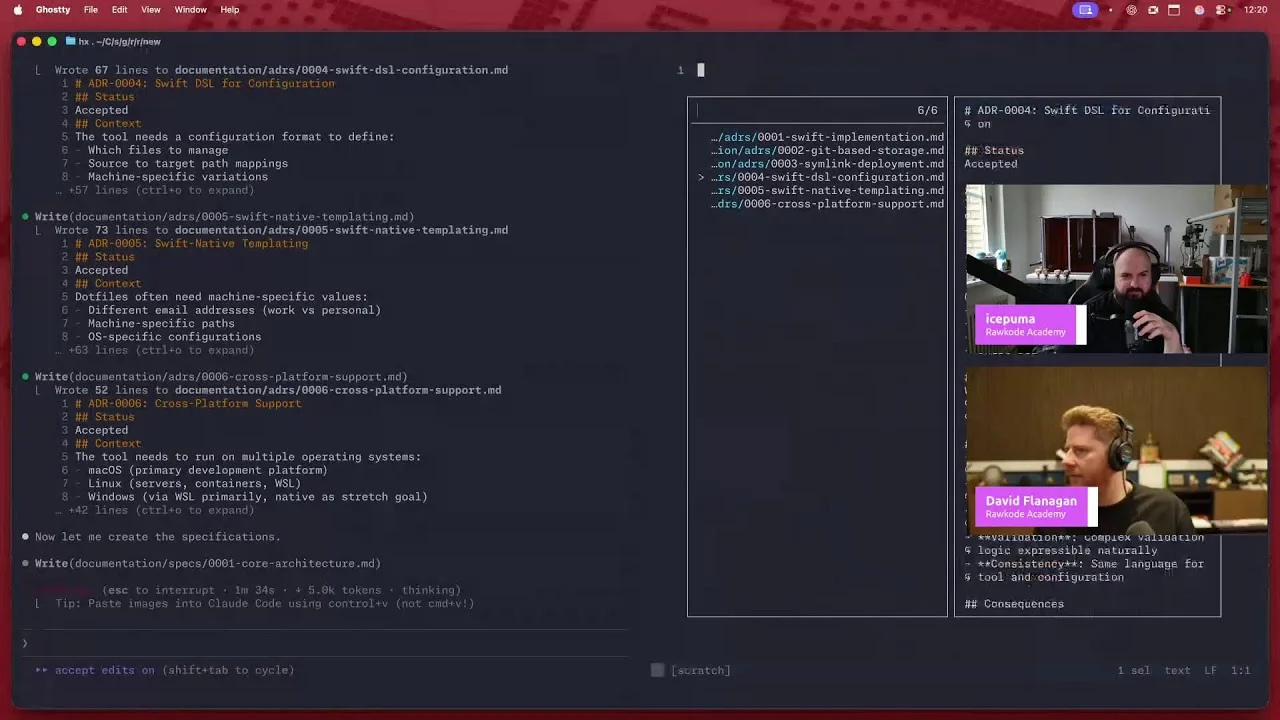
Academy publications by email
Get an email when Rawkode Academy publishes new tutorials, articles, and videos.
Loading email signup. If it does not load, manage email preferences in account settings.