Developing & Building Open Source with Dagger
- Date
- Runtime
- 1:55:36
- Share
About this video
What You'll Learn
- Provision an ephemeral Kubernetes cluster for in-pipeline OpenUnison testing.
- Deploy OpenUnison Helm charts and adjust values to shape the deployment.
- Switch Dagger from Podman to Docker when local cluster connectivity breaks.
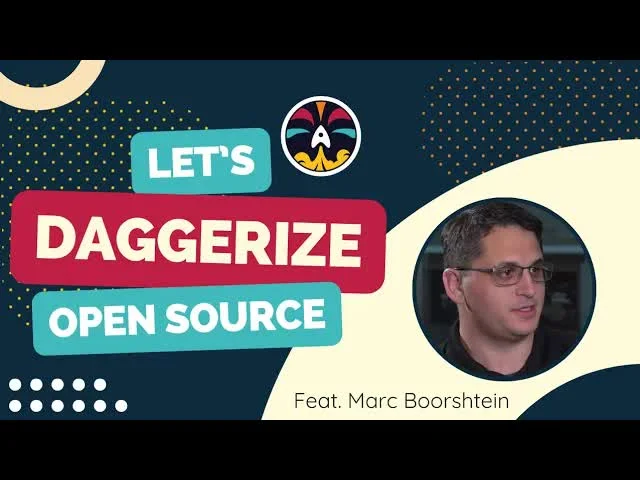
Mark Bernstein joins to Daggerize OpenUnison: writing a Dagger pipeline that spins up an ephemeral k3s cluster and deploys the OpenUnison Helm charts, swapping Podman for Docker along the way to make in-cluster testing work.
Jump to a chapter
View 20 chapters
- 0:00 Intro & Apology
- 2:19 Rawkode Live & Daggerizing OpenUnison
- 2:58 Guest Intro: Mark Bernstein & OpenUnison Overview
- 4:04 Plan: Deploy OpenUnison with Dagger
- 6:50 Initializing Dagger & Finding Helm Charts
- 12:20 Dagger Init & Exploring SDKs
- 15:55 Exploring Dagger Helm Module
- 17:53 Using a Custom Docker Image with Helm
- 23:42 Provisioning an Ephemeral K3s Cluster
- 32:09 Debugging K3s Connectivity & Permissions (Podman)
- 48:18 Switching to Docker & Connecting to K3s
- 57:27 Successful K3s Cluster Connection
- 1:00:56 Configuring OpenUnison Hostnames
- 1:01:41 Generating Helm Values with Dagger
- 1:30:06 Deploying OpenUnison Helm Charts
- 1:40:37 Debugging Helm Chart Test Failure
- 1:42:01 The Value of In-Cluster Testing with Dagger
- 1:45:28 Refactoring Helm Deployment Logic
- 1:51:24 Conclusion & Future Work
- 1:53:11 Outro
Transcript
Generated from English captions. Select a timestamp to jump to that moment.
Read and search the transcript
0:00 Intro & Apology
0:03 In the shadows of the screen where the poet's unseen dagger flows like a stream automated on our dream. Beds and bites align, stress in this digital land. Dagger testing every Open your mess and takes the stage marks vision in the cage, identity to engage Kubernetes in the rage. Multitenants find their place in this coded space, managing with grace, open your ness, and sets the pace. Alright. Let's try this attempt number. Mark's probably been keeping count, raging at me. 26, I think. I'm not sure what's happened. The streaming software that I use will not let me go to
2:07 the prescheduled event, which is very frustrating. I tried everything that I could, even hooking up custom RTMP. That event just is not working. So apologies, everyone. Thank you for your patience. But I'm your host, David Flanagan. This is an episode of Rawkode live where we take a look at really cool open source software and the cloud native ecosystem. And today, we are continuing our mission to Daggerize open source projects. And today, I'm gonna be joined by Mark Bernstein, and we're going to Daggerize his open source project, OpenUnison. Hey, Mark. How are you? I mean, you're
2:19 Rawkode Live & Daggerizing OpenUnison
2:43 talking Good. How are doing? Now. Right? Alright. Let's dive straight into it and not keep people waiting anymore. Yeah. Let's do it. TLDR. Who are you? What you've been up to, and what is OpenUnison, please? So Mark Borschtien, CTO at Terminal Security. I'm the author of OpenUnison. OpenUnison does authentication, authorization, deep space as a service. Might know me from talking about Kubernetes or helping people out in Slack. I am also the coauthor of Kubernetes, an enterprise guide, first and second edition, the third edition next month. So keep an eye on Amazon. Great stuff. GitLab, OPA, Gatekeeper,
2:58 Guest Intro: Mark Bernstein & OpenUnison Overview
3:32 OpenSearch, you know, Vault, vCluster, Pulumi. It's it it it it it's a big update. So even if you read one of the previous updates, you're gonna want this one too. So, yeah, all in it. And after today's session, you're gonna be adding the Dagger chapter. Right? I my publishers will murder me in my sleep if I try to add any more to this book, so then we'll hold that one till the fourth edition. Alright. No problem. Okay. So today's mission is we're gonna take your project OpenUnison, which is a Kubernetes native identity management multitenancy kind of bits and pieces
4:04 Plan: Deploy OpenUnison with Dagger
4:14 software. It's written in Java. It's very cool. We've done a whole session on this before. Feel free to go to Rawkode.live and just search for OpenUnison and you will find that demo. Today, what we're gonna do is just Dagger to provision an ephemeral Kubernetes cluster. We're going to deploy OpenUnison to it with its Helm chart, and then we're gonna start modifying some of those values in the Helm chart, which modifies the deployment in some way, and we're gonna run tests against it. We're gonna build assertions all inside of our Dagger pipeline, something that I feel you will find infinitely valuable, I hope,
4:49 with your project and testing it, and we're gonna show everyone how to do it live as they're nowhere twenty two minutes in, and we've been talking for less than three. So I'm so stressed. I know. I'm excited because I've never like, I conceptually know what Dagger is, but I've never used it. So this is gonna be a lot of fun for me. I get to learn something. Awesome. Well, I am happy to be your muse and guide for today, which is now the third time I've said that. So, anyway and if you didn't hear all of that
5:20 custom song at the start, I'm gonna upload them later. Mark has now heard it 14 times. So here's my screen. I have the OpenUnison website here. So if people wanna learn more, you can check out OpenUnison.GitHub.io. It also has everything that we need to understand how to deploy it, although I do have you. So we're probably not gonna need to docs that much. Right? You know, I'm I'm here so you can ridicule how bad the documentation is. That is not today's mission. Don't you worry. What else do we have here? We have the terminal security
5:59 OpenUnison repository. So if you wanna contribute to the code, everything is here and open source. That is Java, I warn you. And that's the only Java pop I'm gonna take today. I promise. I'll take it right on the right on the chest. You you you can try and land those body blows against Java. I'll take those all day. I've gotta be honest. I mean, Java these days is much better in container based applications. Like, the first like, if you went back five years, I'd say don't do it ever. I think now it's it's a lot easier.
6:28 Yeah. Maybe. We can get into that later. We also have the Dagger first here. We're gonna go some preexisting modules for today's. We're not gonna reinvent the wheel like we did in the last session. And we also have the Dagger documentation should we need it. So we are all set. We are all prepped, and we are good to start building some Dagger code. So here's my terminal. I've already cloned the OpenUnison repository, and we are gonna create a new Dagger module. Is that transparency really annoying? No. I'm not sure why you're starting it in the OpenUnison.
6:50 Initializing Dagger & Finding Helm Charts
7:13 Is that not where the Helm chart is? No. So No. The actual Helm charts are GitHub.com/OpenUnison/helmcharts. Do I have the right yes. So here are the Helm charts. And I lost you. Where'd you go? Don't leave me. Here we go. Private chat. I'm gonna send that to you. Yeah. So we we broke up the Helm chart. So we have customers that run on Kubernetes. We also have lot of customers that run-in kind of a typical legacy VM IT infrastructure. So we decided to break it up a little bit. So what you were the the actual OpenUnison
8:14 GitHub repo has the source code for how OpenUnison works. Like, it's that base platform, but the Helm charts are how everything gets deployed. I'm gonna remove that, opacity because it's gonna I mean, it works for me, but I'm worried that it's just gonna look absolutely dreadful, for everyone. Oh, you mean on the, terminal? Yeah. Yeah. It's a little distracting. Yeah. Thought I thought it was pretty cool because I could see the documentation behind it, but with all the text, it's it's it's a little distracting. There we go. Okay. So we have the helm charts. Yeah. This is the Helm charts. So which
9:09 what are we deploying first? Where are we where are we deploying? So the way that we like to deploy so OpenUnison, when you deploy OpenUnison, standard, like, I'm scaling up a new cluster, wanna deploy it. We have an executable called OU control. That's really just three Helm charts and a trench coat. The problem with using that that binary is that now you have to import that binary. Right? And so if you're using a CICD system or, you know, some kind of automation system, you want something that's a little more native, and Helm is native to
9:49 everything. Right? So there are four charts I think we need to deploy with a in in this mechanism. Mhmm. And the reason why I say there are four charts so the first chart you deploy is OpenUnison operator. That includes all the CRDs that we use, the operator, and really that base platform. Then we deploy, excuse me, Orchestra. And so that actually deploys OpenUnison. So think of that as your platform. That's you know, OpenUnison is kind of a blank slate for identity based applications. You create your application by assembling a bunch of CRDs in YAML. That's what Orchestra login portal is. So when
10:41 you go to log in to your cluster and you see the badge for the the dashboard and you see the badge for your token and any other applications that you integrate, that's coming from the orchestra login portal chart. Finally, since we're using k threes and it's a managed cluster, if you're gonna actually SSO into the cluster, which ultimately, that's what OpenUnison is for, you're then gonna deploy the Orchestra Kubo IDC proxy. The good thing is this all uses one YAML file. It's just the the reason why we break it up is to make it a little easier to manage. And then especially
11:19 with integration systems, because there's a lot going on with Helm, you can tell Helm, hey. Wait for the pods to finish. Wait for all the jobs to finish. And in the OU control binary, we kinda cheat a little because we don't wait for all the pods to finish before we move on to the next one because we know when we're at a point to move on. But any kind of IAC tool, that doesn't really work super well. So we added a couple of flags to be able to say, okay. We're gonna make sure that we're not gonna be done with this help
11:58 chart until everything is rolled out. So that way, the IAC tools have something to key off of. Okay. So let's just start making some progress on this. I think there's value to both routes here. Let's start with deploying with the Helm route. But, you know, using all your control, I don't think it's gonna be that difficult either, so we can also do that. But first, we have to create a new Dagger module. Now I'm not gonna use Go today. I thought I was using that earlier. I'm gonna stick with TypeScript just because it's what I'm more comfortable with. And when I
12:20 Dagger Init & Exploring SDKs
12:31 watched the last one, see me fighting with Python. Let's not fight with Python today. Fighting with snakes is bad. Yeah. I couldn't even format the code properly. It was awful. Alright. So let's get this. And I'm just gonna go check if we have a helm here. We do. Oh, we can actually use this module for Helm. And I know there's actually there's a lot, but this one does have a partner logo. So that to me says, trust it. And I'm gonna copy that installation. So I'll give you the bit of the TLDR on what Dagger is as well just
13:24 since you're not that familiar. It is an as code tool, for doing CICD style workflows. Essentially, built a DAG of commands that you wanna run. All runs inside of containers, super cacheable, very robust, and a joy and a pleasure to work with. When we initialize a new Dagger project, because this is TypeScript, we're gonna get a Dagger JSON here that just says this is where the Dagger code lives and it's still using the TypeScript SDK. And then inside of here, we have oh, let's call it Helm charts just because of the directory that we're in, but we
14:03 now have two functions. These functions are written in TypeScript, obviously. And if we come over here, we can do Dagger functions list, and it'll tell us what functions we have available, and we can execute one. Now looking at the code here, these are just wrapped in a annotation property on TypeScript that says, okay. This is something we want to expose as a function. It grabs a container image and runs a command. This one mounts a directory, sets a working directory, and runs a graph across it as well. So nice fluent interface makes building all of these different functions and
14:41 pipelines super simple. And why did I get a no? I'm just being deaf, aren't I? There we go. Trusted my history, and I shouldn't have. So now we've got these two functions, and we can do a Dagger call, container echo. Now this is going to run the function. So what we expect to see here is that it pulls Alpine, executes echo, and it has a string argument called string arc. So the first one is gonna fail and tell us that we need string arc, and I'll just say hi, Mark. All good? Is that making sense to you?
15:23 Where's the container running? Like, is this running against the Kubernetes cluster? Is this running locally against your Docker daemon? It's running locally against my Podman. So what actually happens is that Dagger spins up a BuildKit process with an API, and we're communicating well with that BuildKit process, and then it is running other BuildKit layers and stuff in the behind the scenes. Very cool. So yeah. It is very, very cool. So that's the quick baptism by fire there for understanding what we want to do. Now we need helm. So we could just say, you know, if I'm pretty sure that as
15:55 Exploring Dagger Helm Module
16:00 a Helm container image, or we could do, Ubuntu 20 o four where we run an apt update, apt install Helm. But Helm is actually a bit more convoluted because, unfortunately, it requires adding the official Kubernetes repository. It's not part of Ubuntu's native packaging. So we're not gonna do that. And instead, we're gonna just do a Dagger install from the So riddle me this. I have a container that has Helm and OU control in it. Is it just easier to use that? We could do it both ways. I think we're gonna have time to to experiment and
16:42 have a bit of fun. Okay. But because we're installing this module right now, we might as well just take a look at what this is actually doing. So Okay. We can come to s I go module. This is the other really cool thing about Dagger, right, is that all these modules can be written in any of the supported SDKs, whether that be Go, TypeScript, Python. They just become available. There's Alexa. There's Rust. It's really cool how quickly that's all coming together. But now I know why you like it so much. It's got It's got Rust support. I know. So
17:15 here, we can see that this Helm one exposes a whole bunch of different functions. So we've got like a version, we've a package push, and we've got a test. So actually, I don't think this module really does what we want it to do because it doesn't allow us to just execute Helm commands. It seems to be more of a publishing Helm Yeah. Charts. So maybe I should have read the docs on it. So let's see what else we have. Here are the Helm one, but we could just use your image as well. Yeah. Okay. That one would probably work. What's
17:53 Using a Custom Docker Image with Helm
17:53 your image called? Let me grab it for you. And while we're doing that, I'll just show what did happen here. So we go to the terminal. We've added this function. Dagger does code gen behind the scenes, meaning that when we go enter our function here, we can do dag dot helm dot, and we can see that package push stuff here. And we're getting code complete the entire time. It's telling us exactly what we want to do, and we can click into it and see that this takes a directory, a registry, and so forth. So all
18:31 of this happens regardless of language. Dagger generates an SDK. So developing with it is working with a really strongly typed, nice API, and I love that too. So right. You got an image for me? Yeah. I'm just making sure I give you the right one. Yeah. Don't set me up for failure, please. Come on. Yeah. Here. So I'm just gonna prepare for our first deploy step. We'll call this deploy OpenUnison. Okay. Let's go with this one. I don't think I've merged this in yet, but let me do that. Returns a container. Where's chat? Alright. So here's the image, and this image
19:23 has it says vCluster because we use the we originally built this as part of our vCluster onboarding process, but it includes vCluster, helm, coop control, and OU control. So, you know, all we really need to do to make this work is mount a values file and the couple of secrets we need and our control configuration. Okay. Awesome. So what I'm gonna show you here is that, first, I changed the docs on this function. I took away all the parameters. I'm returning a container, that'll become important shortly. I'm now using your image, which hopefully isn't too large,
20:13 and then I'm gonna execute Helm version. And, actually, I think Helm might just be Helm version rather than Dash. I think you're right. Yeah. So now we can come back here and run Dagger functions, and we'll see how those small tweaks to the code change what we get back from this Dagger functions call. Marco's saying he's already tried your image, and it works. Awesome. Thanks, man. Sweet. Now we're just waiting for it to pull. Hopefully, it's not too big. I hope you're not shipping it. It's so big? Sexy egg images. No. There we go. Alright. So we've got our function called deployed
20:55 open deploy OpenUnison with my documentation, which is obviously not that great, but it does come from here. Great doc. Hey. It's more documentation than I usually write. Now we can call deploy open Unison. Now let's remember that this returns a container. Right? So if I run this, we're gonna get output, but we're not really gonna be able to understand it that well. It's gonna be swallowed up because we haven't really requested anything back. So let's just give that a wee second to run. Now is this pulling the container every time, or has it got a
21:36 caching? I I haven't used Podman in couple of years. So it's it's it's now actually pulling the container because when I ran Dagger functions, it was really just regenerating that SDK to list the functions for us. So now it's actually pulling that container, so it won't take too long. But, yeah, they're they're all cashed. They're gonna be over the air. They're pills at once. Yeah. I was gonna say we'll do something else, but it's already finished. So as you can see, like, it's done stuff, but we don't have any idea what that stuff is. So
22:14 we can then start to dive into that container. Now there's two routes here when working with Dagger. I could then modify this and say, give me standard out and change this to be a string, and then we'd see that output on the command line. But if even if you don't wanna go change in the API surface too much and just say, you know, I'm happy with a container, we can actually just use the CLI and say, okay. Get me the standard out for that container run. And there we go. We've now got Helm version three fifteen point three coming from your
22:48 thing. In the same vein That's cool. Modify this. And you said it was all your control. Let's see if it's got a very thin command. It doesn't. I don't actually think it does, but you'll see an error. Right? Yeah. I'll see something. Marco is trying to get me to reveal some cool things of the the Dagger workflow here. So you see this this I'm pointing to my monitor. Right? The bottom line, I'm gonna run it again, but we can actually ask it to zoom in and show us more details by using the plus and minus
23:21 commands. And and you can just add all keys to jump between these, like, parallel tasks and a whole bunch of other stuff. Yeah. Very, very cool CLI. Alright. We actually got OU control as not a file or directory. I wonder if it's just not in the path. Let's let me look at something here real quick. Now we also need a Kubernetes cluster. So while you do that, I'm gonna come here and search for k three s. And Marcos, who's in the chat, has this community module, not a partner, Marcos. You need to get your your your label in.
23:42 Provisioning an Ephemeral K3s Cluster
23:55 We'll go to installation and we'll add this module. Now we also get blue examples so we can click on oh, there's no TypeScript, but I'll wing it. We've got a go one here where we can just kinda see this is roughly how we need this to work. Even though it's go, I am going to copy it, drop it in here just as a reference. So now I can do async ephemeral k three s cluster. It's gonna return a promise, and I'm gonna return a service. Oh, that's why. Okay. I got it installed as a KubeControl plug
24:58 in. You got it as a plug in, so it's KubeControl or your control. Yeah. That's alright. Let's just confirm before we go any further, though. Right? So cube control, all your CTL. Just to help, Let's see what we get. Go back to my code. So now this temporary cluster, less service, this function that provides the Kubernetes service that we need. What we want to do is get Dagger, k three s. What's the name? Okay. We'll just call it k three s. It takes options. Oh, we can even provide our own image. That's that's cool, we think.
26:00 And what we want to do from the example here is get ourselves a server and start it. So what is server returning? A service. Okay. We are happy with just that, to be honest. Let's return await service. Is it import? Sweet. So let's see what our output says. No. Keep control. Oh, you control then. Oh, I spelled it wrong. Out control. I'm trying my best. I'm trying my best. How do you know it's a livestream? It's not scripted. Stuff doesn't work. SciFi Geeks universe saying that that is the most installed module. Yeah. I can imagine it's
26:52 a pretty popular module. Definitely. So this gonna run case Kubernetes the line. It's a own container inside of your pod? Yeah. Your old control is not working, but I'm not fussed. We had Helm. Right? And that's what's important for me. Sorry. Can tell me what's that question again? So OU Control is or I'm sorry. So Kind is running in a container inside of your Podman. Is that how that's gonna get launched? I don't think it's actually running as a container, but we can run Podman alias to see, because it's all orchestrated by BuildKit. I don't
27:30 think it's ever exposed to, like, your Docker containers list or your Podman containers list. It doesn't it's not something. But I'll check. I've never actually done that before. Yeah. Curious. Alright. So we need Helm. We know that version works. Let's leave it at that. But what we need now is to run that Helm against a cluster. So we're going to see this dot ephemeral cluster, which gives us our service, and we can start that. And just call this const k three s equals faxing my code. Start does not exist. Response awaited. And now we have a promise service,
28:32 which is fine. SciFi geeks are saying we need a verified flag. Little blue checkbox or we circle. That's what we need of. Alright. So going back to this Go example, once we've started it, we could check for errors, but that's more just a Go thing. And we wanna get the endpoint so that we can actually connect our Helm cluster up to it. So we can say endpoint equals k three guess Endpoint. And then we can provide the port and stuff that we need. So I'm just leaning into this Go example that Marcos has already done,
29:09 which is port 80 on scheme HTTP. And this should go to us. Is this endpoint for the API server that k three is running on? Like, what what's that Yes. Yeah. It's it's a we can we can point our helm to this endpoint and run Interesting. Don't even know if you could use k threes with port 80. Sorry? You didn't know? I I didn't know that k three supported because I didn't think the API server supported unencrypted connections anymore. Yeah. We may have to pull out the KubeConfig, actually, but we'll get there. Now what we need to do here is say
30:02 web service binding. So we're going to connect it to our service, which we called k three s. I'm assuming that's what this parameter here was, was the service name as so web service binding. Yep. We've got the alias. No. In fact, we don't need anything more. Once the service oh, okay. Yeah. It's a local alias. I'm being very silly. Oh, we want this. And that's a promise. There we go. I bet you Marcos is just yelling at me right now. Oh, nice. Okay. So Marcos is actually exposing this. This is cool facts. I'm glad he's
30:58 here. The port 80 is to access an NGINX deployment in the example, not the API server. The API server gets access to via the KubeConfig. So Gotcha. Okay. That makes sense. So so the k threes has a embedded NGINX in it. Cool. Well, that's good because we're gonna need that. Yes. So let's remove our Go code. Well, let's just make sure this works. And we're not using our endpoint yet. Let's just comment it out. But make sure it's service binding and the service starts. So let's do a call. Marcos is telling me to use the documentation.
31:57 Just got to point to RTFM. Yeah. Funnily enough, you know that the original name of Rawkode Live was RTFM, so way back in 2039. So, yeah, long time ago. The dark times. Yes. So this is let's I know this is gold code, but, you know, best example, in fact, we'll look at it with the the highlight in the right here. So he is pulling Alpine Helm, which we could have done too. However, we have now pulled your code. And he's saying set KubeConfig to here and then he's mounting it. So the k three s module exposes this config, and we could
32:09 Debugging K3s Connectivity & Permissions (Podman)
32:44 have just clicked on the functions here to see that too, which we can then mount, and then we can just run our commands. So, like, this is the easiest k three s and say the container for Dagger I have ever seen in my life. So that is a testament to Marcos' work. Mhmm. So we can do oh, so that's interesting, Marcos. I'm glad you're in the chat. Right? Because I'm doing a service binding, but because you've got the Kube config, is it even do I even need to look at the service binding? Because I'm assuming maybe not.
33:22 So but we do need a web file. We need to then store. And what was your path? You just stuck it in KubeConfig. Yeah. I mean, I could just throw this in temp. It's actually not that important, and we'll call this KubeConfig. And the file that we're mounting is the conf oh, multiple cursors there. That's weird. And we're using k three s. So now I'm I'm pulling out too many objects here, so I'm gonna have to return let me refactor my code. Just return our k three s, which is k three s client. Is that the one
34:09 that has the config? Yes. Okay. So now this has to change. So we're saying this, deploy the femoral cluster, and that gives us our k three s, which shouldn't be a as a promise, so I should await that. We then do our k three s server, which is going to be our k3s. Server dot start with a whole bunch of awaits here too. And this gives me my service. We probably don't need the endpoint then just based on how this is working, but down here, we can see that we want the config. So this returns a file.
34:59 This is a helper function that is reaching into Wow. It's using it in GraphQL. Cool. Let's not look at that. Our service painting here is actually our server even though I don't think we need the service painting. Yep. Marcus has already confirmed that in the chat. Thank you very much. And he's saying that this doesn't need to be async, so that's one less. Wait. Alright. So we don't need the service binding. We mount on the KubeConfig. We can see web environment variable. And I know I'm going pretty fast here, so maybe I'll take a minute just to
35:42 take questions. The KubeConfig. And we're saying that our KubeConfig exists here. And then So actually added a with environment to update the path to make OU control work if we wanna add that in too. Yeah. Well, I I don't think we're going in we're we're going to need it, but let's let's wait and see. Okay. So here, we should be able to actually run kube control against our cluster. But I really wanna see if this works, which I'm sure it will. Just yeah. Let's try it. Welcome. That's oh, that's the wrong zoom. So what is it doing now? It's firing
36:44 up k three. Oh, there we go. And all that cool stuff. Yeah. Just maybe a bit too much info. Alright. Let's see. What do we get? So it's saying connection failed, but it wrote the KubeConfig, but wasn't able to speak to the cluster. It looks like or even before then, you had a fatal with k three starting up, it couldn't find c groups. Do you have c groups v two enabled on your system? I wonder if we need to use this endpoint function just to force the service to hang around. I wonder if this is just being
37:41 stripped off by the DAG. So we've got far too many awaits here now. Let's just restart this. K three s server endpoint where we want that poor 80 scheme. This is promise. Marcus said it could be a pod manager. I mean, it very well could be, but if I need to switch to Docker, that's that's easy done. Let's see. Okay. So it tried to run kubectl get pods this time. It failed to open the permissions on that file. Okay. Let's progress. So I I I think just calling the endpoint stops the service from being too early.
39:03 But let's confirm that we can cat this, and I haven't made an arse of that. Right? Does your image have cat? It should. I mean, I know dogs in there. I mean, I could probably just do this. Yeah. It's it's it's running bash, so that should work. I'm modifying the function. Permission denied. I mean, it looks like it was KubeControl that was unhappy. Not No. It says open permission denied. KubeControl was fine. Well, right. But is that open coming from KubeControl? Because that's coming from KubeControl because that's what would be opening that file unless it's the
39:49 because that's coming from inside the container. Right? Oh, service filter. Yeah. Like yeah, Marcus thinks it might be a, root issue. Are you running rootless? We couldn't resolve the process cat. I'm I don't think I am doing Podman. Okay. So let's take a look at web trial. We have these container ops. We can set the permissions to be very permissive. Oh, yeah. So and we could just do seven seven seven. What user does your container run as? Do you know? I probably should off the top of my head, but I'm gonna just let's get inside
40:55 of it. That I know for a fact. Let's get inside. Alright. So I've removed any command. We're just basically provisioning this container. So now instead of standard out, let's do terminal, and let's have a wee poke around. Next, you'll be telling me there's no shell. No. There's a shell in there. I'm not a big fan of of Distroless, to be honest. Docker file. It runs as user four thirty one. Alright. Yep. We are the OpenUnison user, and our KubeConfig is coming in as root. So Yeah. There's our issue. But we do have Kube control. We definitely well
41:53 yeah. I'm not gonna auto complete bash. Yeah. Oh, yeah. No. There's no OpenUnison control. So but that's the path problem. Right? So we don't need to work over that. So if I do chair mod seven seven oh, I'm do I have sudo? No. Alright. Oh, it's a container, not a VM. Alright. So how let's have a look at this web file. So we wanna tweak the permissions. Now we could, 700 777 it, but we can also set the owner. So let's do let's try and be semi good citizens and set the owner to 431. Oh, it wants a string. Okay. So, open
42:40 Unison. Now if we run this again to get back into the terminal, we should be able to cat that fail at least. Okay. So you've added that terminal to the end, and that's what gets you in. Okay. Cool. Yeah. It's a nice little debugging tool. Yeah. I know it goes counter to current security dogma, but I will say that I think that a container without a shell is actually less secure than a container with a shell. Oh, those permissions look good. Almost. Oh, no. Great. Temp coop. Oh, it's got the group as four thirty one.
43:33 It's got the user. The user's right. It's just I think that's Right. But if you look at the group, the group is supposed to be 433. Alright. Okay. Well, I'm not I'm not fussed about the group. Alright. But if you're on 640 if you've got it on 644 and you've got the group wrong, I think that might help work. Yeah. I think the permissions are wrong because it wants an octal string. Does it want it's like a string string, not a number? Oh, I don't know. The example said zero six hundred, which it doesn't even like. So that's
44:16 so this is okay. What number do we need? So seven seven seven is octal. What's that in decimal? Can't believe I'm gonna Google this. Compare 777 to decimal 511. Let's see if that's a bit nicer. And let's actually see what, convert, decimal. So I was doing 644 to octal. Let's see if Google can do it. No. +1 204. Right. And, yeah, that may actually add up to what we were seeing. So let's try 511 that I save. Rawkode suggesting that there's a JavaScript syntax. Oh, it does work. Interesting. We'll try that next, but let's see if
45:34 the decimal approach works. I'm not even gonna try and cat the fail. I'm just gonna run cube control yolo sail. Kube config temp to config get pods. So you have that env in there. You probably shouldn't even need the dash dash koop config. Oh, you're right. Yeah. So we're in a position there. From here. But I want to run that container l s. Yeah. You can't see yeah. You can't you can't see the service containers. Okay. So now we'll I'll leave that as octal. The that says decimal did work, so both are valid options. But now we need to work out
46:39 why it's not quite working. So we can add our web exec back. We wanna keep control get pods dash a. Now I wonder if this is just a terminal debug thing. So let's run it as that. Let's see if we get a list. Time and a half. So that IP 1087, is that your network, or is that a pod man network? Is that a like, what network is that? We could probably do a console log endpoint. That's a string. Right? Yeah. And so that'll tell us what the endpoint for the KCS service is. Marcus saying the k trees isn't starting.
48:16 Alright. Let's switch to Docker. When in doubt Which may be relatively difficult to do on my Nexus machine. So I'll have open next home. We want next auth. Podman. Yeah. I don't have rootless configured, but either way, false that docker enable true. And I'm gonna fast rebuild, which means I shouldn't have to reboot. We also have the kind work from last week, so I can always just use that function, drop it straight in, and we'll get a very similar result. We work great and kind. The entire almost the entire book is written on top of kind. So
48:18 Switching to Docker & Connecting to K3s
49:31 Mhmm. Alright. It's installing Docker, starting the service. Now curious. What's your base OS? Is it Ubuntu? Is it Nexus. Oh, it is Nexus. It is. How do you unalias on fish shell? Oh, yes. Trying to fill in Podman. I don't have Podman anymore. Alright. We need to make one more change. This is where my Nexus is coming to bite me in the ass. Docker can now just be Docker. Rawkode is either Podman or Nexus. Hey. Leave my Nexus out of this. Alright. So if I just drop that shell, pop open a new one, Docker should be Docker.
51:05 Sweet. Which means we will have to do a just run Dagger functions. It should start the new before we put a new image. Docker daemon. No. I can't remember my password. Hey. Why is that not working? I bet it's gonna be permissions now. I need to add myself to the Docker group. Are you shredding some evidence? What was that? My my standing desk. Was bringing it down. Figured I'd Yeah. Take a load off. Now I'm confused. Okay. Sudo works. Not ideal. Functions. So now, unfortunately, we do have to wait for a new Dagger engine, and pull down your image again, but it
53:07 doesn't take that long. So we'll give that a wee minute and see what happens. But I did do this with Podman and before for the cargo project. Cargo. Hey, Kat. Watching. We can oh oh, wait. That's a refractor branch. Oh, they merged it. Sweet. Okay. It's already on main. So if we do need a kind cluster with pod man Can you assume that in a while? That's really tiny text. You're not allowed to see. Sorry. Trade secrets. Alright. So just in case, we'll do if oh, just to call this a cluster, which is a promise
53:58 and a service. And that's the Python code at least. So let's convert it where oh, there's also the create Docker and Docker. Docker Docker. That container from Docker Dame with exposed port to three seven five with exec. Property dash dash host TCP two three seven five and true. I'm typing as quickly as I can go. So that gives us a Docker and Docker. Let's see how we're getting on over here. Alright. Okay. Let me make sure we don't bust it to code to point. Let's comment all this out and try OpenUnison again just to see
55:29 if this was a PodLAN issue, and then we've got our backup ready to go if we need to. So sudo dagger call Unison. Wish I'd made a bigger cup of tea now. Gonna have to strap in for this episode. I hope you're got dinner plans or anything. No. I just, scarfed down a protein bar. Sorry. I was on mute. I, scarfed down a protein bar and made sure that the, hanger monster didn't come out. Let's zoom in on this. Let's see how k three s is getting on. Looks like it's just pulling the image. Oh, that's failing too, Marcus.
56:33 Or it's okay now. Well, that might be okay. It pop up here. We can actually see the service one. So what's happened is the Dagger knows we're trying to use this as a service. So it's actually waiting for it to become healthy before continuing with the job. And now I think it's pulling your container. So we may actually be getting somewhere with the Docker approach. Oh, I think it worked. Okay. It was pod man. Pod man. You know, I love the idea of pod man. It just never seems to yeah. It it just never seems to work
57:27 Successful K3s Cluster Connection
57:51 in the use case I need. Love the idea of it because I hate Damon's, but I I I get to every time I try to switch to it, it doesn't last. I'll spend some time debugging that later, and maybe I can contribute something to the module. But just to confirm, I never saw any standard out, and that's just because there's no resources. So let's try to control get namespace. Right. Okay. We So there was no output just because there were no resources. I possibly missed it, but we are able to query get namespaces, which means
58:31 we don't need to go with the backup approach. Things are jamming as they were, which means we can now deploy our first Helm chart. Now to do that, we're gonna have to add the repository. So is that documented here? Yeah. So go to the manual. So go to deploy the authentication portal. Then over on the right, scroll down the bottom, and there's manual deployment. Alright. So we're gonna create an airspace. I'll do the repository ad first and the repo update. I'm gonna do this all in line just now to get some progress on the road,
59:16 and then we'll look at how we can refactor this code to be nicer because because we're building pipelines as code with Dagger, we can actually treat the code to enter everything as code, which is sounds so silly to say it. Right? Treating code as code, but it is super important for actually just building stuff that can be composed and scaled and be actually be enjoyable to write. So so we're adding the repository. We'll run the Helm repository update, and then we're going to deploy the first one. Now I can just tell Helm to create that namespace,
59:52 but, of course, we I have Helm do it when we can do it. So even before you call the Helm chart, though, we need a Helm file. We need a values file and pass it. Now the operator won't matter because everything's default, so that's okay. Okay. So I guess so okay. So you wanna do the first chart first? Will it be successful with no values? Yeah. It'll that one will be successful without any values. Okay. So do you is there an example values file that we're gonna need? Yeah. So if you go to the top
1:00:34 of this if you go to the top, you click on prerequisites, scroll down a little bit. We can skip past the dashboard. So see where it says site specific and then using OU control or manual, there's a download default values. So that's that's what we'll customize. Okay. What are we do know what we're customizing? So the the the short version is those first three options, OpenUnison host, dashboard host, and API server host. Mhmm. Those are going to be where it says apps.0u. Tremolo.dev. Mhmm. That's gonna be the IP address. So in a in a production rollout, that
1:00:56 Configuring OpenUnison Hostnames
1:01:19 would be the host the host names that you'd use for these apps, which would resolve to the IP address of your load balancer for your ingress controller. So since you don't I don't think you have a DNS setup, I use nip I 0 for quick testing. Okay. So I'm gonna do interface, open Unison config, which has a network, which is a object, and then as an open Unison host, which is a string dashboard host, which is a string, and API server as a string. So now we have a type for that values file. I'll just comment this out.
1:01:41 Generating Helm Values with Dagger
1:02:11 So we can create a types TypeScript variable with this shape and write functions to this to the point where we can say, you know, const get open Unison config as a function which needs the IP address. So we'll say IP address, which is a string, and it returns an OpenUnison config sales thing. Like so. What have I got wrong there? Oh, because it because it because this comes after. No. Oh, it's just so we have to return a value. Yeah. So we could we could say return, and we got network. See, I love this all
1:03:11 complete. This is why I'm in this game. This is why I love doing everything as code. Alright. And then we actually can just literally JSON stringify that or YAML stringify it when we mount it into the container. But what we want to do is make sure that we're using NIP. Now I don't remember the exact syntax for NIP, but it's like IP address, and you have to replace the dots with a You don't have to replace the dots. I mean, I do that, but you don't have to. Alright. Okay. So we can just say IPaddress.net.io?
1:03:49 Well, you gotta you wanna put a host name in front of it. So, like, API server would be, like, API. IP address. Oh, right. Okay. On the other side of it. Oh, yeah. Because the yeah. Alright. So you want it to be, like, API. API. Exactly. And then, you know, like, dashboard. They gotta be three separate host names. That's alright. We can do that. And all you Yep. You happy? Looks good to me. Okay. So we create the namespace. Let's mount our file. So we'll see web file, anonymous, mounted file. We wanna mount it to I'm just gonna
1:04:31 call this helmvalues.YAML. And here, we have to provide the source. I don't think that can be just a string. Well, when you wanna get to Maybe I can do that. Maybe it was web file I want, and that allows me just to see. Let's check. I'll work this out. So are you are you grabbing the the file that we have on the doc site? Well, no. Because the diff there that's the defaults. Right? Well, it it's sorta. We actually don't we we use the default values because we try and maintain backwards compatibility. And so we've got customers
1:05:19 that run older versions of the charts. So we we tend not to force you to use the default. We don't rely on the default values. We we say start with this and then customize it because it's going across multiple charts. So, really, what you wanna do is either pull that in and custom and update you know, what I generally do is I pull that in. I up I convert it to JSON. I make the updates to the JSON, and then I output it as YAML. Does that make sense? Okay. We'll we'll work it out. I'm trying to remember how I get a
1:06:03 file, Marcos. You got an assist there? Creating a file from a string. I remember it's possible. Let's check the docs. File. There is a way. Maybe I just need to write it to a local file and fill in with new file. Thank you, Marcus. I just could not for the life of me get that. Okay. And that just wants a string. Right? Yeah. String contents. Sweet. So that is going to be our helm values, and then we need to convert that to YAML. What have we got? Where is it? Package JSON. Yeah. MPM. Oh, I don't need to do it.
1:07:29 Dagger will do it. Or will it need the node modules? I guess we're gonna find out. Node. Js struct or object. Marcus will be out at the screen now going, you should just have done a fail. Why are you doing a fancy interface? Alright. GS YAML. Cool. No. I don't need to do a new one to solve so I can get the completion, or I could just copy an example. You know, it'll do YAML dot dump, I'm assuming. Yeah. Okay. So YAML dot dump, and that's going to be our helm values. And the import is
1:08:30 GS YAML. Cool. So let's just make sure that works by using our terminal trick. Yeah. Marikos is smiling. That's not a happy smile. But I do think there's value. Honestly, this is just like, being able to do something like that is what makes me happy with doing things as code and then building functions and then sharing them and all being composable and publishable to NPM or whatever. Like, that to me just makes things fun. Plus, you know what? I can test this now. We can write a function to put in wrong host names and stuff and build test
1:09:39 against it. There's just so much power in this as code approach. Well, yeah. I mean, that that's one of the reasons why we built OU Control in the first place was most of the the issues that were being opened up about OpenUnison installed were either confusion about what the host names were supposed to be or, like, missing certificates. And so one of the things we were doing we were doing, like, OU Control is make sure that you don't have all don't have any of those host names get repeated because people were trying to jam in
1:10:15 the same host name to all three. I was like, no. They gotta be different. So just having a way beyond just a template to be able to say, hey. Here's some business logic. That's huge. How can I just get the IP address? The host name, which returns a promise. And Marcos all code is real code. Whatever. Const host name equals await k three s server host name. Yeah. Sure. Sure. Yeah. I can't use the endpoint because I'd have to, like, regex out the the port number and stuff. The host name should just return what I expect,
1:11:08 but we will confirm that. This gives me an object which now can be dumped. So we should be looking a bit better with this as real code. I mean, I I misheard what you were saying there, Mark. He's he's slagging my code and saying it's not real code, but it is real code. Ah, okay. Means contrived. Not contrived because we're solving a real problem today, but, you know, we're we're trying to move fast. Alright. With a break. We're breaking things. I'm always breaking things. Invalid selection for terminal. Oh, it's saying no function deploy. Function deploy.
1:12:06 Not complete. K. What did I get wrong in my code? Oh, wait. Expect isn't equals. Oh, okay. It's because I changed that from an interface dot type. Because I thought that was the first error was and then realized that we weren't actually setting helm values to anything. So good thing I'm paying attention. How are you enjoying the TypeScript, Mark, being a Java developer? You know, I've never actually used I use a lot of JavaScript. I've never used TypeScript. I like it. It's I like the that's the one thing that drives me nuts about JavaScript is the lack
1:12:51 of typing. Yeah. TypeScript is pretty sweet. Alright. Look at that. I think we're cooking. We're getting there. Although those are those host names aren't gonna work, I don't think. Yeah. That's it. Oh. Yeah. Because if you send that to that IO, I don't think that that's gonna work. You need the API. Yeah. So we do need to use I mean, we could always resolve it, But it would be nice just to get the IP address. Is there a DNS function in, excuse me, in Dagger? Guess it won't be DNS, though. Right? Well, there is DNS. Right? Like, if I
1:13:42 run this again Right. But isn't that hostname mounted that hostname is probably mounted in your Docker container as a, Etsy host. It's not Yeah. But, I mean, we can still resolve that by running, let's see. Peter is here. Right? Well, we grab this and ping. It still resolves. I don't have any commands to run. No. What what have you left me? Try just curl. It'll at least give me an IP address even if it doesn't work. Oh, and then it's well, you said there was NGINX in there. That actually should work. Right? Let me think. Let me think.
1:14:51 Okay. So we got an IP address and our KubeConfig. Now this is gonna be horrible. Mean, horrible. Parse it out of there? Yeah. Totally. Unless Marcos could tell me how to get an IP address from this endpoint. I mean, is endpoint gonna be the IP, or is that gonna be the host name too? Let's let's check that first, right, before I go doing some really bad, bad, bad, bad things. You did a bad, bad thing? Let's see what the endpoint is because maybe that's gonna be a lot easier to parse than me rejecting the KubeConfig.
1:15:46 But I'm sure we could speak to the Dagger team and just get a an IP address from this. No. The endpoint also appears to be. Alright. So we need to do this from the KubeConfig. So we can't do this yet because we need to be here. We can kinda just say that's fine, But now we need to run a command inside this container. So we're gonna get IP address, which is equal. Instead of returning this, we're gonna assign it. So this is our setup Helm container. Horrible name. Horrible, horrible name. Mhmm. So we could do we
1:17:02 could do another web exec where we're going to do a cat on temp Kube config. Now I could probably actually have just a can we get it from Kube control? Can you run Kube control? Yeah. You can. Right? K. Get notes. Do you have VPN? No. Not on my VPN. I'm just gonna parse it. So and then we can do a setup Helm cluster, web new file, Helm values. So now we need our Helm values here, and it's actually going to be, I think that's in a way to get string and IP address, and we're gonna try and capture.
1:17:54 Substring. Nope. Fained. Nope. Can't remember I had to regex. Search. Can I do regex? Nope. Let's Google it. JS regex extract from string. Undo. Okay. So what we want to get is scroll up. We start that cat output. Yes. We want this. But we're regexing for this. Well, it's server colon space http s capture group. We can just do dot star because we have a deterministic end, which a colon six four four three. We can then see that our IP address is 1 Are there any functions on that to make sure I'm getting the right capture?
1:19:32 No. Okay. K. Config. And here, So I need to make sure that's gonna be a string. So this is returning. I need to work it. I should close that tab too quickly. It's in there. Where do you want? Let's return this. Yeah. Marcos is right. It should be the load balancer IP, not the oh, wait a minute. This is so much easier than we're making it. Oh, help me. Yeah. Because get service and Ingress NGINX. Right? So the service is gonna be your Ingress NGINX controller. And then you're going to pipe that into you're gonna do dash o
1:21:02 JSON. Pipe that into j q dash r, and you're gonna want dot spec dot oh, because this particular service doesn't actually have a load balancer IP. Export config. That's temp. KOU. Oh, yeah. That's the one. I'll get to this cluster. Ah, who makes me use MFA for everything? Oh, right. Never mind. Okay. K. Get service. Ingress. Internet. K namespace. Yeah. The Service. This is the end this is the end cluster address. Right? That's not the one we want. No. You want the load balancer. No. The way I'm doing it is right. We don't need the load balancer because we're
1:22:11 if kube control is working, that's the IP address that we want. Right. But the IP address is gonna go to the load balancer for the NGINX. So if there's a different interface that NGINX is listening on because that's what Marcos is saying is I'm gonna keep going. I I think I'm right. I'm not seeing I'm gonna keep going. That way that way we got it in our back pocket. How about that? 20. So y 0. That return to string. That's base dot spec. Alright. Let's see what we get with that. Status? Oh, I see. I think Marikos is tapped out. He's like,
1:23:22 fuck these guys. There we go. Two j q dash r dot status. Dot ingress. No. Or no. Got lot of balance. Rejects didn't match. No. What what? Oh, it's a camel case. Shouldn't have charged it my version. I'm super awesome at typing, by the way. I just wanna point that out. Type for a living, and I never figured out how to touch type. Boom. Okay. My Regex is good. Group one. I'm gonna give you this just as a fallback if you need it because this gets me it directly from who we need rather than having a process.
1:24:47 Pull up a REPL. Excel. Js. Yeah. Marcus is saying you need the external IP. No. Oh, wait. I'm passing in the wrong oh my god. I hate myself. Wanna hit yourself? That's what we're here for. I mean, if I do it right, let's say that, Rx.exec and pass in the rate value. That's an error. There you go. Then in fact, I should have seen that. Const a equals and then a zero. Oh. I should be able a one. But I can see it here. Wonder if the Rx just gets blown away. Right. So far a b c equals r x dot
1:26:18 ex exec with our server value. Yeah. Okay. We're good. Okay. Let's get back in that computer now. This is gonna work. Shouldn't be getting too cocky, should I? Load container from my okay. That's just my Dagger code being wrong. Container. That worked. We have weighted that, so that's fine. Helm value should be okay. And we can just debug that if we need to. Oh, I'm not returning. There we go. So this is going to get me my terminal. And Oh, it's close. There we go. Wrong index. Okay. I think that's fine. So let's let's try it. Right? So what do we
1:28:34 want to do now? We want to do a Helm deploy. Right. So we're gonna do you look at the docs. OpenUser. The docs seem like so long ago. I know. Alright. So Oh, yeah. I'll send you manual. Portal. Manual deployment. So it's gonna be helm install. Yep. Except we're gonna add two parameters to it. And I've gotta remember what they are off the top of my head. Home install. Dash f temp helm eyes. We're gonna do helm install. Like that. Right? Wait. That's what we're gonna do. Okay. So we're gonna do dash dash wait and dash dash wait for jobs.
1:29:47 Yeah. Okay. Because we're doing this with that. So it won't really matter for this one, but for consistency's sake, I think we should Yeah. And we could actually just wrap this helm install into a function and make them Yeah. Happen all the time. Right? But let's I wanna see us get something running. I wanna see OpenUnison, the operator running in this cluster. That will make me happy. So now this is starting a new k threes with each one. Right? It is indeed. We're now waiting. So the helm install is running. Feeling pretty confident. Oh, no. No. No. Is there something in
1:30:06 Deploying OpenUnison Helm Charts
1:30:58 the two e to let you watch the alpha or again? Sorry? Did you mess something up? No. I thought this o u was an error, but I actually just called Oh. I actually called it that. So it's it's fine. Oh, so, like, did we now I'm a little confused. Did we generate a new file just based on the the couple configs you made, or did you pull in Well, there's the operator. Yay. Smashed it. So can I see the gallery smile? Yeah. I'm just curious. Helm. Okay. So but we're gonna need so what I was
1:31:56 saying before is we've gotta take this and merge it with that default values file from the website, from the documentation. But if that's the defaults, that will just be merged with the defaults. So that is not so the the one that we have that we ask you to download and start with is actually not the default values from inside the chart. Gotcha. Because it caused us heartburn to go with that route. Alright. So let's do this then. I'm gonna copy everything, but remove our stuff Yeah. Yeah. Just so I can cheat and make this easy.
1:32:43 Okay. I don't wanna I don't wanna build this this I don't wanna generate a massive TypeScript interface from all of that. Right. I want you to do it to show off a little bit. So what we're gonna do here is const default values equals tag dot with. Oh, wait. I need to do that on a container. Let's go up here. Dot with dot with. Well so can you is there a function where you can pull that file in and then just update it? Like, pull it in, parse it as JSON, then make the update, and then spit that out as
1:33:30 YAML. So that way you still have your tight little interface because you're only customizing a couple of pieces. You don't need to Yeah. I'm just gonna mount this straight in as default and then add two f's to our helm. I know this is horrible. I could read this from a disk. I could use f s dot read file sync. Okay. I see what you're saying. I just wanna get this I just wanna get this rocking. So Yeah. So default values. So now we're applying the default values and then ours over the top with the customizations
1:34:01 for the hosts. So Wait a minute. You're you do you can do two dash f's? Yeah. I never knew that. I learned something new today. Well, I learned a lot of new things today. I I never tried that without it. I'm 99.9% sure you can do as many dash f's as you want. Yeah. Can specify multiple. Alright. So we've got That's gonna be pretty cool if that works. We we've got three of these to do. Right? So we've done the operator. Yep. Let's go back to the docs. So we've got the manual process at the bottom.
1:34:52 We've done so now we're doing orchestra. Right? Yep. Okay. So even before you do that, go back to your values dot YAML, the the big mess that you created, not the tight little interface. Alright. So we're gonna add I gotta look this one up for you because the this is the part I don't have documented. If I can figure out where the hell. Okay. Here we go. Onboard v cluster. So I need to go to no. I don't want the help in. I want OpenUnison deploy, and then you need to have a value. Enable wait for a job. Alright. So you're
1:35:50 gonna add top level in that particular Mhmm. It's gonna be OpenUnison. Job is true. So it's gonna be top level in the nope. It'll be a top level. Don't even bother with this. Just go back to the big ugly one. No. I mean, I guess you could do it this way too. Yeah. I mean, it's just it's just this would be more of a constant. You're not gonna because you're running it from an IAC tool, you're always gonna I know. But this is but you could do that too. Yeah. Okay. So our helm install now changes. The second one is to
1:36:36 install Orchestra. Yep. Orchestra. And everything else is the same. Right? Yeah. Alright. What's next? And then we're gonna do orchestra login portal. K. And then We got one more. We we don't list it here, but it's called medical. Had the code open. It is called I'm digging through my here. No. That's cluster management. We don't want cluster management. Orchestra dash cube dash o I d c dash proxy. Alright. Oh, I'm excited. Me too, man. So now is there something that you can do in the two e to let us watch the standard outlooks of the container while it's
1:38:13 daggering, while it's while it's running. Yeah. Just in the right, and then we'll get a bit of everything. Alright. We're helming. We're helming. We're helming. We're helming. We're helming. Now we don't actually have an authentication mechanism set up. So So can you just tell us all really work, but you should be able to get to that that the test of checking the OIDC issuer. That part should work. All I really want us to be able to do is to deploy it, which I think we've just done, and then be able to curl against an API endpoint and then confirm about it. Right?
1:39:08 You know? In fact, even where we are right now, if all these helms work and we've deployed OpenUnison, everything after that is child's play because you're just basically saying, okay. Let's pull another image. Maybe it's, like, HTTP pie or maybe it's HARL dot dev. Or throw in requests to the API server or we're just doing those assertions. Are we getting a HTTP 200? Are we getting, you know, the right OIDC configured authentication methods, whatever? At at that point, it's it's all on you, and I'm I'm seeing you're the audience here. Right? Hopefully, what people have seen today is how
1:39:40 this code is a little gnarly. Right? We could maybe spend five minutes to tidy this up. But what we're doing is cool. Like, this is cool. We're then take able to take our helm value and type it. Now we can use VITEST, VITEST, whatever it's called, and we can do a whole bunch of different comparisons based on our values file. We can encapsulate a lot of this helm logic into a single function so that we're not repeating this over and over because the only thing changing is what is the chart and what is the name of the release.
1:40:13 That is it. So we can we can quantify all of that. We're in a a really nice position. Plus, I mean, I wish we didn't have to do this, but we've now seen that we could reach into these service containers or or the other containers and extrapolate information to then propagate that down into other steps. So there's a lot of really cool things happening here, and we got an error. But it's your chart, I'm gonna say. Orchestra failed. Don't care about that. Pod test orchestra. Oh, so we actually do need to have some kind of authentication mechanism
1:40:37 Debugging Helm Chart Test Failure
1:41:01 or the testing pod will fail. So if you look at your config let's just make our lives easy Mhmm. Even though it won't work. So we've got see where it says SAML IDP underscore URL? It's commented line one fifty one and one fifty two. Yep. Just uncomment those for now. I'll get you past that. Yeah. Because we build error checking in where we can. How rude. It really is, isn't it? We should talk to somebody about that. Alright. I mean, even if we take out the orchestra deployment, I'm not that fast. We're still in a position where we've deployed a
1:41:51 collection of helm charts. We've taken advantage of Type Script. We're using Dagger. We're using lots of parts of Dagger right now to show how this works. Like, I'm Well and, like, in a real world scenario so we're we're deploying OpenUnison in its simplest use case here as a login port. But what I find really interesting here is that let's take this to the namespace as a service example. You can build a lot of custom logic into OpenUnison. So, like, I've got customers where the you know, where there's logic in there to, like, integrate, you know, integrate
1:42:01 The Value of In-Cluster Testing with Dagger
1:42:33 charge codes into namespace creation to do chargeback and and and look back and, you know, checking resource constraints to figure out if the quota, you know, meets some kind of line where a manual pro. Like, being able to automate that testing from those more complex scenarios where you're just calling our API. That's a really cool use case to me that, you know, we're not really doing yet, but we could. Yeah. You know, we've broken on this Kubernetes landscape a while. And when it comes to test and Helm charts, the status quo right now is pretty much just to template it out
1:43:17 and run against it, right, and do assertions against the the generated Kubernetes manifest. There's not a lot that actually happens in cluster. We were in closer. New container. Yeah. Orchestra. I'm gonna remove Orchestra. Well, if you remove Orchestra, you won't have anything. Oh, we have the operator. I mean, we've shown some stuff. And we guess that we'll do assertions against the operator. So let's just do that. Yeah. So the status quo for helm testing right now is really just to generate that YAML, which means you lose access to hooks and jobs and all the stuff that they're
1:44:00 doing in cluster. I've not seen a lot of people, if any, actually, I've not seen anyone deploy to, like, a kind and build assertions against that. I'm sure some people are doing it, but I I would argue that this as code approach allows you to go a lot deeper and a lot more automation than what has previously been possible. Oh, yeah. I mean, like, I'm looking at so the way we automate our testing is we've got a QA cluster that, you know, we we use Git to do the we use GitOps and Argo to do it. But,
1:44:36 you know, we wanna get into the habit of having these automated tests and to be able to say, okay. I wanna run this I wanna run this against the cluster that has NGINX. I wanna run this against the cluster that has Istio. I wanna go through the same type of steps every time. So, you know, I like the the fact that I can spin up a k three's cluster, and he'll talk to it as one option. But then I can also see saying, you know what? I'm gonna mount in, you know, a virtual cluster that's got my
1:45:12 baseline in it already. So I I like that there's that flexibility in there and that it's code. Yeah. Alright. Let's do It's not code I have to recompile every twenty five minutes. Let's make this nicer. Right? And this will be the last thing we do. I know we've went way over the time that we set aside for this. So I I really am sorry, but I hope you're enjoying. Let's write a function. It's just called deploy helm chart. This needs a char release name, chart name, and values, which is just an object. Any any JavaScript
1:45:28 Refactoring Helm Deployment Logic
1:45:54 object can be serialized. So this is going to return a promise container because we probably wanna work with whatever we get back, and then the function itself can be blah. Right? So let's do that. Oh, we need to provide a yeah. Let's provide the container. We we could actually build up our own with Helm and use your image, but then we did the KubeConfig and stuff. So just to make that a little bit easier, we're just gonna say that we're gonna pass in the container. So now we're gonna say container, and that's just that code that we have.
1:46:42 Only we're gonna do some interpolation, which is that here, we want the release name, the chart name, and we could add properties for namespace, for wait for jobs. In fact, let's even do that. Right? Because we don't need to wait for jobs all the time. And we're now at a point where this should actually be a structure. So let's call this ops, helm ops. I'm gonna hate myself for making this more complex than I should for the last five minutes. However, wait for jobs. We're programmers. Making it more complex is our job. And wait. So there's two different ways. So let's
1:47:23 take that. So if we have ops dot wait, we do wait. Otherwise, nothing. Opt dot wait for jobs. Nothing. That'll do. And we return back our container. Oh, no. I just I've not made this async. So cool. This now means that this becomes and we can't use the fluent interface anymore because it's not attached to a container. Const c equals look at type. And we can do, what did I call it, Helm? No. Employ Helm chart, which takes a c, which takes a release, which takes a chart name. Operator. So it takes our values. We've mounted them into the container already.
1:48:45 So I was gonna make that an object and actually do that. So let's come back to that in a second. And then the ops, let me see. Wait. True. Wait for jobs. True. Let me make this something that we can write over. So this disappears. So we're gonna pass in our helm values. Can I not redeclare even if I make out of what? This isn't let redeclare or what does it declare? I mean, maybe I should be doing var. Right? Anyway, let's do it this way. So this now becomes no longer needed because we're going to do this
1:49:40 and laying down here with our values object. So with new fail, Temp values dot YAML. And that is our YAML dot dump and values. So not the best refactoring, but really trying not to push us onto that two hour mark for the stream. But you can see how this is a simple function that just makes this a lot easier. Yep. I don't need to see one. We actually just want whatever it was called above. Yeah. Oh, set up helm container. This now becomes a lot easier for us to then chain that together and say, okay. We need to deploy another
1:50:41 chart. We can't do it because we didn't create a class. There are ways we could have made this fluent still. Let's see. We can now deploy as many charts as we want and we've defined what that interface looks like. And I think I just think, again, treating this stuff as code enables so many different things. We could build classes where these are helper functions and give us our fluent API to continue this because our base layer is going to be a certain position, which is to open Unison container in this approach. And and now we can
1:51:12 test this as well, and we can test the end to end product based on everything that we've done. I'm calling a quest there because that is that's been an absolute monster session. Let's pop back over here. But I think we learned a lot. Right? Like, the, you know, the goal wasn't to learn about OpenUnison. The goal was to learn about, you know, how do we take Dagger and do something really cool with it? And I think we accomplished the really cool, like, being able to say launch a, you know, launch a cluster, a k three's cluster,
1:51:24 Conclusion & Future Work
1:51:45 integrate with it, right, pull in multiple configs in a reusable way. Yep. And test it all out. I mean, that that's, you know, that's pretty cool. Like, that ranks pretty high on my pretty cool meter. That's nice. Nice. Alright. Well, I will continue to work on this off stream and put together some real assertions. What I will do is I will comment on this video on YouTube, this time next week, hopefully, or earlier, with a link to the code and the actual build in the test cases. I'll probably use hurl dot dev or something like that.
1:52:24 It's a really cool text based tool for making HTTP requests and assertions. And, yeah, hopefully, we can get this pushed towards OpenUnison Helm charts repository as some fun test cases to do. Yeah. Absolutely. Thank you so much, Mark, for joining me today and for kinda guiding me on the OpenUnison parts. I hope Dagger has piqued your interest and that you're gonna venture further into the Daggerverse literally unfigured. Absolutely. Alright. Thank you to everyone who stuck with us throughout that. I know that was a very long session. I hope you found it useful. Let us know in the comments, and, feel
1:53:01 free to say thank you or you suck in the comment box as we say goodbye for today. But, Mark, thank you again. I will speak to you soon. And to everyone else, have a wonderful week. Bye. Adios. Build castles for ones and zeros. We stood tall like coheroes. For every bug squashed another plan in this academy. You took this stand. Next time, we'll be cheering for you. I'll be cheering for you. Oh, for you.
Technologies featured



Meet the Cast

Comments and resources
Comments
Additional Resources

More about Dagger

Academy publications by email
Get an email when Rawkode Academy publishes new tutorials, articles, and videos.
Loading email signup. If it does not load, manage email preferences in account settings.