Hands-on with Pipedream
- Date
- Runtime
- 1:28:19
- Share
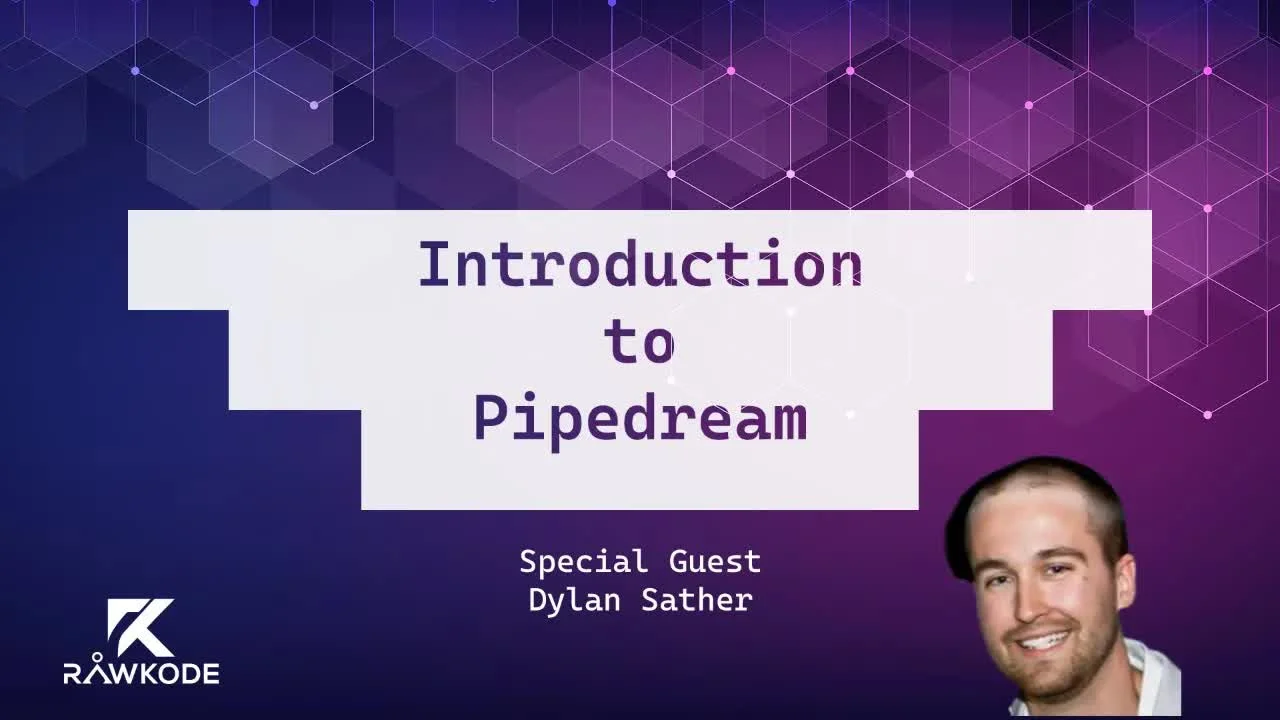
About this video
What You'll Learn
- Use Pipedream workflows to wire event-driven automations through triggers, steps, and actions.
- Build and test a Twitter-to-Spotify playlist flow by handling event payloads and Spotify API calls.
- Compare Pipedream control features like concurrency, timeouts, webhooks, and checkpoints to avoid brittle integrations.
Hands-on tour of Pipedream with cofounder Dylan Sather, building event-driven workflows in the UI that wire Twitter searches into Spotify playlists and pipe Discord messages out to Twitter using Node.js code steps.
Jump to a chapter
View 38 chapters
- 0:00 <Untitled Chapter 1>
- 1:22 Introduction
- 2:05 Guest Introduction & Pipedream Overview
- 3:43 A bit about me and the team
- 5:13 What is an integration platform?
- 6:49 Pipedream for Developers (Differentiation & Features)
- 8:42 Pipedream's key ideas
- 10:09 Open Source Integrations & Key Platform Concepts
- 11:22 Advanced Platform Controls (State, Concurrency, Throttling)
- 11:31 Free Tier & Common Use Cases
- 12:03 Where does Pipedream fit into my stack?
- 15:05 Hands-on Demonstration: Workflow Basics
- 15:56 Creating a Workflow & Trigger Types
- 17:55 Event Inspector & Passing Data Between Steps
- 26:43 Benefits of Pipedream UI/Developer Experience
- 28:00 Building an Integration: Twitter to Spotify Goal
- 28:30 Setting up Twitter Search Trigger
- 31:09 Reviewing Trigger Code & Event Data Preview
- 32:37 Preparing Tweet Data (Node.js Step)
- 33:55 Searching Spotify for Track
- 41:07 Getting Spotify Account Details (User & Playlist IDs)
- 44:14 Adding Track to Spotify Playlist Action
- 45:51 Testing the Spotify Integration
- 47:04 Building an Integration: Discord to Twitter Goal
- 47:31 Setting up Discord Trigger
- 49:34 Posting to Twitter Action
- 53:14 Adding Complexity: Star Wars API Example
- 55:04 Testing the Discord Integration
- 56:00 Exploring Workflow Settings (Errors, Timeout)
- 1:02:21 Workflow Settings: Concurrency and Throttling
- 1:05:36 Native Triggers: Webhook & Email
- 1:09:03 Native Trigger: SDK
- 1:10:55 Built-in SQL Service
- 1:17:00 Real-world Production Use Cases (Internal Pipedream Workflows)
- 1:22:38 Workflow State: Checkpoints
- 1:24:27 Community & Resources
- 1:25:55 Future Vision: Workflows as Code & Git Integration
- 1:27:17 Conclusion & Farewell
Transcript
Generated from English captions. Select a timestamp to jump to that moment.
Read and search the transcript
1:22 Introduction
1:22 Hello, and welcome to today's episode of Rawkode live. I'm your host, Rawkode. Today, we're gonna take a look at my favorite SaaS and open source integration framework, Pipedream. But before we do that, I need to say thank you to my employer, Equinix Medal. Equinix Medal is a bare metal cloud, and they give me the time and the resources to invest in this show and produce content so that we can all learn together. If you wanna check out Equinix Medal, you can visit medal.equinix.com, and you can use the code Rawkode dash live. This will give you $50 in credit.
1:55 That $50 can get you around one hundred hours of compute on our smallest instance, but it's much more fun to get the bigger instances and spend it a little bit quicker. So check it out and let me know how you get up. Now, today, I am joined by the cofounder and engineer at Pipedream, Dylan Sather. Hey. How are you, Dylan? Good. Good. Thank you for having me, David. No. No. It's my pleasure. I know it's it's not hyperbole when I say that this is my favorite SaaS product, and I I'm really looking forward to showing
2:05 Guest Introduction & Pipedream Overview
2:21 people it today. Awesome. Mhmm. Do you wanna just give yourself a quick introduction, and then we'll kinda talk about Pipedream after that? Sure. Yes. So I am one of eight cofounders at Pipedream. I'll go into a little bit of our team history in a moment, but we've worked together for about ten years as a team. We founded Pipedream just a couple of years ago and then launched Pipedream in October of twenty nineteen officially. I've done a little bit of engineering, data science, teaching in my career, but I really love right now, I I do a
3:00 lot of developer advocacy work for Pipedream, and so happy to share with everyone. I'm really excited to show it off. Awesome. Do you have a few slides, I believe, that we're gonna run through? Yes. I mean, we could talk about Pipedream first if you want or we can do the slides and then we have a little bit of a chat. It's up to you. Yeah. We'll give I'll I'll give the 10,000 foot view first. The slides kinda cover, really the high level of what Pipedream is, how people use it. I think that will set the stage for
3:31 for the rest of the conversation. So can you see the presentation and present mode okay? I can. Looks great. Great. Great. Okay. So I briefly went over this. You know, my my technical title at Pipedream is a product hacker. That just it's a title that I invented at my former company, BrightRole, kinda captures the multifaceted nature of my role as a as a technical cofounder here at Pipedream. Again, I do a lot of developer advocacy and some data science work, a little product management work for us. Formerly, I I taught data analytics at Berkeley and was a data scientist at BrightRoll and
3:43 A bit about me and the team
4:14 Instacart for a couple years. Like I mentioned, our team, there are eight of us right now. We worked together for about the past ten years, primarily at a company called BrightRoll. It was a video advertising exchange that did a lot of programmatic delivery of advertising on the Internet. So it's a lot of really high scale and big data challenges there. I this to David a little while ago. We actually used Equinix at BrightRoll. We had a a big cage down in, data center here in California. So thank you, David, and Equinix. Pipedream, like I mentioned, launched in October 2019. It's
4:52 a little over a year ago, and we've been building the platform and improving it ever since. So, fundamentally, Pipedream is an integration platform. If you've heard of or ever used tools like Zapier, if Integromat, Pipedream falls broadly into that category. I'll talk about how we're similar to those tools and also how we're different. So an integration platform fundamentally just helps you automate workflows often between or within applications. Apps is a broad term. You know, by that, I mean, any API or service provided by some app. Pipedream workflows are event driven, and this is pretty common
5:13 What is an integration platform?
5:34 with these platforms. So some event typically triggers a workflow that can be an HTTP request, an email, an event from a third party API or SaaS service. And then when that event occurs, we run some workflow, some set of steps that define our automation. So, for example, it's a common ones. Every time a new file is uploaded to Google Drive, I wanna receive an email. So I might wanna watch a specific folder and get notified immediately when someone uploads a file. I might save tweets to Google Sheets if I'm, you a data scientist and do an
6:11 analysis on some political tweets, for example. I may wanna just save all of those for archival and analysis later. Pipedream, like many integration platforms, supports cron jobs. So every day, I wanna run a SQL query, send those results to Slack. And, you know, Pipedream, many platforms, do have this generic HTTP interface. So I can spin up a workflow. I get an HTTP endpoint. I can send any HTTP request to that endpoint, and then, for example, you know, save the payload to s three or some storage somewhere. So where Pipedream differs than the other integration platform most other integration platforms that I mentioned
6:49 Pipedream for Developers (Differentiation & Features)
6:54 before. We squarely target developers. So I wanna go through what this means. Fundamentally, at the top, this diagram, I think, kind of explains the the general premise of Pipedream well. Like I mentioned, you have triggers. Okay? The trigger can be an HTTP request, an incoming Slack message. Whatever starts your workflow, that event is the trigger. Now in Pipedream, I could run any Node. Js code that I want. We have thousands of prepackaged steps that we call actions. We'll go over some of these today. Actions are just node code that someone else wrote and packaged it such that Pipedream provides a UI
7:35 for interacting with that step. You don't have to write the note code. You can just use the preexisting code that we've written. But behind the scenes, everything is actually note code, and you can write your own. So I have a lot of workflows where I trigger an event on some incoming event from AWS, for example. And then I run custom node code without using any of the pre built steps because my workflow is is very custom to my use case. Right? Nobody's created a step for that before. So Pipedream gives you this flexibility. And then we also have managed off. This
8:07 is one of the other secret sauces of Pipedream that integration platforms do well. We essentially let you one click a lot into hundreds of apps. Some apps, you enter your API key because that's the way that integration works. But Pipedream stores that authorization information, and then it uses that within your workflow. So we, for example, refresh authorization token so that you manage none of what is often a complex off process for these apps. You just one click, you're in, and you can use your own account and get access to your resources. Some of Pipedream's key ideas, just to reiterate
8:42 Pipedream's key ideas
8:45 some of these things, I shouldn't have to write code to build a workflow. So we we do this is why we see ourselves as similar to the Zapier's of the if this, then that's of the world. Even as an engineer, I don't want to write code if I'm just developing a quick integration. Right? If it's tangential to my core workflow, I just wanna get it out and get something working. Okay? But the key idea is that I can write code. Right? If I need to extend it, I wanna be able to get into the code and modify it
9:18 slightly if that step doesn't quite suit my needs. When I do write code, it should be easy. I shouldn't have to spin up, for example, a a Docker container or a pod in Kubernetes just to run a basic workflow. Right? I shouldn't have to create a AWS Lambda script. In the end, right, I just wanna be able to quickly write code, deploy it, test it, and ship it. So we'll go into how that development workflow works in Pipedream. I mentioned that everything is JavaScript. Okay? So even the prebuilt steps that you use in Pipedream, it's all just node code. You can
9:55 click into a step and modify it in any way you want. When you write custom node code, you can require any NPM package. So you can extend, Pipedream to, you know, the NPM ecosystem. Integrations are open source. Okay. So all the actions that we provide, again, you can see and modify that code to suit your needs. We'll talk about event sources. Event sources fundamentally are workflow triggers, I mentioned. Anytime you receive a new tweet, run your workflow. That trigger, right, anytime I receive a new tweet, we call that an event source. Those are also open source in our GitHub
10:09 Open Source Integrations & Key Platform Concepts
10:35 repo, and I'll show you a link to that at the end. So anyone can submit PRs for new triggers, anyone can modify any existing event sources. We have things that, again, as a developer platform, we have expectations of developers for, I need to maintain state across executions. I need a key value store, for example. I need to manage the concurrency and rate limiting. I might need to serialize the execution of my workflows. If I'm managing state that depends on a single execution finishing before the next begins, or I have a downstream API that's rate limited. So I have to make
11:13 sure incoming events are buffered and then are executed at a given rate limit so I don't hit those rate limits in my downstream service. So all of the controls that you expect from, you know, again, a mature platform, that provides state and these controls Pipedream provides. We also believe that, low volume workflow should be free, and, currently, our free tier provides a hundred thousand invocations. So I can run a workflow that's an invocation. Hundred thousand invocations per month. Okay? There are daily caps and some other platform limits that we embed, but fundamentally, we love to provide the platform for free
11:31 Free Tier & Common Use Cases
11:55 so people can use it. If you need to run more than a hundred thousand invocations a month, you can upgrade to our professional tier. So the last slide, I just wanted to this will segue nicely into what David and I are gonna do today. But, you know, we often hear the question for new Pipedream developers. Where does Pipedream fit into my stack? So I wanted to call out four common use cases just to kind of pin those in your mind. One, one of the most common ones is I have an asynchronous HTTP driven workflow. The trigger here is just an example of
12:03 Where does Pipedream fit into my stack?
12:29 the HTTP driven workflow. But, fundamentally, I have some logic where I wanna send, for example, an HTTP request to Pipedream, and then Pipedream manage all the other logic for what I'm gonna do in my workflow. But Pipedream responds immediately to me with a 200 okay. Once I send the request, Pipedream says, I've got it, and I'm gonna run the rest of this logic asynchronously. And Pipedream workflows can run up to five minutes for each indication. So, again, Pipedream is handling all of that workflow logic async, and you can continue to send events, get that immediate 200 okay response
13:02 to process that. I linked to a workflow here that actually handles our new user sign up flow. This is a common one. So we just send the HTTP request with the user's email, their name. We send the user an email behind the scenes. We track it for analytics purposes, etcetera. We also provide the ability to create your own HTTP APIs. So if you need to respond back to the client, you can do that from a Pipedream workflow. Right? So incoming request comes. I hit some third party API from the workflow. I crunch the data, and I respond with
13:37 that back to the client. One of the simplest examples is I can actually turn a Google spreadsheet into a JSON API. So take the data I have in a spreadsheet, return it back, format it as JSON to the client. Cron jobs are a big one for us. I believe Pipedream is one of the easiest ways to run a Cron job. Hopefully, we can just show that off really quickly today. Internally, you know, we run a lot of SQL queries through database checks. Send a lot of custom metrics to CloudWatch, for example, on a schedule, etcetera.
14:11 Finally, the big class of workflows is ones that are triggered from, again, these SaaS or third party API events. Every time I get a new tweet, I wanna send it to Google Sheets. Internally, we do a lot with AWS. So I have AWS events triggering a workflow, and I'm making other AWS API calls. Or, we do a lot with, again, our professional plan. We have a lot of customers via Stripe, so we're handling a lot of internal workflows there. I linked to a workflow here that shows how to send, anytime that customer cancels, how to send that to Slack. We do some
14:46 other workflows related to that. So, again, these four categories, it's not exclusive, but these are a lot of the things people use Pipedream workflows for. That's it for now. I hope that gives a good introduction to Pipedream. And, yeah, we can hopefully kick it off with some specific examples from here. Yes. Thank you for that. I'm I'm I think that sets the scene well. Hopefully, everyone understands the kind of the the value proposition. And then now we get to get hands on and actually show them how to put some of this into practice, which is gonna
15:05 Hands-on Demonstration: Workflow Basics
15:19 be really cool. So let me pop up my screen. So if anyone wants to follow along, the docs are available at docs.pipedream.com. A lot of what Dylan has just said is also here along with a lot more information. The docs are pretty nifty. But I am feeling particularly brave today, so we're just gonna go straight to my account. So shall we try and break down some of that vocabulary then that you've had in your slides and that we have in front of us here just to familiarize people with what they're looking at from the the kind
15:53 of the dashboard point of view. So Yes. So we have workflows. Do you wanna kinda just tell us what a workflow is in the context of Pipedream? Yeah. A workflow is specifically a linear sequence of steps. The first step of a workflow maybe if you want, we could just create a new workflow now to walk people through it. So you've got that blue new button. What triggers should we use? Well, we just start with the simple cron scheduler? That's great. So, yeah, you can see here. I'll I'll briefly actually, maybe click the x because I I
15:56 Creating a Workflow & Trigger Types
16:29 skipped over probably a pretty important step. You can delete any step at any time. So when I create a new workflow, I'm presented with this menu of possible triggers that I can select. The top option is I mentioned the term event source. We'll talk about that in a sec. But an event source is a, you know, trigger essentially for a workflow that wraps logic for how to source that event from the third party app or API. So an event source for Twitter, for example, again, lets me run a workflow on your tweets. You also have these simple, what we
17:05 call native triggers, HTTP, Cron, email, and SDK. Those four, you have available to you at any time. So I can create an HTTP endpoint. And like David just did, we can create a cron job. So we can select the cron scheduler trigger, and then our workflow will run on the schedule we specify. And, we have, you know, simple human readable. I can schedule a workflow every hour, every minute. You can enter a cron expression in a time zone as well if you want that level of control. You have a a lot of options there. So
17:42 we have a cron trigger. You know, we can select any trigger at this point and go ahead and deploy the workflow to memorialize this. Once we deploy the workflow, we have the trigger. You also see this big run now button, and that lets us trigger a workflow manually. So we can do that for our tests. You'll notice here, there's not a lot of interesting information that comes in the event, but the second that David clicked run now, notice on the left, we have this event and what we call the inspector. Okay? So that's just where incoming events live.
17:55 Event Inspector & Passing Data Between Steps
18:19 When we set a test event, we automatically selected that event as well, that's why you see this data in the top trigger step. So the most interesting information, which we expand by default, is the incoming event data. And steps dot trigger dot event is the name of the variable that allows you to access that event data in future steps of your workflow. So for Cron, again, it's not that interesting. And, typically, we wouldn't access the actual event data, but you do actually have the epic time stamp of the indication. And then the timer config there indicates this
18:53 is actually triggered manually versus triggered on its own schedule. So if you wanted logic that maybe only ran on test events, you could actually do that here, for example. If you briefly select steps dot trigger dot context and expand that accordion, this is also metadata about the workflow invocation. So for example, this also shows the time stamp at which it ran. There's a unique event ID that Pipedream assigned so that if you wanted to store that in your own downstream system, you know, all the metadata here, your your user ID, the deployment ID is technically
19:31 it it changes every new version you deploy of your workflow. Briefly, I'll just also mention at the top header, just above the workflow, you'll notice a couple of things. You can add a title to your workflow, you know, my awesome cron job or whatever. You'll notice we we made a couple of edits, and so we're already on version three. But if you click on that drop down, you can always revert back to a previous version of your workflow as well. And, you'll see the code in read only mode. You can then redeploy that version if
20:04 you want or go back to the latest version. Code is always private by default, but you can make it public. And so a lot of the workflows in the slide deck that I I shared that we'll share later, we've made those workflows public so that you can see it, and then you can copy that for your own use case. So that's one interesting thing about the open source nature of Pipedream we love is, you know, I've written a workflow once. I can share that with someone. You can copy it. You can remix it in any way you want. Right? So
20:33 public workflows are really nice for, sharing code in that manner. Your data is always private. We're actually working on a feature to allow even data to be made public, which is also an interesting use case for demo purposes. Right? Or I wanna show off an event stream. I wanna create an analysis. Again, I'm a data scientist, and I'm processing tweets. I wanna actually show those incoming tweets and show how that data changes to the course of the workflow, right, to show step by step all the transformations I'm doing. So that'll come later, but, again, by default, code's private, data's
21:09 private. And then we've we've got our trigger step now. And like I mentioned, you know, workflows are, right now, a linear sequence of steps. So we show the option then to create the next step, and this is where actions come in. So you'll and if you scroll down a little bit, you'll see below this a list of common apps as well, but you can search for anything in the search bar at the very top of the step selector. So what kind of code do you wanna run? Do you wanna just run Node JS code or run a custom action for this?
21:47 Yeah. Why don't we just run some Node JS code now, and then we'll maybe add on a couple more to run through some of the more common ones and take it from there. Cool. So the very first option, run Node JS code. Notice that at the very top of the step, by default, this step has a name. It's step stop Node JS. And that'll become important later because when steps return data, we are able to reference that data at that step's namespace. And so I'll walk through that in a second, but just remember that all steps are
22:21 named. I can connect apps to this custom step. So if I wanted to write custom note code where I interacted with the Spotify API, for example, I could connect my Spotify account. And, you can do that by clicking the plus button at the very top left of it. We won't do this now, but, if you click on that, it should open a modal that allows you to select any app and then an associated account you would select for that app. So, again, even custom Node JS code, you can actually connect apps so that you have access to
22:55 your authorization data. For now, maybe just, you know, do a console log statement, and we can see how that works. Easy. Awesome. Awesome. So we also have keyboard shortcuts, and, depends on your platform, but, command d on a Mac and control d on a PC or Linux should deploy your workflow, you can click on the deploy button up there. But now, you know, notice the version at the top, increment, it's version four. Right? So every every deploy you make cuts a new version of your workflow, deploys it to a whole new execution environment on the back end. I should note
23:37 that everyone's workflows are sandboxed inside every version of a workflow, technically, is sandboxed inside its own virtual machine. So all the memory and disk is yours and yours alone. Go ahead and click run now again, and let's take a look at what this produces. So any console logs, any standard output or standard error shows up below the step that produced it. Okay? So any logs you wanna log, you just put a console log statement there, and you're good. Now notice we say no return values or exports for this step. You have you worked with custom step exports?
24:21 I believe so. Yes. You mean when you use desktop to set something? Exactly. Exactly. So we have this concept that we call step exports. Return values work the same way, and we can maybe show off both. But if you deselect the event just by clicking on the event in the inspector and get back to the code, just below the console log step, maybe we can add a step export to show people how this works. So notice David's type this dot name. Okay? When I deploy and run this, let's maybe just see end to end how it works
24:58 because it's easy to show up with the observability. So we've got that original console log statement, and now we see steps .nodejs dot name data. So, again, the name of my step is steps.nodejs. Steps Node j s Name, I exported from steps dot Node. Js by saying this dot name. So the context of steps you know, JavaScript if you're familiar with JavaScript, you probably hate this. It took me a long time to learn this, especially as an old data scientist, one from Python. But in the context of steps, this just refers to the current step.
25:39 By saying this dot name equals value, I export that value at that step dot property name. So in this case, name. If you hover over that row, you'll see the option to copy either the variable path steps dot no g s dot name or the value. Okay? So in future steps, I can reference that export against, workflows as linear sequence of steps. And so, when I run one step, I get access to that data. Maybe just a console log it, and we can confirm that everything works okay. There we go. So a lot of our actions,
26:28 for again, common apps like Twitter and Spotify, etcetera, you know, that's all pre baked to note code. They have their own step exports. They return data automatically, and then you'll often see that data below a step. I think there's I mean, we covered quite a lot there, but I just wanna highlight some of the things that I think just make this such a cool platform to be building on top of. So firstly, the event inspector on the left is invaluable when you start to connect to other sources and triggers where you don't really understand what the payload is gonna be like yet.
26:43 Benefits of Pipedream UI/Developer Experience
27:05 And the auto complete and the ability to copy the pass from these tools inside of each step are also invaluable. Like, see those two things alone are just phenomenal. And I think as we start to build out more, why that is so cool will definitely become apparent to people. The automatic versioning is very, very cool. I love the idea of making my things public. What actually happens for me personally is that my code is so awful. I think I'll clean that up later and then make it public. But at the same time, it works and then I never
27:35 clean it up. So, like, you know, double edged sword for me at least anyway. But being able to share them is very, very cool. And, yeah, the authentication thing, again, you know, not having to manage off for any of this, you know, the ability to just click, hey. I wanna do something with Spotify and have that automatically pass in my credentials to that step for me to consume. We're very very, very cool. Cool. Good to hear. Alright. Let's do something a little bit more tangible then. That's like a good plan. So let's just I guess we don't need to
28:00 Building an Integration: Twitter to Spotify Goal
28:06 create a new workflow. I'll just clean this up a little bit. We're not gonna go with cron. Should we bring in the Twitter integration? Yeah. Let's do it. Alright. So let's filter on Twitter. And So this is this is part of our UX that we are currently optimizing, actually. But to create a did you wanna create a new Twitter source? Yeah. I did. So then I tried to filter, but I think I need to scroll down. But So that you know, you should be able to search Twitter, see Twitter, and create it. Right now, you have to click create event source,
28:30 Setting up Twitter Search Trigger
28:43 and then that brings you into the menu for creating any so event source is just to reiterate, right, are, essentially just workflow triggers. You can do a lot more with event sources, so we can talk about that later if we have the time. But you create an event source to create a, trigger from a third party SaaS app. Select the app. You've got a range of specific sources. Let's do search mentions. And this this connect button is always my favorite thing because that's the old one. And I just go, hey. Cool. Yeah. Yeah. If you didn't have an existing account,
29:20 you would be prompted to authorize Pipedream's access to your Twitter account with our Pipedream app, and you'd be good to go. So I'll just add this hashtag. I have I've never actually used this hashtag on a show. I'm just gonna this is the first time. So, you know, I think there's only two sample tweets that I was doing with earlier. But we'll do a search for Rawkode live, recent. We can filter it to not include retweets or not include replies. The language filter, locale. Like, there there's loads of ways to be able to interact. Like, I don't need to
29:57 understand the Twitter API. Like, someone else has already went to the effort and contributed this the project, which is great. And but, Claudia, you're doing this It took a it us a while. Event sources can be pretty difficult to build, and it really depends on the third party API. But, again, you can take a look at all the source code in GitHub for this if you did wanna understand how it works and you didn't wanna tweak it. We I I think you may have seen, but if you scroll down just a little bit before you create source, you also can
30:31 see the component code, right there. We again, the the diction, I think, is one of the hardest parts when you're getting familiar with Pipedream because we do use a lot of specific terms. Components are, just this term for a a Node. Js module that, is written in a specific format to create things like event sources. So, that's all that is is, the component is just the event source. It's a node module. You can see how it works. When you create the source, you can even edit that source on your own. So in your account, that
31:06 event source gets created. But if you click edit code and configuration, then you can edit. You can change the configuration if you wanted to and you can edit the code. So all of that's available to you. Nice. And we actually see I think this is one of the I have a lot of favorite things about Pipedream. So that's this here. This preview of what the event data worked with. Because, obviously, I'm gonna wanna do something with this and just being able to see that and be able to copy the past and stuff is really Mhmm. Mhmm.
31:09 Reviewing Trigger Code & Event Data Preview
31:36 I hear you. There's my last tweet. Nice. Nice. Yeah. Alright. So Sorry, Nico. No. Okay. So let's try and do something with this. Now there's a loads there's loads of integrations that we can play with. We spoke briefly just before we went live, and I said, hey, it would be cool if we could have people tweet Rawkode live as a hashtag and the name of a song, and we're gonna try and attempt to look up that song on Spotify and add it to a playlist. So let's see if we can get that going. So that that's that's your queue. People
32:13 are watching. If you can use the Rawkode live hashtag and just type the name of a song and then we'll do our best to try and add that to a playlist. And if you all don't do it, I'll just tweet my own. That's okay. Yeah. Yeah. Just means I'll prefer the music anyway. So I'm gonna click send us test event. And now we can begin to work with this data. So I guess the first thing we need to do is look up the tweet text or maybe split the tweet text. See, I never really thought
32:37 Preparing Tweet Data (Node.js Step)
32:45 this through today. It's probably harder than I thought it was gonna be. Let's just let's just assume the only bit of text that comes through is just the name of a song. Cool. So we'll just go straight to the lookup stage. We're not gonna try and parse anything. Cool. And let's see. Do we need I'm assuming because is there a get track? Let's see. Yeah. Let's see. We'll just So we'll just check. Right. It's oh, yeah. I guess so I think get tracks might take the Spotify ID for that track. But I think there's a search action
33:27 that I'm not sure exactly how the Spotify API works, but we can work through it. Try try just doing Spotify, and then you'll see a search for an item, get slash Oh, there we go. Yeah. Let's connect this up, and then we could just pass in the terms. So let's assume we're using the previous event that we have here that the full text is what we want. So In fact, we will need to remove the Rawkode live from it. There. The plot seconds. Okay. So we're gonna add a custom step before we do that then
33:55 Searching Spotify for Track
34:09 where we wanna take our full text. We can just paste this in. And this is a string. I already know that's a string, and I'm getting all complete. So let's just do a really crude replace. And then I this is where your knowledge is gonna come in. Does this update in line and I'll have access to that, or should I try and set something like this? Yeah. You will either do this dot song title or you can just return steps dot trigger. Both of those would give you access to return value. And then that's you know, let's let's see if I'm correct.
35:01 I think that dollar return value reference should be accessible in the param selector of the next step. The value you won't see a a a value associated with it. But if you select steps, Node. Js, return dollar return value. Right? That's when you use return instead of a specific sec step export, that's how we represent that. Okay. And then this one's a type, so I'm gonna say track. And then I think you had an ST at the front of the search the query brand. Good catch. And, yeah, I think let's give it a try. Alright.
35:50 No one's tweeted me yet. I'm disappointed, so I'm going to say My team should be listening too, and there's some music fans there. So, hopefully, someone someone has a good song in mind. Alright. Well, I have now tweeted a song. I'm gonna head deploy. Let's just let this run. And this is now on what was it? Fifteen seconds we set this up for? Yeah. I think so. Nice. I guess for now, we can have the test event, which will be my last previous tweet. And we should still be able to see at least the response come back
36:28 with, I would assume, nothing. Yeah. Let's see what Spotify does with that. Okay. So let's see. Yeah. There's a return value and a dead remove or hashtag. It's good. Magically, we got some songs. No. We didn't. We got seven fields, but no items. Right. Right. Right. Alright. I didn't enable the trigger. There we go. And then if you scroll up, you'll go ahead and deselect the specific event again. And then, under the test banner, go ahead and expand that test accordion and hit that refresh button. And now go so this is, you know, one of your test suites still that I that
37:20 there we go. Your new one should show up there. There's a again, we're working on this UX to improve it. It's a couple of steps just to get that new test data in there. Okay. So let's just send this as a test event and make sure our workflow does hopefully what we wanted it to. Let's see. So it removed the hashtag, and we got 20 options. This is good. And so it looks like someone else might have tweeted as well because you see that another event came in just above it. Well, that that may be the actual trigger
37:57 pulling in my event. No. It's not. It's someone else. Yeah. When you so when you selected that, you know, turn on the trigger switch, that turned the trigger live such that now we are receiving live events. But it looks like it's working, so maybe that's fine. Nice. Well, that's a good start. Let me pull them up. Yeah. Okay. Cool. We just have someone else tweet. Thank you, Frank. Yeah. Thanks. If you this is, the the reason we have that toggle so that while you're developing your pause the live stream of them and then turn it live once you develop your workflow.
38:43 Okay. So we're not gonna do anything sophisticated here. We'll just grab the first response from this items list, and let's add that to a playlist. Let me get my Spotify up as well. Let's see. But what we have here is an empty Pipedream playlist. Let's see if we can get this going. So we just wanna add another step. We're using the selector. I'm pretty sure there isn't oh, we ought to scroll down. There is an add track. I'm sure I looked for this. Let's see. Add tracks to playlist. Alright. Let's see. How do I get my
39:40 Spotify ID? Are you still there? Oh, I think I lost Dylan. Alright. I'll just keep mumbling through it. Let's see. How did I get the ID? Yeah. Can you hear me okay now? Yep. You're you seem to be back now. I'm not sure what happened there. Can you hear me okay now? Yeah. I can hear you. Yep. Yeah. Thank you, Frank. Appreciate it. Okay. So I wonder if there's a way for me to get my Spotify ID from here. Let's connect it. Dylan's definitely gone there. Alright. I'm just gonna log in to the Spotify web interface to get those IDs.
40:49 Oh, and he's back. There you go. Welcome back. I yeah. I moved to a place with that with better WiFi. I hope you can hear me okay. Oh, yeah. Yeah. You're you're sounding good now. Great. So I was just gonna log in to the Spotify web interface cause I realized I didn't know how to get my Spotify user ID. There there is a get me endpoint in Spotify. I think we should have an action for that, and that should return your user ID. So you may wanna add that, you know, near the top of your workflow.
41:07 Getting Spotify Account Details (User & Playlist IDs)
41:21 Good idea. Alright. It's about it. Yep. Got me. There we go. Connect. And I'm just gonna assume I'm gonna wanna list playlist as well. So let's see. Users playlists. Cool. Alright. So what we want to do is save. I'm gonna have to remove the playlist or not, like, because I can't satisfy that. I can make it up. Right. A b c one. Yeah. And if you'd like, do you see when you hover over the step, there's that green toggle in the top right? Yeah. There we go. And if you want, you could just disable any of these steps.
42:15 Right? Alright. Let's just turn these off just now. So we should be in a position where if I deploy this, I'm now gonna be requesting my own profile information from Spotify. Have to use their ID, pass it into the get playlist one, get the playlist ID, and then add our track to the playlist. I like the way this is coming together. Well, yeah. It's it's it's nice to see how I mean, that these are things that people are gonna have to do as they start to play with it and explore with it. And it's nice you you don't need
42:47 to leave less workflow experience to do any of that either. So Mhmm. Right. Alright. So get me. Let's oh, we need to click run. If you expand the test accordion one more time, it should go ahead and deselect this event and then expand the test accordion at the Oh, yeah. Yeah. Yeah. Yeah. We go. And then send it. See, I know this stuff. I'm just being silly. Alright. Okay. There's me. There's my ID. So I'm gonna enable the playlist action. We're gonna drop in our user ID here. I'm gonna deploy this. And then we're gonna come back up here
43:40 and run this again. And now we should get a list of playlists. There we go. So I have eight. I'll assume the recent one is this one. Nope. That's my refs playlist. Film scores for coding, covers. You know, you're getting an insight into my music. Boost. Of course, it was the first one, wasn't it? And this is the ID that we want. So I'm gonna disable this. I'm gonna enable our ad, and we pop open these params. We can put in the playlist ID, and then we drop the user ID again, which is here. And then we need to just ensure
44:14 Adding Track to Spotify Playlist Action
44:35 that we pass through a track URI from the search as well. So let's disable to get me. And today, move the track there. It's just above this last yeah. K. I'm gonna need to run a test event. So let's just deploy this and do this. Alright. So let's do an emojis step, skipping over those, and here's a search. And it's got an href, which I'm assuming is all we need. You know, that href looks like the reference for that query. You're correct. Yeah. Inside. And it's funny that it returned multiple items, but I guess we could just take the
45:30 first one. Right? Yeah. We'll just grab the first one. So we've got this items with 20 songs that it found. We want this URI, so we're gonna use the helper copy path. We're gonna re enable this. Pop open the params. Add our variable, and deploy. And that may just be crazy enough to work. Alright. I'll just fire for the same test event. And then now we'll see if the Spotify app oh, wow. There we go. Awesome. Awesome. That was fun. That was. I love the just the iteration of, like, having to get my user ID. And it's it's all the
45:51 Testing the Spotify Integration
46:19 grunt work involved in every integration, like you said. Right? It it it's tough to piece the steps together, and the problem is just always more complex when you work with these third party APIs. But, yeah, we think the observability and the testing at least helps as much as we can. Definitely. Alright. Now just because, Frank, you were kind enough to send me this, I'm gonna send your event through too. Just to see what we get in the playlist, and then we'll move on to another demo. Come on. There we go. And flames. Good chin. Awesome. Thank you, Frank. That was fun. Awesome.
46:58 Alright. What else are you feeling? Anything you wanna pick up here? Let's see. Let's you wanna do some stuff with Discord. Right? Yeah. Let's do something with Discord. Yeah. So we have I can't remember if there's a Discord. Do we want no. Yeah. I'm just having an internal monologue for myself so you're not invited to. So Yeah. Yeah. Let's create an event source. We have Discord already connected. I think we did Discord bot, and then we did a You had the Pipedream bot installed on your guild. Right? I do. Yes. Go ahead and try to select Discord,
47:31 Setting up Discord Trigger
47:40 actually. And as long as you select the the same off provision, the same, you know, guild that you had, then I think this should work. And the the reason so we have two Discord integrations. There's the Discord one where we install the Pipedream bot in your guild. That actually allows us to listen for new messages immediately. So you add a new message to whatever channel you wanna listen to. You can actually select multiple channels here. Right? And then Pipedream should ping this event source, immediately. If you use the Discord bot integration, you can run your own bot. So if
48:19 that's your use case, you could actually set up your own bot in your guild, connect that bot to Pipedream. That integration, though, runs on a cron since there's no real time integration for listening for bot messages. So can kinda see these event sources. Some work instantly because there's a webhook or a WebSocket integration that talks to Pipedream. Some, because the API doesn't support webhooks, we have to run on a schedule like you did for Twitter. So just a a brief description kind of of, you know, that's all the work that we do. We build an
48:49 event source internally. Nice. Okay. So let's just see your discord method. Let's get this live. Great. So why don't we just have it relay messages onto my Twitter account then? What can go wrong with that? So it's right now it's it's listening for an event. So did I prepare? I did. Okay. So we can just see. Hello. Livestream. You're saying that should be yeah. That was pretty instant there. Awesome. Okay. So let's do something with that. Now I do have my Twitter connected too. We can just have this post a tweet. Do you wanna do anything in in the
49:34 Posting to Twitter Action
49:44 middle first or just post it direct? Yeah. Let's let's try direct to make sure it works. Then maybe we could could decorate it, you know, somewhat of a Spotify example. I'm just let me think about, like, data we could get about it. Right? Like, I feel like there's another API we could use in the middle. Yeah. I wonder if we could do some sort of guest lookup or something like that to attach to it. We're doing it great with Giphy, and so that that's a great example. Alright. So in fact, I'll just copy the path here instead of
50:14 picking something random. So let's see what do we have. Let's then click the author name. Rawkode says, where was my message? Hello, livestream. I guess, content. Is that just escaped, I guess? Yeah. I I actually don't know. That's funny. Well, we're we'll find out. So we're now set our status. We can just deploy this. I guess what we've done is just to save you that we're gonna replicate all the messages from here. This is really to my from my Discord with. Oh, I didn't turn on. I know. We're it's one of the UX things we we need to improve. But the the
51:15 the event should have come in. So if you select it as a test event, should work. But, yeah, you could try that again. Perfect. And let's go check out my Twitter. Rawkode says this is really it from my Discord with Pipedream. Okay. Let's do something a bit more fun with this then. Not that that wasn't fun, but we can tell. So you said to us, I've never played with the Gaffee integration. So let's see. What we need to do? Search. Gif search, I guess. Gif search, I believe, is the one. Yeah. API key. Yes. Yes.
52:04 Alright. I'll do that over here. Think I have a Giphy account. And An interesting bit, but I'm promised. Second. Telling me it sent me a two factor code, but I don't have one. Alright. Okay. Let's scratch that plan. Yeah. I'm looking through some other, you know, text decoration APIs, like anything that we could pass text to. I guess, you know, one thing you could do I forget if Giphy has any public API endpoints. I don't know if they do. There is a are you a Star Wars fan? Yeah. Star Wars API. And, you know, I'm wondering if we could just,
53:14 Adding Complexity: Star Wars API Example
53:25 just as an example, you know, hit that API to decorate it with some you know, you can, for instance, get a a random starship or a species or a planet. They have APIs actually for listing all those resources. So we could we could just decorate it with that as a simple example. There's yeah. What do what do you think about that? There's there's a Reddit integration that we could use. Yeah. Well, what's the Star Wars API? We'll just we'll we'll just we don't even need to use it. We're just we're just composing random stuff here. So Yeah. Yeah. So if
54:00 you search for a a new step, it's technically Swapi, SWAPI. K. It starts it. Yeah. And I think maybe just try the return random character name. Like, that that wraps a little bit of logic. You'll notice they have a a people API. And so, you know, if you hit that, you get a list of people back. We just happen to return a random Star Wars character. Right? And and then you can use that return value in future steps. Let's make sure that still works. Yeah. So I just disabled the auto tweet. And then what we'll do is we'll fire
54:38 through one test event, and then we'll see what we get back from Rawkode. We got CTPOs. I'm gonna copy the path, re enable our tweet. And instead of me tweeting it then, we'll just say that the author is a random stuff. Not? So that's all enabled. Oh, yeah. I'll send the discourse manager. So let's see. So somebody from Star Wars says, hello. These are the correct droids. I know. There we go. We got that. We got that. And we posted the tweet. So our two t two says these are Awesome. We rushed Twitter account. And there we go. Awesome. I like that.
55:04 Testing the Discord Integration
55:34 That was good. Do you wanna go into some of the there there are some advanced settings here that I think could be interesting to peruse just to kinda take this and, you know, we've obviously been playing around with some kind of trivial if this then, you know, do this. But I wanted to show off some more advanced examples where, for example, like, concurrency, can come into play. Yeah. Let's do it. Okay. So if you go into your settings, near the top Right. So I just wanna walk through we can walk through each of these because they're
56:00 Exploring Workflow Settings (Errors, Timeout)
56:09 they're actually all interesting features of Pipedream. First of all, we we haven't talked about errors because you actually haven't made any. So congratulations. Cool that we've gotten this far without throwing any error. Maybe we can do that just to see how it works in a moment. But at a high level, Pipedream will, number one, display any error that's thrown by a node step within the step and show you very clearly, you know, what step that happened in, and we try to surface as much information as we can about the error. We also forward that error to what we call the
56:43 global error workflow. By default, maybe if you open this in a new tab, we can just take a look. Have you messed around with this at all? So I only noticed the global error workflow maybe a couple of days ago. I wasn't sure if I just missed it all this time or if it was near. So Yeah. It you know, it's meant to be hidden because it it runs on autopilot. Now the the idea is, by default, this is just another workflow. So if an error happens in one of your workflows, it just sends the error to this workflow.
57:14 And this workflow sends you an email with all the details of the errors. You've probably gotten those emails before, I imagine, when you when you have an error. But in essence, you know, by default, you'll receive one email per unique error per workflow every twenty four hours. So all that means is we don't wanna spam you. If you have a high volume workflow that throws the same exact error, you'll only get one email in a twenty four hour period. But if you get a new error, you'll get a new email. Right? Because it's a new issue. You need to troubleshoot.
57:47 So by default, this workflow handles all that logic for you. If you you know, this logic is just what I described. But if you scroll down briefly, you'll see the email, me step. So you can email yourself from any Pipedream workflow. There's this action, email me, that you can search for in any workflow. You can also use this special function in node, dollar send dot email. So dollar send exposes bunch of these special functions, dollar send dot email, dollar send dot s three, dollar send dot h t t p is a Pipedream built integration for quickly sending
58:32 data to common destinations like that. Email is just one of those destinations. So, again, we're essentially just dogfooding our own product tier by creating this workflow and then letting it drive your error notifications for all of your workflows. And the cool thing is since it's a workflow, you can modify it in any way you want. If you wanted to send oh, and you did. There we go. That's awesome. Yeah. But I noticed the new well, I thought it was a new feature. I was like, hell, I wonder if I can send all the errors to my Discord. Although I
59:03 haven't had any errors yet. So Right. Yeah. Exactly. This is exactly what we hope people will do. Right? If you use Discord or Slack or what you know, Telegram, right, you should be able to send messages to your destination of choice. So the global error workflow, if you go back to your workflow settings, you know, that's essentially by default, it's on. There's a ton of other you know, I wish we had time to cover this. I I don't think it's worth going into the whole API today. But I'll briefly show you if you look at our API docs back in back in
59:37 docs. Mhmm. And then scroll down to the API section. Go to the REST API. This lists all of our API endpoints we expose in our REST API. There's a lot that you can do. The reason I thought of this is we have an endpoint for retrieving the workflow errors via API. So if, for example, you wanted highly custom error handling, you know, for a specific workflow, 'd actually get the workflow errors for a specific workflow, send those to a custom workflow. It's similar to are you familiar with AWS Lambda? Do you work with Lambda at all?
1:00:20 I have done in the past. Yeah. Yeah. There's, you know, there's concepts in Lambda and in other systems where you essentially have an error handler per Lambda function. Right? The global error workflow, I think, simplifies it because you don't need to think about error handling. Right? All errors by default are sent to this global workflow. You get an email, you deal with them. But the idea is if you want that advanced control for, I wanna handle errors for this workflow in this specific way, you can actually have your own error handling workflow set up for a specific
1:00:51 workflow. And some of the endpoints here with workflows and specifically subscriptions allow you to subscribe to errors or events from specific workflows. So, you know, the UI is really just a skin on top of all of this. But behind the scenes, you have a lot of capabilities to really extend how workflows work. So, again, if you wanna listen for workflow errors, you can do that. If you want multiple triggers for one workflow, you can actually set that up as well. And it it works in all different directions. So these the subscription model via API allows
1:01:30 you to essentially have a workflow subscribed to events coming in from multiple sources. You can then have those workflows in mid events and have other work multiple workflows subscribe to those. So for pretty complex workflows, some people need these capabilities. And, you know, I just wanted to highlight that it's possible via the rest API. So if you're interested, take a look at the docs. That's well, one of the meant the one of the use cases you mentioned there is something I actually tried to do this week was have multiple triggers on our workflow. So Yeah. Nice to know that I can do
1:02:04 that advice and Yeah. Yeah. We we were still working on all the UI components. So you'll you'll be able to list and create the triggers via the API. You won't see it in the UI yet, but, you know, we're we're working on all of that. The the next things I wanted to show off, you know, you, by default, have this time out of thirty seconds. If your workflow runs for longer than thirty seconds, it would time out, but you can increase that up to three hundred seconds, up to five minutes. We keep it at thirty seconds because, you
1:02:21 Workflow Settings: Concurrency and Throttling
1:02:38 know, we don't want you to make a mistake and then have your workflow just run, run, run and use your compute time because on the free tier, you are capped on on compute time on a daily quota. It's pretty generous again. So most people don't hit it. But, again, we default to thirty seconds just to keep you under that cap. But for long running workflows, it does make sense to increase it. And then under that, you'll see you have a lot of controls over throttling and concurrency. So I mentioned both of these earlier. But, concurrency, I think, is the easiest one to
1:03:11 understand for people. Right? Like, you can, if you check the limit concurrency, box, by default, this serializes the execution of your workflow. So if there's something you're doing in your workflow where you're handling state and that state should not be mutated by multiple executions of the same workflow, right, where you have some global shared, like, singleton state, you can serialize your workflow here so that incoming Discord messages. Right? If you get multiple messages at the same time, we'll queue up those messages and then only run your workflow one message at a time. Right? The throttling works in combination if you want.
1:03:53 Right? You could but normally, you know, you might you might use it, like I mentioned earlier, with a rate limit use case. Like, let's say you receive the Discord messages, you're doing something with the Spotify API. Spotify API might have its own rate limit, and so you need to balance the incoming messages with that Spotify rate limit so that you don't hit you know, if you get a thousand matches at once from Discord, you may get rate limited on Spotify sense. You can throttle the execution to only run, say, 60 events every minute, right, if that's the
1:04:24 Spotify rate limit. So this is where the advanced controls really come in to play. Like, it's again, it's subtle. Right? But with with APIs, especially, we see it all the time. You have either state related issues. Like, if you're even writing to Google Sheets, it's not a state related issue. But if you blast this Discord source with messages and try to send all those messages to Google Sheets, parallel executions of the workflow will overwrite the same row. And so you wanna manage that, right, you have to serialize it. All these controls come into play for complex
1:05:02 workflow, so that's why we built them. Nice. Alright. So let's show one more thing that I think is cool. We can maybe just talk about. We don't need to show just because of time about the SQL store. And then I believe you've got a couple of your own examples that you're just gonna quickly run this through as well to show Yeah. What can be done. So the one thing that I really enjoy that I also want to show and maybe we can cause an error here as well. I think we got about twenty minutes left. So as the
1:05:34 webhook, I think this is really, really cool. Been able to integrate with GitHub for their push events for the API or GitLab or any other sources or even the Slack API. I don't know if they still do that, but they're going by Pipedreams are really cool. Where Pipedream just gives me this URL that I can pass around anywhere I want and then get the payslot back to here as well. Right. We don't we don't need to do anything from this. I just think it's a really one of the really cool triggers that I like to
1:05:36 Native Triggers: Webhook & Email
1:06:04 play with as well. Yeah. Yeah. We I mean, we use it all the time for internal workflows. And, you know, like you said, it's like we we've tried to build up event sources to abstract webhook delivery from a lot of apps. So for GitHub, you know, we're actually creating a webhook subscription in your repo that points to an endpoint behind the scenes so that you don't have to set up any of this. But, of course, we don't have full coverage of event sources for every app. So anytime you have a custom app that supports webhooks,
1:06:37 like you said, you can go in here. This endpoint's unique to your workflow. You just copy it and paste it in the webhook settings, and you're getting events here. And this is more you know, we we didn't look at the event data much before for cron because it wasn't that interesting. But this test event, you can see how there's a couple things here I'll mention. When we receive, for example, JSON data in the incoming payload, we parse it as a JavaScript object, and that's what you see in body. So, you know, we do and multipart form
1:07:08 data, other data, we think pretty hard about, like, what are the most common formats and how do you wanna consume those within a workflow. A JavaScript object is often the easiest mechanism. So, again, you send JSON, you get it as an object in steps dot triggered on event dot body. And then you can inspect it just like you you have before. So, yeah, the HTTP trigger is pretty cool. We've got an email trigger as well. If you quit out of this and then select the email trigger, Also, unique email address specific to your workflow. So you can send any emails here with
1:07:49 attachments, and those will actually get get rendered in the event inspector so you can parse an email data or handle attachments in that way. Oh, cool. I actually didn't know about that one. That one's quite handy, actually. I can think of a few things I'd like to get out of my inbox and then to some sort of automations. Yeah. I'm a big I before well, in in between BrightRoll, you know, I worked with this team for a long time at BrightRoll. In between BrightRoll and Pipedream, I founded a company called Mail Coach where we did a lot with programmatic
1:08:23 filter creation in Gmail. So trying to really help cut down on email volume for people. I wish I had Pipedream at that point because there's a lot of automations that I I wish I could have done, you know, where you have a user who's trying to, you know, process some email. We're trying to create a filter off of it. There's just so many automations with email that I think you can do that are interesting. And, yeah, programmatic filter creation with Gmail is a big one on my mind because I try to get as much email out of
1:08:52 my inbox as possible too. And what about the the SDK? Do wanna give us a little bit of information on this? Yeah. The the SDK is you can see example notes snippets and Ruby snippets. So we we publish yeah. Actually, sorry, three clients. There's the JavaScript browser version that you can load on a on a front end app. There's the node version, and then there's the Ruby SDK. And so if you're sending events from, you know, whatever client browser or server side service you want, you can trigger an event in this way. Right? So the relevant code is the very bottom.
1:09:03 Native Trigger: SDK
1:09:32 Once you've, you know, got the PD SDK, you can just send event to that endpoint ID with whatever shape you want. Now this shape is, pretty custom. And so, essentially, you know, before with HTTP and email, we saw steps dot trigger dot event dot body, for example, because the body is you know, represents the payload in the HTTP context. With the SDK, you can fully control the shape of the event that you wanna come in, and it helps to simplify things. And, again, if you're sending data server side from an app you own and then you wanna trigger a Pipedream
1:10:08 workflow off of that, the SDK is often a a pretty easy option because you get a lot more control over that incoming event shape. Have you ever had anyone tried to build their own Google Analytics using this? Not that I know of. That's a really good use case, though. I mean, I I could you know, we have people sending data to Google Analytics and Amplitude and and other services. But I mean, I I could envision just a lot you could do here with that. I've been trying to remove well, I have removed Google Analytics from my from my own website.
1:10:41 I'm trying to use things that are a bit more privacy focused and Mhmm. Doing something like this is actually probably a pretty good step towards getting better at that. Totally. Totally. Alright. Let's see what else did we not cover. Yeah. We can do it right People will probably take just five minutes to cover if you if you wanna do that. I can show you how that works. So Yeah. This is actually good because since you don't have any tables, you see the default experience here. We walk you through just a basic tutorial, but I'll I'll walk everyone through this now.
1:10:55 Built-in SQL Service
1:11:12 The SQL service is essentially like, we we thought a lot about what is the use case for me wanting to query analytics data that I get in a workflow. Like, it's very common that I receive data from a webhook from, for example, Stripe or SendGrid. And I wanna run some basic analytics on that to look at how many unsubscribes or clicks we got for a given SendGrid campaign, for example. As a data scientist, like, I don't wanna do all the work to manage my data warehouse for all these workflows that are often just one offs. Like, if it's not core
1:11:49 data and I just wanna really quickly run some SQL on incoming data from a webhook or some source. The SQL service is kind of our intent at, like, getting to the simplest possible way to do that. So the idea is you just send JSON to a table. We actually create the table schema behind the scenes and manage that for you. So every user essentially has their own database, and you can create any number of tables in the SQL service simply just by sending JSON data to a table with a specific name. We create the table with that schema.
1:12:25 If you send new data with a new schema to that same table, we adjust the schema over time. So it's essentially a dynamic schema managed for each of your tables, And, again, it's all hosted. It's free to use, and we the only restriction is that we expire all the data after thirty days automatically. But, for for common use cases where, again, I just need to get some insight. Like, that I'm a data guy. Right? So I think of, how can I ask all these interesting questions of my data? I immediately go to SQL, but I just don't wanna manage
1:12:57 the database and the schema for all this data, especially JSON where the schema can change so much constantly. Right? So that's the principle. Let's see how it works. If you go to a new workflow does that all make sense, by the way? Yeah. Yeah. It does. Cool. Yeah. Cool. I'll I'll say yes. I'll I'll work at it as we go here. You can select any trigger you want and then add a new Node. Js code step. So this is where the dollar send function comes in. We we do actually have an action for this as well, but I'll show
1:13:39 you the the code because it's a little bit easier. Dollar send dot SQL. And that accepts a JavaScript object as an argument. So with two properties, table. You can enter whatever name you want here. K. Sure. And then payload. And payload itself accepts a JavaScript object, and so put in whatever fields you want here. Awesome. But people will believe me if I have anyone. Yeah. Yeah. Go ahead and deploy that and run a test event. And so we with destinations like this, we we actually batch all the incoming events that you would send within a sixty second
1:14:41 period and then send those to the SQL service for processing. So it does take just a little bit of time the first time you create a table. But the idea is, you know, you have thousands of events coming at the same time. We're dispatching all those and delivering those once a minute to the SQL service. But if you go back to the SQL tab, we can just, again, wait a second and refresh this. But pretty soon, the table's gonna show up on the left, and then we can start querying. If you go back to your
1:15:15 workflow, you can also check on the status of the execution. So we do when we deliver the event, if you click on that event on the left and you check oh, there we go. So we should be good now. Oh, it it takes just a little longer, so there's a lot going on behind the scenes. So let's fingers crossed. We've we've had luck in this demo so far. What database is actually running behind the scenes? Yeah. We we use Amazon Athena. And so all the data's in s three, and then we create we use Athena as the query engine. AWS
1:15:54 Glue manages the schema. So Athena can inherit Glue. I didn't know anything about Glue before I used it for this. But, essentially, Glue manages your schema. So you see the schema there, name and age. And if you just select star from Rawkode, you should get your data. There you go. So, yeah, you can, you know, Athena's pretty powerful as a query engine. You know, supports window functions, all the kind of advanced capabilities you'd expect out of a a legitimate database. And so, again, if you have any questions you wanna ask, you know, really quickly of your data
1:16:35 and you don't wanna manage data warehouse, this is a good option. Yeah. Definitely. Alright. Thank you for that. That's just that is the first time I played with SQL SQL stuff. So that was cool to see. Awesome. I guess, yeah, we kinda covered quite a lot there. So why don't we do you wanna run through some of your your own use cases then? Sure. Yeah. I'll I'll briefly you know, I had a couple more slides to show some example work I'll share my screen again, and I'll show you a couple that we run internally that are
1:17:00 Real-world Production Use Cases (Internal Pipedream Workflows)
1:17:08 a little more advanced. And these are all linked from from here. So later on, if you wanna take a look, they're all public. I'll start off with a a little more advanced one. I won't go over all of this code, but I'll talk about the use case. So we run Kubernetes internally, and we have a for those of you who are familiar with Kubernetes, we have a public node group. So Kubernetes, you know, lets us manage a ton of different services really easily. You love it. We have this public node group that's responsible for some public facing services, including destination delivery,
1:17:48 actually. It's a dollarsend. SQL. And, essentially, we have this problem where I'll I'll briefly just show you since we have a little bit of time. Other destination. So all the destinations, all the dollar send primitives I showed off, dollarsend.email, dollar send SQL. There's one more dollarsend.http that's probably the most commonly used. This allows you to send an HTTP request from a workflow. The key benefit of using the HTTP destination here versus using a a client like Axios or, Gott that you might typically be familiar with in JavaScript. The benefit of using this over those is
1:18:35 these HTTP requests are actually handled asynchronously. And so when you run dollarsend dot HTTP, if you have thousands of HTTP requests you wanna send, you're actually not charged for the compute time of waiting for the response from the server, you know, which can take maybe two to three hundred milliseconds for some services, right, or even longer. So given that you're capped on compute time in the free tier, you wanna manage that, especially for high volume workflows. Dollar send out HTTP lets you send, you know, again, any number of HTTP requests. We send the HTTP request
1:19:11 behind the scenes, asynchronously outside of your workflow. So, there's a lot going on there. The point is it saves you a ton of compute time if you're making a lot of HTTP requests. Now one of the first questions we got was, well, I need to white list Pipedream's IPs so I can send data to services that I own or services that require an IP white list. These are our list of IPs. Now when we add we're constantly adding new nodes that handle this traffic in our Kubernetes cluster. So one of the issues we ran across was we have this
1:19:48 static list of IPs that we don't wanna change. We need to keep those that list, you know, again, fairly static for users, but we get new nodes. How do we assign static IPs to those nodes automatically? Well, we have a Pipedream workflow handle this. When a new node comes online in our public node group, we get an event from AWS that comes into you can't see it because this is the public version, but in my copy of the workflow, I have the HTTP endpoint that David showed off a few minutes ago. So AWS events trigger this workflow.
1:20:22 And then, again, I won't go over this code, but there's a lot of stuff here that, we've done to basically handle that event, get the node group, and then use the AWS API to assign one of our pool of IPs to that new node. So pretty narrow problem, but, you know, we realized, okay. I just wanna listen for new nodes, and I wanna assign an IP address to that node when it comes online. So a Pipedream workflow was perfect because it's just an event driven asynchronous workflow. So you can take a look at that a little more. But I just wanted to
1:20:59 kinda show you that, you know, we use Pipedream a lot internally for our own workflows for some pretty hefty production use cases. So I know we've been going over Discord and Twitter and, you know, Pipedream is fantastic for those use cases, but it it does really help glue together a lot of AWS services and and other services as well. So that's why I like that example. Have another DevOps. See, I know your audience, you know, loves Kubernetes and ops stuff. So I'll show you one more here. SSL Mate is this great API. I think they operate a specific API, sorry, called cert
1:21:33 spotter that lets you, basically find certificates, given a bunch of criteria. So domain is the main criteria. You can basically list all the SSL certs that have been published for a domain. We wanna make sure that no certs are published for any domains we own that we don't know about. Now that's just a common security thing that some, that's bitten some companies in the past where someone actually creates an SSL cert for a domain that they don't own. So we wanna get new domains sent sorry. New certs sent to us anytime we get a a new cert spotted on the web.
1:22:16 So you just list your domains here for Pipedream.com, for example. This hits the search spotter API. This runs on a cron schedule so that every few minutes, it's checking for new certs. And then it just down here, I use dollar send dot email to email me any new certs. We haven't talked too much about dollar checkpoint, but dollar checkpoint is it gives you it's a variable that gives you access to the built in key value store for workflows. So I'll briefly just show you those docs. Let me search flow state. But anytime you need to save data in
1:22:38 Workflow State: Checkpoints
1:23:00 a workflow and retrieve it in a future execution, Workflow state using the variable dollar checkpoint lets you do that. There's also step level state. So this dot dollar checkpoint allows you to save data within a specific step and reference that data later. These docs are extensive and have a lot of examples, but briefly, you know, we need to keep track of any certificates we've seen previously in previous executions of the workflow. And then I only wanna get notified of new certificates. So cert spotter lists all the certificates in the workflow. I keep track of the ones
1:23:37 I've seen so far. And any new certificates that come in, I only email those. And I say, new cert found for domains. Okay? So those are couple, examples. I I linked to a lot of other blogs, including some from, Raymond Camden, who, is a developer advocate at here and, blogs about us a lot. He uses Pipedream for some demos internally. Internally. He's got a couple great blog posts here. I wrote up a blog post about how I used Pipedream to avoid parking tickets in San Francisco. That's a pretty fun one and utilizes some APIs that the San Francisco
1:24:16 the city of San Francisco provides on street cleaning schedules. So there's just a lot of examples here that I thought you know, a variety that I thought might be helpful for people new to Pipedream. The, other thing I wanted to mention was, you know, all of our code is on GitHub. Okay? I'll look at this repo really quickly. This repo contains all the code for primarily our event sources. We're planning to add our actions to GitHub soon as well so people can submit PRs against those. So all the, like, Spotify and Twitter actions David used today,
1:24:27 Community & Resources
1:24:49 those are gonna be in GitHub, hopefully pretty soon. Our docs are also here. So a lot of good stuff here if you wanna consume Pipedream content and kinda see what we're open sourcing. We also run a a big Slack community. So any questions you have, we're more than happy to answer them. We use GitHub discussions and Slack both as our help channels. And then just a bunch of docs and resources that I thought would be helpful. So as you dive into Pipedream, these are all good places to start to understand more about the concepts we talked about. But
1:25:24 I'll let you peruse those in your own time. Yeah. I'll make sure there's a link to those slides and the show notes so people can hopefully get a link to that and then trace all those additional resources. I feel like we we we covered an awful lot. I hope that people that are watching are you know, your interest has peaked and you're signing up for a Pipedream account now. The free tier is ridiculously generous. I've gotta say, like, I don't think anyone's gonna run into any issues getting started with Pipedream there. So there was one thing that popped into my
1:25:55 Future Vision: Workflows as Code & Git Integration
1:25:56 head there just as we were wrapping up. So I'm curious about you said you were gonna make the potentially make the actions available on github.com. Yes. Would I be able to have my own actions repo and pointpipedream.com to it eventually? Yeah. We we envision you know, the the one of the biggest points of feedback we heard and actually the top issue on our GitHub repo by upvotes is I wanna serialize workflows as code, hack on workflows locally, keep workflow code in my own Git repo. Actions would be the same. We we envision you know, we're not there yet. Right? But
1:26:32 the vision is that you should be able to manage Pipedream workflows like you manage any code. So both with workflows and actions, even private actions you haven't published, those ideally would live in your own repos. Public actions that we publish, we wanna contribute. You know, you could put those in the Pipedream GitHub repo just like our public event sources are. But if you look at the event source documentation, that that's kinda where we're headed. So event sources, those are in GitHub. You can keep your own event sources in your own repo private, manage those programmatically via
1:27:05 the CLI and API. So all the docs are on event sources. That's essentially the same vision we wanna apply to workflows and actions. Everything can be serialized to code. Everything can be kept in Git. Nice. Awesome. Yeah. Alright. Well, thank you for joining me today. That was really insightful. I actually learned quite a lot, which was really good. And I think we covered I can't believe we never had any errors. I'm actually surprised at myself for that. But Yeah. Good job. I know. That's not how my normal Pipedream day to day goes. So I make a lot of bugs. But thank you
1:27:17 Conclusion & Farewell
1:27:38 again for taking the time out of your day, for joining us today, showing us Pipedream, and have a great day. Thank you again. Thank you. Thank you for having me, David. My pleasure. Thank you. Bye.
Technologies featured
Meet the Cast

Comments and resources
Comments
Documentation
More from Rawkode Live
View all 175 episodes





Academy publications by email
Get an email when Rawkode Academy publishes new tutorials, articles, and videos.
Loading email signup. If it does not load, manage email preferences in account settings.