AI agents are becoming more capable and more dangerous. As they gain the ability to write files, execute code, and make network requests through the Model Context Protocol (MCP), the risk of exploitation increases. That power must be controlled.
Wassette is a new open-source toolkit, announced by Microsoft’s Azure Core Upstream team yesterday (August 6, 2025), that offers a path forward by combining WebAssembly’s strong isolation with a capability-based security model. Here’s why it matters and how it stacks up against Docker and bunx.
What is Wassette? WebAssembly-Powered Isolation
Wassette represents a new paradigm for MCP server security, leveraging WebAssembly’s sandboxing capabilities to provide browser-grade isolation for untrusted code.
How Wassette Locks Down Tooling
Wassette’s security is built on several foundations:
- Capability-Based Security: Fine-grained permissions for specific operations. Tools must declare the capabilities they need (e.g., access to a specific directory or network host), and the user or host system must explicitly grant them.
- Deny-by-Default: No permissions are granted unless explicitly allowed. A tool has no access to the file system, network, or environment variables by default.
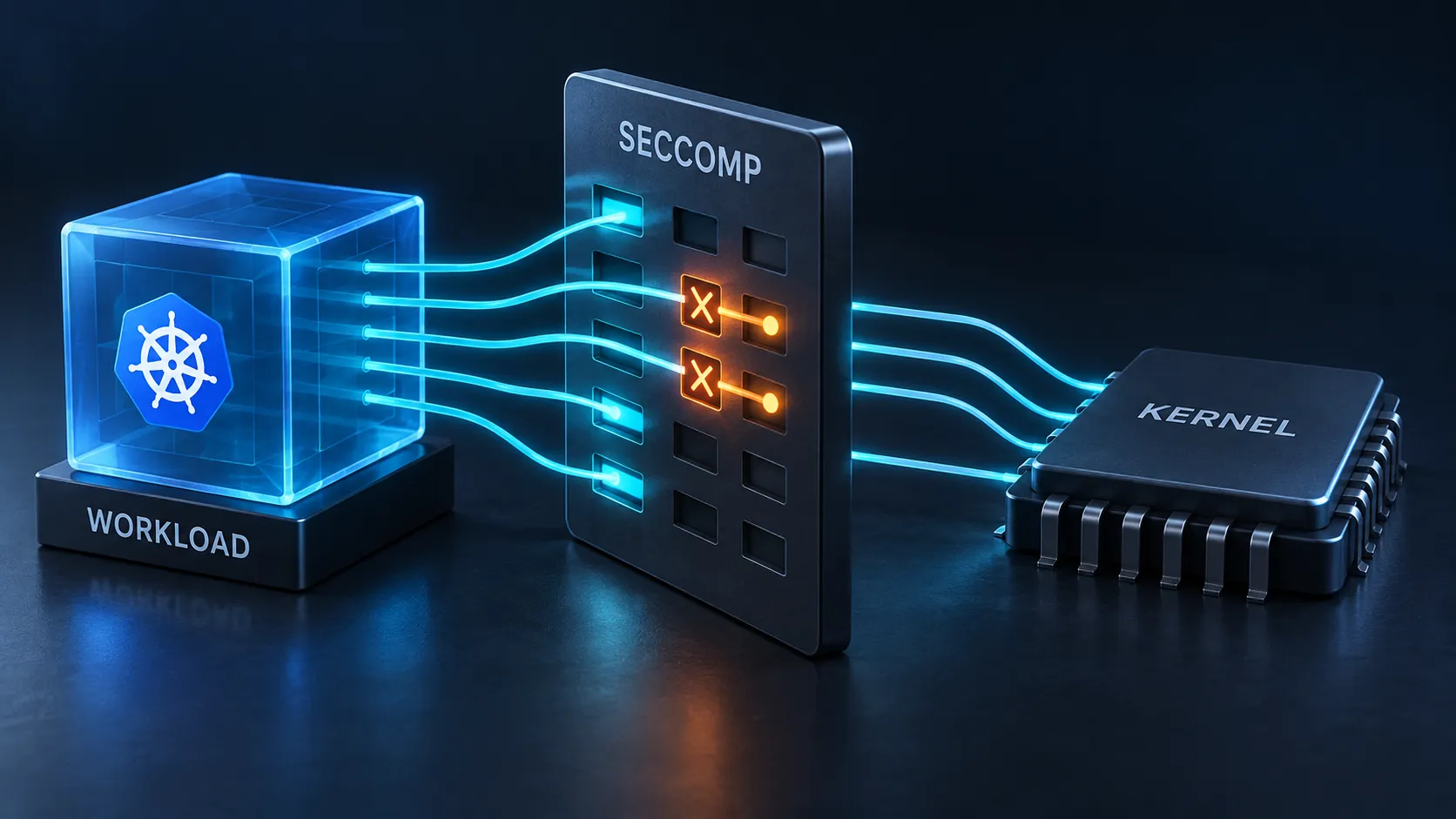
- Memory Isolation: Each WebAssembly module runs in its own linear memory space, completely isolated from the host process and other modules. It cannot read or write memory outside its sandbox.
- No Direct System Calls: All system interactions are proxied through the host runtime via the WebAssembly System Interface (WASI). This allows the host to intercept and validate any attempt to interact with the underlying system.
Unlike traditional execution models where processes inherit full user permissions, Wassette components must explicitly declare their capabilities through WebAssembly Interface Types (WIT), and users must grant each permission individually at runtime.
Why WebAssembly Changes Everything
- Superior Isolation: Wassette provides browser-grade sandboxing, a security model that has been battle-tested over years of web security research. The attack surface is minimal.
- Runtime Independence: Components are self-contained with zero host dependencies (no Node.js, Python, or system libraries needed). This eliminates runtime supply chain attacks, though components must still be fetched from OCI registries where cryptographic signing becomes critical.
- Cross-Platform Consistency: WebAssembly provides identical behavior across different operating systems and architectures.
- Fine-Grained Permissions: The capability-based model allows for precise, auditable control over what a tool can and cannot do.
- Cryptographic Verification: Wassette supports signed components via OCI distribution, ensuring authenticity and integrity.
Runtime Requirements and Limitations
Wassette is built on the Wasmtime runtime and written in Rust, installable as a standalone binary with zero runtime dependencies. Current limitations:
- Ecosystem Maturity: Very few MCP servers are currently compiled to WebAssembly components
- WASI Constraints: No support for threads, limited async I/O, and restricted system call access
- Developer Experience: Requires learning new toolchains (wasm-tools, cargo-component) compared to familiar npm/pip workflows
- Performance Overhead: Wasmtime adds measurable overhead for system calls and memory operations compared to native execution
Why Existing Security Models Fall Short
To understand Wassette’s significance, we need to examine the security gaps in today’s MCP server deployment methods.
Approach 1: The Wild West with bunx (Direct Execution)
The simplest way to run an MCP server is to execute it directly on the host
system using a runtime like bunx or npx.
Security Reality: When you run
bunx @modelcontextprotocol/server-filesystem, the server process inherits the
full permissions of your user account. It can read your SSH keys, access your
documents, make arbitrary network connections, and spawn other processes. There
is no isolation.
This approach is convenient for development but poses a massive security risk. A
single compromised dependency in the tool’s supply chain could lead to a full
system compromise. Unlike Wassette’s OCI-distributed signed components, bunx
fetches arbitrary npm packages at runtime with no cryptographic verification
beyond optional package signatures.
bunx Pros | bunx Cons |
|---|---|
| Simplicity & Performance | No Isolation |
| Full Ecosystem Access | Major Supply Chain Risks |
| Familiar Developer Experience | No Resource Limits |
Verdict: Unacceptable for running untrusted or third-party tools. Use only for trusted, first-party tools in controlled development environments.
Approach 2: The Walled Garden with Docker (Containerization)
Docker improves upon direct execution by providing process isolation using Linux namespaces and cgroups. It’s a significant step up in security.
Security Reality: A Docker container isolates the tool’s process, filesystem, and network. You can set resource limits (CPU, memory) and use security features like read-only filesystems and capability dropping.
However, this security is not absolute:
- Kernel-Level Sharing: All containers on a host share the same Linux kernel. A kernel vulnerability could lead to a container escape.
- Daemon Privileges: The Docker daemon typically runs as root, representing a powerful target for attackers.
- Coarse-Grained Permissions: Permissions are generally applied at the container level. For example, if a tool needs to read a single file, you must mount its entire parent directory as a volume. The container then has access to everything in that directory, violating the principle of least privilege.
- Unrestricted Network Access: By default, a container can make outbound network connections to any destination on the internet. A malicious tool could easily exfiltrate sensitive data from a mounted volume to a remote server without any specific network permissions being granted.
# Docker gives us resource limits and some isolationservices: mcp-server: image: mcp-server:latest read_only: true security_opt: - no-new-privileges:true volumes: - ./data:/data:ro # The container can read everything in ./data # By default, this container can send the contents of ./data anywhere on the internet. mem_limit: 512mVerdict: A mature and robust solution suitable for production, but it lacks the fine-grained, deny-by-default security of WebAssembly. It’s a walled garden, but a determined attacker might still be able to climb the walls or send data over them.
Comparative Analysis: Wassette vs. Docker vs. bunx
Wassette’s capability-based model is fundamentally more secure than the isolation models of Docker or the complete lack of isolation with bunx.
Security Comparison Matrix
| Aspect | bunx | Docker | Wassette |
|---|---|---|---|
| Process Isolation | None | Strong (namespaces/cgroups) § | Strongest (linear memory) § |
| File System Access | Unrestricted | Volume-based | Capability-based § |
| Network Control | None | Network policies | Per-domain permissions § |
| Resource Limits | None | cgroups § | Built-in memory limits; CPU via host § |
| Supply Chain Security | npm packages (runtime fetch) | Image scanning (opt-in signing) | OCI-distributed (signed components) § |
| Permission Granularity | All or nothing | Container-level | Operation-level § |
| Escape Difficulty | N/A | Moderate (CVEs exist) § | Very High § |
| Audit Capabilities | External tools | Docker logs | Built-in manifest |
| Performance Overhead | None | 5-15% | 10-55% § |
| Setup Complexity | Minimal | Moderate | Low-Moderate |
The Ecosystem Challenge: A Chicken-and-Egg Problem
Sample Permission Policy
Wassette uses YAML policy files to define what capabilities a component can access:
version: "1.0"description: "Permission policy for fetch component"permissions: network: allow: - host: "https://api.github.com/" - host: "https://opensource.microsoft.com/" filesystem: read: - path: "/tmp/cache" write: - path: "/tmp/output" environment: allow: - "GITHUB_TOKEN"This declarative approach makes security auditable before execution, contrasting sharply with Docker’s all-or-nothing volume mounts and bunx’s complete lack of restrictions.
The Adoption Problem
Wassette faces a classic adoption challenge: users need components to run, but developers need users to justify building components. While Wassette offers superior security through WebAssembly’s capability-based model, the ecosystem isn’t ready for production use.
Current Limitations
- Limited Component Availability: Few MCP servers exist as WebAssembly components
- Tooling Maturity: Creating Wasm components requires specialized knowledge
- Performance Overhead: Some workloads may run slower than native execution
What You Should Use Today (and Why)
Today: Use Docker for Production
Docker remains the recommended approach for production MCP servers. It’s mature, well-understood, and provides solid security boundaries when properly configured:
- Implement strict security policies and resource limits
- Use read-only filesystems where possible
- Regularly audit and update container images
- Monitor your supply chain for vulnerabilities
Tomorrow: Experiment with Wassette
Start exploring Wassette in non-critical environments to prepare for the future:
- Try simple tools first to understand the security model
- Build WebAssembly versions of basic MCP servers
- Share your experiences and patterns with the community
- Consider hybrid approaches for gradual migration
Never: Use bunx in Production
Direct execution with bunx should be strictly limited to local development of
trusted, first-party code where rapid iteration is essential.
Beyond Security: Portability and Composability
While security is Wassette’s primary value proposition, WebAssembly brings additional benefits:
- True Portability: Components run identically across Linux, macOS, Windows, and even edge environments
- Micro-tool Composition: Build complex workflows from small, auditable components
- Agentic Workflows: Wassette can serve as the default execution engine for autonomous agents, providing safe sandboxing without heavyweight solutions like gVisor or rootless Docker
- Edge Deployment: WebAssembly’s small footprint enables running MCP servers in resource-constrained environments
Conclusion
Wassette represents the future of secure AI agent tooling, but that future isn’t here yet. Its WebAssembly-based, capability-driven security model is fundamentally superior to containerization, but the ecosystem needs time to mature.
By being pragmatic today (using Docker) while investing in tomorrow (experimenting with Wassette), we can help build a more secure foundation for AI agents. The transition won’t happen overnight, but it’s a journey worth taking.
I couldn’t be more excited about Wassette for MCP, and I’ll be exploring building my own components over the coming weeks. Check back for updates on my journey into WebAssembly-powered AI agent security.