Introduction to Kyverno
- Date
- Runtime
- 1:18:15
- Share
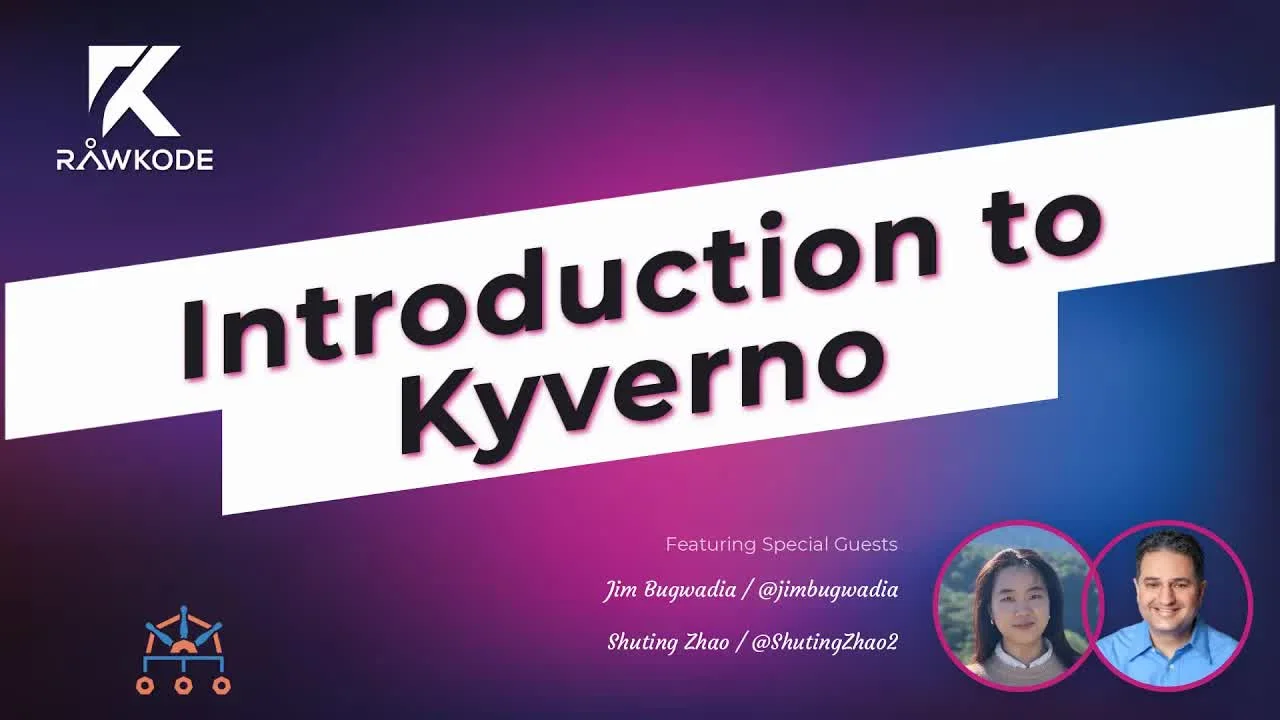
About this video
What You'll Learn
- How Kyverno enforces Kubernetes policies through admission controller requests.
- How validate, mutate, and generate rules shape cluster behavior.
- How policy reports and audit mode surface policy violations.
Jim Bugwadia and Shuting Zhao explain how Kyverno brings Kubernetes-native policy management via validate, mutate, and generate rules. Covers the admission controller, policy reports, comparisons with PodSecurityPolicies and OPA Gatekeeper, and hands-on policy demos.
Jump to a chapter
View 39 chapters
- 0:00 Holding Screen
- 0:15 Introductions
- 0:50 Guest Introductions
- 1:30 What is Kyverno?
- 1:35 What is Kyverno? Problem it Solves
- 1:56 Kyverno's Kubernetes Native Design
- 3:02 The Need for Policies in Kubernetes
- 4:07 Policy Capabilities (Validate, Mutate, Generate)
- 5:24 Policy Language Comparison
- 6:15 Kyverno Policy Structure
- 7:44 How Kyverno Runs (Admission Controller, Policy Reports)
- 9:09 Discussion & Q&A Start
- 9:20 Kyverno vs. PodSecurityPolicies
- 15:18 Getting Started: Installation Demo
- 15:20 Installing Kyverno
- 18:28 Demo: Basic Validation Policy (Require Labels)
- 18:30 Applying our first policy
- 23:08 Common Policy Use Cases & Policy Library
- 24:40 Can we all use the same prepackaged policies?
- 29:55 Applying the PodSecurityPolicy policies
- 31:34 Q&A: Policy Application Scope & AutoGen
- 34:50 Kubectl Explain for Kyverno CRDs
- 36:08 Demo: Testing Policies with "Bad Pods"
- 39:56 Advanced Policy Syntax (Anchors)
- 40:00 Writing Kyverno policies
- 42:33 Advanced Policy Use Cases (Generate, Mutate)
- 44:20 Policy Organization & Best Practices
- 47:52 Excluding Resources/Namespaces
- 48:50 Audit reports
- 48:53 Audit Mode & Policy Reports
- 53:30 Variables and External Data Sources
- 56:51 Generate Policies: Automation Demo & Examples
- 57:20 Generating policies
- 1:06:19 Synchronizing Generated Resources
- 1:08:00 Variables
- 1:10:00 External data sources (API Server)
- 1:13:03 Matching Policies by User/Service Account
- 1:14:31 Q&A: Policy Reports & Audit Logs / Falco
- 1:16:18 Conclusion & Community Resources
Transcript
Generated from English captions. Select a timestamp to jump to that moment.
Read and search the transcript
0:15 Introductions
0:35 Hello and welcome to today's episode of Rawkode live. I am your host Rawk ode. Today we're gonna be taking a look at Kyverno, a CNCF sandbox project that aims to bring policy management to Kubernetes clusters in a Kubernetes way. Today I am joined by Jim and shooting from the Kyverno team. Hi there both, how are you? Doing great. Thank you. Awesome. Before we begin, let's just take a moment to have you both introduce yourself. We'll start with Jim since you're next to me there on the screen and then we'll move over and take it away.
0:50 Guest Introductions
1:11 Alright. Hi everyone. I'm Jim Beglaudia, co founder and CEO at Nirmata and one of the maintainers on Kyverno. Alright. Hi everyone. This is Xu Lin Zhao. I'm a software engineer at the and I helped quit Kyverno and now I'm one of the maintainer of this project. Awesome. Thank you very much. So today we're taking a look at Kyverno and I think if we can just maybe start with, you know, what is it, what problem does it solve and give people a bit of a flavor and a history of why this is important to them and the way that Kyverno solves
1:35 What is Kyverno? Problem it Solves
1:48 it. And to do that, I believe we've got a few slides so we can get them up on the screen and we'll get started. Sounds good. Yeah, so yeah, just a little bit about the, like you said, like the history of the project, what problem it solves, why some decisions were made and how it was designed, right? So first off, Kyverno, as you mentioned as a policy engine, it's designed specifically for Kubernetes. So unlike OPA, which is a general purpose policy engine and can work with other systems, Kyverno is specifically designed to work with Kubernetes
1:56 Kyverno's Kubernetes Native Design
2:27 itself. And that has some trade offs, right, which are important to consider. The the advantage being Kyverno can take it, you know, sort of leverage all of the Kubernetes ways of doing things. Right? So it can deeply understand Kubernetes patterns, it can plug in into other things and leverage some of those design ideas, concepts, and just the way how Kubernetes does things. And the end goal is to be very familiar to Kubernetes users. And we'll look at some of these examples as we go through. But stepping back and thinking why policies, right? So Kubernetes is fantastic, has
3:02 The Need for Policies in Kubernetes
3:07 a lot of power, why do we need policies at all? So one of the aspects of Kubernetes, I'm sure folks have heard is the declarative configuration nature of Kubernetes itself, right? So you declare the end state you want and then the Kubernetes controllers work hard on your behalf to achieve that end state based on whatever task they're trying to perform. But this also sort of has the side effect of creating a lot of configuration options, right? Everything you want to specify or every state you might desire, you can now declare in the configuration. And often what happens is within a resource,
3:48 there's some sort of lack of separation of concerns because you might have certain configurations that your operators care about while other configurations options which your developers care about, but they're all sort of within that same resource. So these are the sort of challenges that policies address very well. And regardless of which policy choose your tool, the idea is to be able to validate and increasingly, well, Kyverno has always support mutate, but now gatekeeper also supports that. So these type of options you can make very easy and then also do advanced operations. Kyverno supports like dynamic configurations,
4:07 Policy Capabilities (Validate, Mutate, Generate)
4:30 generation, things like that. So the whole idea behind Kyverno was to make policy management Kubernetes native, to make policies declarative themselves. So you're really expressing what you want to achieve and then Kyverno does that on your behalf rather than having to program and write imperative logic to create these policies. So that's one of the kind of trade offs to think about as you're evaluating solutions. And then like I mentioned, being able to just plug in leverage patterns like things like whether it's label selectors, owner references, pod controllers, Kyverno is able to leverage all of these types
5:13 of things built into Kubernetes to just be a bit more intelligent and simple to use in terms of what it does policies. So just a quick comparison of languages and we'll see several examples. On the left side of the screen is OPA policy which says pods should have read only file systems, right? And on the right side of the screen is the same way you would declare this in Kyverno. And as you can see the pattern over here, if you look at the bottom side of the example, it is very similar to what you would
5:24 Policy Language Comparison
5:55 see in a pod spec. In fact, it's the same, right? So it's using the spec containers, security context, things which are very familiar. And that's how you would declare what you want to happen and then the engine will make that, validate that or enforce that on your behalf. So just a general structure of Kyverno policies and rules and again, as we go through examples, we'll revisit a lot of these, but at a high level, policies have multiple rules. Each rule has a match or exclude, and there's several criteria you can use to match or exclude resources.
6:15 Kyverno Policy Structure
6:34 Now, Kyverno works as an admission controller. So when it receives a request, an admission review request from the API server, it can apply some of these conditions, But it can also look up the existing namespace for example for the resource. So the namespace selector will do that, but some of these other criteria will apply to the data in the admission request itself. And then once the engine decides which rules applies, each rule can either be a mutate, a validate or a generate rule and based on that there's more details and logic that you can or declarations
7:16 you can have within that rule to enforce your policies. So fairly simple but powerful structure in terms of how policies are organized. And all of this is again because you can write this in YAML, you can leverage best practices like GitOps, you can use customized, kubectl, just works very well with Kyverno itself. So this is like I was mentioning earlier, how Kyverno runs and the idea is that the engine will cache all of the policies that you have declared. It also uses Kubernetes machinery to look up objects of course and match against those resources as policies are being processed.
7:44 How Kyverno Runs (Admission Controller, Policy Reports)
8:02 And then it produces the other interesting thing about Kyverno, policy reports are also fairly straightforward. I mean, are custom resources as well. So in fact, the policy report standard is something being driven in the policy working group with the idea that other tools can also adopt the same reporting standard. So if you have like tools like KubeBench or even Falco and others, and perhaps even Gatekeeper in the future, if they choose to, they can produce policy reports in the same format, which of course makes things much easier for admins who have multiple tools running in
8:43 their cluster. And then Kyverno also updates, produces events, produces and updates resources as it's applying policies, things like that. Yeah, so that's a general overview and I can continue a little bit further or happy to maybe we can also go bit hands on if this is enough content or context at this point? Yeah, we can switch to a conversation now before we get hands on and just take see if we can encourage a few questions. Okay. Okay. So it's really, I guess it was good timing, right? For this episodes. Just yesterday I was on the Kubernetes office
9:20 Kyverno vs. PodSecurityPolicies
9:28 hours and there was a lot of conversations around pod security policies and then being deprecated in the either 01/19 or 01/20 version of Kubernetes. Now, you know why that is and is Kyverno the answer? Possibly, right? It's one of the solutions certainly or potential ways of managing pod security. So I think just a quick backgrounder there, right? So pods of course being the fundamental unit of execution of control, each pod has a security context as part of its declaration. And then each container can further refine or over write certain settings in the container security context.
10:16 So pod security policies control what can be specified in that security context within pods and within containers. The reason why they're being deprecated, there's several reasons, but the main reason is just the usability of them was somewhat questionable because one of the challenges was that, so first off pod security policies to associate them to a workload, they leveraged just the Kubernetes RBAC and authentication, which is a very nice way of doing things. But it also meant that it was a bit difficult to set up because now each workload requires an identity, that identity that's a little
11:05 bit fine grained, you have to map that and then associate it to the right PSP in order to enforce that. The other challenge with pod security policies is if you wanted to roll this out, there was actually no real good way to roll it out on an existing cluster. And there was no way to also test it, so it was either an all or nothing. And there was a potential because of the impacts of this that you might end up enabling it in a cluster which causes consequences. So all in all and from some of
11:41 the, I think I'd seen an AWS survey, a security survey, which stated that about, although pod security policies have been around for a while, think about 30 or 40% of users actually even tried that. And I think what we've seen in a lot of scenarios is they're enabled but not really bound to any workload, right, which does nothing really to enforce security. So those kind of challenges is what the community is trying to address. So there are efforts with the Kubernetes, SIG security as well as SIG auth. There are a lot of folks working on
12:27 a potential replacement for pod security policies. So the idea being that I think everyone can agree, it would be great to have something native, which makes Kubernetes as secure by default as possible, but still allows flexibility. So there will be some level of and so the PSPs are being marked for deprecation in version 1.21, which will be I think it's in the March timeframe when that will be released. But the actual removal will happen in version 1.25. So in that interval, the SIGs and other folks working in the community are reviewing proposals for potential replacements
13:17 and also kind of trying to better articulate where other policy engines like Kyverno or OPA Gatekeeper can plug in. And what else would you want to do with those, right? So the good news is there will be hopefully something better than PSPs that we end up with natively. And also for more flexibility then you can lean on things like Kyverno and OPA Gatekeeper. Now in between and if you're a new user getting started, we believe of course that most users should consider a policy engine for a lot of the reasons we're talking about. And it just both
14:00 policy engines we're discussing make it fairly easy to get the equivalent of bot securities and they make these very configurable by namespace, by workload, so you get a lot of flexibility. So it's definitely worth if you're starting with the new cluster or going into production with clusters, check out Kyverno, check out the OPA gatekeeper and evaluate both of them and pick one, right? Because it'll definitely help with your security posture and there's just so many things they can help solve with these engines. Awesome, that was a lot of great context and history. I think that's, it's really important
14:42 for people to understand that. And you know, I think I'm definitely on the side that is favoring more of this functionality being extracted from the Kubernetes project and being spun out into other projects or, you know, raising other projects up to take place because there's a lot of conversations in the Kubernetes community that the releases are too fast for operations teams to even go and the one thing we don't want to slow down if we slow down the Kubernetes release is surrounding projects that focus on policy and security and auditability and all of that and
15:12 I think it's really great that this kind of trend is hopefully happening. So awesome. Okay, think we spoke a lot, so I think why don't we get this screen shared, we'll get Kyverno installed and let's see what this thing can do. So there we go. Nice. So in order to get started today, I'm not using a, you know, real production Kubernetes cluster. I'm using Docker for Mac and we're just going to try and get Kyverno deployed and then see how the policies happen. So I'm going to click my favorite button and every website is getting started.
15:20 Installing Kyverno
15:53 Let's see, so the first thing we need to do is just because this is all Kubernetes, it's just apply some YAML. I'm gonna be very trusting and just throw this straight at my Kubernetes cluster. Do we think that kubectl dash f and a remote URL is the same as curl bash? Is something I should be avoiding? I seem to do a lot, I'm getting a bit worried now. Yes, so there is a Helm chart too in our quick start. I think we have given the example of just pulling the YAMLs but I think definitely for
16:37 production clusters as a Helm chart option in the installation section. Oh yeah, definitely. I mean Helm, it's always good to have a Helm option, but I am more partial to just keep control, apply most of the things. Let's see what do we actually got? We got a Kyverno namespace, we got some custom resource definitions, service account and some RBAC stuff and then we got, I'm assuming which is the actual Kyverno deployment, service and a conflict map. So all pretty much self explanatory. And I guess we should expect to see this running at healthy. So this Kyverno deployment that we got, this
17:16 is just, is this registering itself as the admission controller that you kind of covered in your slides? Yes, it does. So it will, once the pod gets deployed, the deployment and service also get installed, it will bootstrap itself as an admission controller. It also generates a certificate. All of this of course can be overridden and configured with options if you wanna provide your own certs, etcetera. But the defaults, it'll just take care of it. So does that just generate its own self same certificate and pass the bundle into the registration, Exactly. You can also yeah. If you check for
17:57 the validating webhooks, you'll see that there's a few configured registered. There's also mutating webhook or I think a couple right shooting? Yeah. It's actually validating web bug configurations. Yeah. There you go. I don't know how I got that little bit on the end, but there we go. Yeah. So we've got Kyverno policy validating and then a resource validating. And then it looks like the getting starting guide is just gonna throw me straight into the, I don't know if it's the deep end or the shallow end but we're just creating our first cluster policy And it looks familiar to what you showed in
18:30 Applying our first policy
18:39 the slides. And it just seems to, sorry, I minced my words here. Is the idea with the policies to mimic the objects in which you're applying the policy to. I've seen when you were doing the pod one is that I could probably have just ran like some sort of YAML merge with my actual pod and then done some sort of assertion against it. Is that common throughout? Yes. So for validate policies, one style that supported is this just using this pattern block, which will match the structure of the resource you're trying to validate. There are a few other sort of things you
19:18 can do like you can use, you know, there's a deny rules as well as you know preconditions etcetera, but the most the simple policies are just mimic the structure of the resource. And is it fair for me to assume that with the existence of a cluster policy, there's also some sort of names based policy or is always just a cluster policy? Is a names based policy. Right. Go ahead at checking. Yeah. I'm just about to say the same thing. We have cluster policy and names based policy. I like it and it's one of my favorite things when I play with software, see
19:55 even my intuition can answer questions and I don't need to have any knowledge upfront. Always think that's great. Okay. What did I get wrong here? Oh, it's just is that a backtick? I saw the policy is created. Yeah. Think it's just the back the shell was expanding Okay. This. Okay. Created that way. Okay. So let's just take a look at this. I can run cluster policies. Yeah. And if I get our require labels Alright. So let's see if I can look at this and work out what it's doing. So I'm assuming the name is going to
20:46 give most of that away but still we are, so we have some sort of match that says only work on a pod resource type with the validation that we expect for app Kubernetes IO dash name label to exist and we don't really have any constraints on what the value should be. Is this just regex? I mean it looks like regex but not regex. It's it supports you know star like so the splat and the question mark characters. So it that's it's not full regex but just those two characters. So for either, you know, wildcarding parts of
21:26 your name or allowing some variables in there. Okay. And now we're just gonna create a deployment and we should see this fail because this cluster policy mandates that we need that label. And I guess is that what the validation failure action is? So we have enforced what what else is the the options here? We also have audit mode. So in enforcement, if your results violate the policy, the creation will be blocked and otherwise it just reported as a violation. Okay. Cool. Alright. So my deployment failed. We can see what caused it to fail and that the label is required.
22:19 Alright. Let's see. Let's add our label. Simple. Cool. Alright. That was yeah, let's just delete all this then. That was good. Nice and simple, easy to reason about, I didn't have to go digging into documentation to try and understand anything, again that's really, that's the way things should be with software, right? It's supposed to make our lives easier, it's not supposed to burden us with all this new stuff that we really need to go and learn. Cool. Great. Alright, so that's Kyverno one zero one, our first policy looking for labels and denying it if it
23:06 doesn't have it. Now should we jump into the writing policies? Are we gonna take a look at some more advanced examples? Maybe we could discuss what are the common use cases that you see people using policy for within a Kubernetes environment? Yeah. You you mentioned and we were talking about PSPs. So that would be a good thing to explore. Shooting. What do you think? Yeah. Yeah. We can explore PSP. Sorry, Igo. Yeah. I mean, we have all the policy, like, secure pod security standards available on our website. If you look up, there is a policies
23:08 Common Policy Use Cases & Policy Library
23:49 button on the top. The blue bar. Oh yeah. The third one. Yeah. So it says prepackaged policies that people can just come in and get. Yeah. So I guess here's the question then like, know, as far as Kubernetes clusters go and adoption across different teams, organizations, etcetera, like are the policies that people are applying Snowflakes, are they unique or is it fair to say that the majority of people probably want the same standards of templates or policies to enforce the same things? That's a good question, right? So we, it tends to be that for things which are well
24:30 defined enough by the community like pod security and I think as there a link up here, if you click on pod security, Kubernetes actually has a page which defines pod security standards and different levels of pod security. So for something like this, it definitely makes sense to just use the policies as is and every cluster should have some implementation of these pod security standards. One implementation of course is PSPs which we talked about Kyverno and OPA Gatekeeper, two other implementations of these Pod Security Standards. So for something like that, it's definitely makes sense. But the tricky piece comes in where like
24:40 Can we all use the same prepackaged policies?
25:20 so now if you have a workload, like let's say you're running whether it's Prometheus or NGINX and sometimes pods require access let's say to a host directory. And one of the rules in the I believe in the restricted standard or actually it's in the default standard says that host path should not be used, right? Because that creates some potential security holes where if you have pods running with host path access, it's possible that an intruder can use that to get access to host. And certainly if you're using host path in combination with things like privilege pods,
25:58 bad things could happen, right? So this is where some flexibility now is required, right? Because in a cluster you typically wanna exclude certain things, you wanna allow privileges for very select pods as a small of a subset as possible. And so this is where customization and that flexibility is required. And then there are policies like best practice policies which are just best practice, right? So those are not necessarily helping secure your cluster etcetera, but they might help with other things like requiring probes. They can solve problems like a noisy neighbor problem if you have a multi tenant cluster.
26:42 So those we have put into like best practices. And then there's finally in our policy library, there's other category which just contains like different samples that come up and some of which are shared by the community and we're constantly adding more. So that's how we're roughly organized, but the pod security one seems like the standard one, which everyone should have. Others are more up to administrators. And I guess this is where that's you know, that's like that we've seen in the first policy we created where we had enforced, but there's also audit is that you may
27:19 want to enforce all of the basic essentials and then audit the things you're striving to reach, the things that we want to get better but we're not quite there yet and then track them over time. That to me seems like a pretty good adoption strategy. Right. Yeah and giving teams a chance to kind of fix things, right. So what we've found very effective with some deployments is just showing a report and the Kyverno these policy reports and we'll see some of that once we apply pod security policies. They show up in the namespace of the workload itself.
27:58 And the reason why we designed it in that manner is so that the workload owner gets a chance to see which policies there are violations for and they can remediate and fix that. So the idea is that in a dev test or staging cluster, you can run-in audit mode, but in production you would kind of put the brakes on and run-in enforced mode and just block any of this. Right? So those sort of that flexibility is also really nice to have. Yeah, definitely. I can see that. Okay. Let's go back to our our kind of introduction getting started gate here. I can
28:34 see we've got a whole bunch of examples on writing policies. So I guess we'll pick a few of these, we'll work through it, we'll try and highlight what's new in each one and we'll take it from there. So let's see. Oh, that's a bit chatty. Okay. So Yeah. One thing if you wanna try real quick, you know, if you go back to the policy library, there's a actually a one liner to install pod security that may be So just click on that. If you wanna grab that. So if you have customized running or installed just as a standard. The
29:13 customized version with kubectl is a little bit old so it doesn't work in this manner. But if you have local customize you can just grab that and run that. No, but I'm sure I can quickly grab it. Okay, cool. Yeah, I haven't really installed customize on its own since it was added to KubeControl natively but I have seen a lot of chatter especially recently I think there was a major release of Customize in the last week Right. In fact there we go it's the four point zero so and there was a lot of chatter into then.
29:46 Oh I think you got four point o, so let's see if this works. Yeah. Why don't I not build it then? Why don't we will we raise it to fail and take a look at it? Sure. Let's take a look. No errors yet. Okay. That looks did we get a YAML or Yeah. We got a YAML. Okay. Perfect. Yeah. Just want to make sure figured we pop open and code, get some syntax highlighting, hopefully make it a little bit So Yeah. So as you can see what customized data is it just bundled all of the default and restricted policies.
29:55 Applying the PodSecurityPolicy policies
30:30 So yeah, you can now apply this to your cluster. Alright, we have a whole bunch of pod security policies applied. Shall we take a look at some of the, you know the actual policies themselves and just kinda help people understand the constructs and the way that the build these out and what they mean. So Yep. I mean I see some annotations here on the first cluster policy, is that purely for the reporting aspects that allows them to group them together? That's right. And it's just also this is we use this to organize policies in our policy library. Right? So it's
31:16 optional. But we recommend like using these just category description just to make it easier and it does carry forward in the report as well. Okay. And then similar to the first one we applied, we can see that what we're doing here is targeting pods and we do have a question from the audience on that. So why don't I pop that on the screen just now? Frank is asking is if I have a policy that I'm enforcing on pods, do I also need to do that for deploys jobs, etcetera, or will the pod catch it all?
31:34 Q&A: Policy Application Scope & AutoGen
31:48 That's a great question. Yeah. So as you pointed out, all of these are on pods. Right? Chuting, do you wanna talk about what happened to the Sure. So David, if you wanna go to your terminal and grab one of the policies YAML, we'll actually see there are more than one rules defined per policy. So you just want me to get a cluster policies and then pick one. By the way, CPOL is the short form. Oh. Yep. Oh, no. It's got a it's using the prefix approach. Okay. There we go. Okay. So now you can see basically we
32:32 have three rules in this policy, but in the definition, yeah, but we only have one for pod. So what Kyverno does here is it'll automatically convert those pod rules to the rule of pod controllers so that you only taking you only take care of the all the rules that apply to pod and then Kyverno will automatically convert it. So just So everything you apply to POT that will be applied to your POT controllers. Okay. So Kyverno kind of understands that when we say POT, we really mean kind of anything that runs and just expands that scope
33:10 for us as a catchall. Right, yeah, you go back to the docs for a second, there's in writing policies there's something called AutoGen and this can all be controlled. So you can put annotations in your policy, you can manage exactly which pod controllers you wanna target. You can turn this off if you don't want this. But the whole idea is to, just for usability, you don't wanna silently fail. So this was another gripe or common complaint with PSPs that it was really hard to see errors. Like when something failed, it's hidden in events or, you know, the logs which are not accessible
33:50 to users. So with Kyverno, we designed this to just translate these policies automatically. Okay. So is that I'm just trying to work out what this page is saying. So this rule says only target pods but really that's expanded to include jobs, stateful sets, deployments and daemon sets. Okay. And you said there was a way to control that if that's not the behavior that I want. Oh yeah. Right. Is this it here? So if I don't want that scope wagering by default then I just use an annotation on the cluster policy and I just say auto gen controller
34:35 to I think it's disabled or something like that. Right? Yeah. I'm sure it's in here somewhere and I'm just too impatient to actually read, but there we go. Value of none. Yeah. Oh, by the way, you can use kubectl explain. So all of the docs, because Kyverno works with CRTs, if you say kubectl explain cpall. Spec, you'll see, you'll get help for any field directly through kubectl itself. It's cpal, just cpal. Okay. And I can just do spec. Dot spec, expand sapo dot spec. Yeah. There we go. K. Kubectl is one of the kubectl explain
34:50 Kubectl Explain for Kyverno CRDs
35:23 is one of those commands that I really should use but I always forget that it's a thing. Today I've learned something. Alright, that's really cool, I like that. I like that scope widening by default. I think you know when people say pod what they're really just meaning is kind of they want to apply generically to most things but of course there are occasions where people would want to disable that and the annotation is there to do that as well so. Right. Yeah, so I think like Frank was asking so he can write the policy or just
35:56 that you know at the pod level and then, you know, target different controllers or let Kyverno just generate the defaults. Okay. I get should we go back to the pod security stuff we were looking at or is there more Yeah. So let's actually I I would say I think, should we try one of the bad pods? That's a fun example. Yeah. Yeah. If we wanna see the policy in action, so we can apply some workloads. That. It's provided by another repo. Bad parts. Kyverno maybe is it ready to share a link or you can search for buy shop box?
36:08 Demo: Testing Policies with "Bad Pods"
36:56 Sorry. I didn't catch the last bit. Buy who? Buy shop, b I s h o p, Fox, f o x. Oh. It's f o x. S o x? F o x. F s Sorry. Like feature. I think if you just search for bat box by itself, will yeah. Just it should pop up. It yeah. There you go. The first link. Alright. Okay. So this is a security researcher. It's a great resource, by the way. Think so if you get to their GitHub, you'll see all the pod definitions. You wanna go back and the second one
37:51 is the GitHub. There you go. And here it provides the manifest for like kind of kind of bad parts. It has some of the like security field defined, for example, host pass or like adding other security context. So we can use one of the manifest here to test the Kyverno policies. Right. Got So which one should we pick? If you scroll up, I think we already talked about the host paths. Right? I think that's probably the So bad part four? You wanna wanna Host path a little bit? Yep. Me zoom in a little bit. Yeah. Just choose
38:36 whatever the manifest one. Okay. So if I just grab one of these, you can see oh yeah. So this has got a volume that's trying to mount the fail system into the container. Mhmm. If I just copied the raw path. Now we've just applied the default security policies we applied? Yes. So that should be we expect this to be blocked. We're gonna get an error here saying that I'm not allowed to do this. And we did. Yeah, there's some I guess very bad parts which allow everything. Yeah, I mean this is a fun thing to play around with and
39:26 that webpage gives a great explanation of why certain things could be dangerous and even shows you how you could kind of exploit those settings. Okay. So this failed in multiple rules then, or I guess multiple policies, the host path and then there's the check container one, but we're running that route and all just failed. So like, I'm assuming we could apply more of these and we're gonna see similar things where it just goes through and blocking them. So. Right. If we just take a look at some of these default ones, like what do you see are some of
40:00 Writing Kyverno policies
40:02 the challenges people have with writing these policies? So with actually creating these policies, it's you know, just first off, obviously, like the syntax. Some so by the way, I think you see like this is a good example. Right? So there's a little bit of decoration around some of these tags, right? And it's probably good to explain what that means and the docs go through those in detail. We call them internally in the code, we just call these anchors. So what they do is they allow conditional logic. So really it's saying that if security context is defined
40:43 and if capabilities is defined, then you want to enforce a particular setting, right? It has to be set to or the X means it should not be set, right? So there's a little bit of logic like that, which is just added sprinkled on top of the YAML, which makes Kyverno handle conditionals. So that is something that needs to be learned. Right? It's fairly straightforward. In most cases you would use like the equal to and the parentheses to kind of mean that if that tag is specified, then further proceed and evaluate the rest of the rules.
41:26 So I think that's one thing which you know, does require some reading up on. There's more advanced logic, and advanced sort of rule definitions which can be done and, you know, we can look at some of those examples. If you go back to like writing policies, there's a number of different constructs in there which you can use for more advanced logic. And I guess that's right in policies page in the documentation for someone who's new to Kyverno and wants to understand those little constructs that are different to what they're familiar with and just working through the links here
42:06 is, is that gonna introduce them to all of those different quirks? Yes. Yeah, so it starts with validation and you know this kind of conditional logic for validation, right? And there's different ways. So of course match and exclude and things like that is the first section, then it's on validating resources. The more advanced policies and what we've seen folks in the community start doing is everything from injecting sidecars, adding volumes, adding standard labels. And then the other interesting pattern that has emerged is using Kyverno to to almost do like an IFTTT for Kubernetes. Right? So if a namespace has
42:33 Advanced Policy Use Cases (Generate, Mutate)
42:52 a certain label and that namespace is created, then you want to start adding some defaults. And even like one of our community members was writing a policy where if that namespace was tagged with PCI, then they wanted to make sure workloads running in that namespace would have the right node selectors. So Kyverno can automate those things through generate rules. So there's some interesting possibilities when you start combining some of these policies together, like you do a bit of validation to enforce certain constraints and patterns, but then you also mutate workloads and you generate workloads or
43:36 generate other resources on the fly as required. Okay, so I've got one question, there's also one question from our audience which I'll throw at you both now and then curious then if we can do a couple more hands on things where we look at the auditing aspects and the mutation aspects of it and then we, I think that shooting has slightly more advanced demos that may be interesting to take a look at as well. So, Are we good? Yeah. All right. Yeah. So my question is just about, you know, I can see all the power
44:15 and the flexibility and kind of why I want this and what I wanna do, you know, I've already got all these ideas and the first thing that comes to my head is like, what is the right level of grouping these policies together that really makes sense as I haven't tried and tested there and let me try and ask that with an example. You know as an operator of a Kubernetes cluster, I wanna enforce that there's a team annotation on our label on all resources so that I know which team gets paged for whatever resource. But I also want to make
44:20 Policy Organization & Best Practices
44:43 sure that they have some security context there, they don't run as root. I also wanna make sure that they all have liveness probes. Would would I just have one monster policy that I apply and say this is the policy? Do I have one policy per one check? Do I group some checks together? Have you found this is a right or wrong way to do that? So there certainly are some best practices, right, and kind of tying it just into code constructs, You know in any programming language of your choice, you typically have something like modules or
45:16 packages. You have then within those packages you have files and within the file you could have like methods or declarations, right? So similarly with Kyverno and kind of just thinking treating policies as code as much as possible, you would probably wanna follow that similar type of organization where you could have several Git repos with policies. You could have different packages in those or different folders with different types of policies. And within that you could then group together similar constructs. So you can kind of start thinking of policies based on the unit of like, and you can of course version all of this
45:55 too and use policies with either Flux or Helm or whatever is your favorite way of deploying stuff into clusters, right? So I think that's a reasonable way of organizing and approaching things. Like as you saw in the library, we have organized things as a pod security policy, where you would choose your level of security that you want and then entire policy gets to customize will just get pulled as a single YAML, which is fine. But if you're trying to maintain those policies, it's much easier to do things as smaller units and you're just changing that
46:39 one smaller policy rather than trying to manage all policies as a single file. So I think there's no, like you said, there's no real right or wrong answer. It's just organizing it and using coding best practices to you know, kind of organize things into groups and packages and then within that dividing up further. So would it be fair to say then that when I'm writing policies is that the grouping of them is a human a human thing and not a technology problem? Like is there a performance problem if I have a thousand policies with one check
47:17 versus one policy with a thousand checks? I don't I don't see I think so internally and shooting correct me if I'm wrong, but we like the engine just explodes everything into rules anyways. Right? And we're caching rules. Yeah. We're caching policies actually, but in the engine, we're evaluating per rule. So whenever your rule matches, it doesn't matter if it's defined in one policy or in a thousand policies. Right. Alright, perfect. Okay, let's take our audience questions. So Mozz has asked if I wanna have a cluster level policy, but met or you know, have special provisions for
47:52 Excluding Resources/Namespaces
48:02 cube system and any other name space, is that possible to do? Yeah, it is possible to configure that. We have the exclude block in each in every pop cluster policies and namespace policies. And if we wanna exclude some resources like namespaces or the kinds globally, we also have a config map that is available for you to configure any re excluded list globally. Would it be right with my naive assumption and to say that the exclude is the same format as this match here with just Exactly. Okay. Cool. So you could just copy this, have match switch to exclude and then
48:45 add the name of your namespace. Magic. Right. Okay. So let's let's play with an audit policy to see how that works. I'm also very curious about the background parameter we've seen earlier. Could we maybe touch on that a little bit? Yep. Sure. Think you already have a policy installed, but in in false mode in this case. So could we write a policy that's an order only, like a really silly policy that checks the existence of a of a label. Why don't we modify that, run it in audit mode, and then see how we interact with that?
48:53 Audit Mode & Policy Reports
49:24 Yeah. Yeah. So one other yeah. Go ahead. Sorry. Go ahead. No, no, you go ahead. So yeah, one other thing, so any of these pod security policies you applied, like for existing resources, Kyverno is designed not to impact them. So if you go back to your cluster and just do like a get policy report or polr, p o l r, you know, and do a minus a at the end, it should show you if it picked up. So there you go. You already have some reports created for your existing workloads. So because Kyverno typically operates as an admission
50:01 controller, like it blocked in a new pods which violated. But if you had a pod running which had a problem, it will it will just create a report. It won't take down that pod or impact your existing workloads. So so yeah, this is an example of one or we could write a new one and apply it and see, you know, you should also, it will produce a report. Okay, so when I have a policy in my cluster, whereas on audit mode instead of enforce there, there's no log lines from the admission controller or anything like that. It just goes
50:37 straight into a report, which I should be reviewing there. So I can imagine now if I wanted an audit policy that says, you know, ideally container shouldn't run as a root user. If I wanted to write that report to my my Slack channel every time there was a violation of that, Is that something that would be possible using Kyverno? So Kyverno doesn't do that notification automatically, but there are you know other tools which can watch resources and then you know push notifications. So you could use any one of those tools. So, and Kyverno also produces in addition to
51:15 the report, there are events which are sent out for policy violation, as well as what there is a feature request that I believe it was one dot 19 or one dot 20 that the API server can now return warnings, right? So for violations, there was a feature request to return back warnings on API server but allow the configuration to go through. Whereas if you have the enforced mode, it will just block and reject the configuration. Got it. Okay. I'm curious. If if I describe this policy report, will it show me the Yeah. Violations? Yes. I
51:59 had no idea where that was gonna work, but my intuition wanted it to, and I'm so glad that it did. Yeah. So in fact, there's a one liner. It's somewhere in the docs, if you go to policy report, there's a one line command which is handy to use to just grab the violations. And I think scroll down a little bit. It's like, yeah, viewing violations. So just grab that command. Perfect. And yeah. That makes it simpler. Yeah. So that that's quite a good way. So I I could and I'm sure other people have already written, but controllers that have
52:35 a watch on this policy reports like the alerting and notifying and stuff like that. Right. Okay. Now when we were applying one of those pod security policies, I'm sure it was in here somewhere. There was something that said background false. Did we I don't think we covered background scans, did we? No. We have not. Shooting you wanna take that? The background scans actually, it's gonna produce a policy report that we already showed. We already see that. Alright. So it is physically report the violations of your existing resources. Okay. If you turn this background scan too
53:21 fast, then we will not do the audit in the background, but it by default, is set to true. Yeah. So one constraint to also keep in mind is, you know, so to by the way, Kyverno has a CLI, so you can apply policies in your CICD pipeline, right, which, is fairly handy if you want to, you know, just block, things from being promoted in a build, etcetera, or in a GitHub action. So the the one of the things we do with this background flag is, for certain policies if, you know, you can have variables, which either those variables can be populated
53:30 Variables and External Data Sources
54:04 through admission request data or ConfigMap lookups or even, you know, calls to the API server. But obviously in your CICD pipeline, you may not have the ability to call an API server. So for those policies, Kyverno will enforce that background has to be set to false because that policy cannot apply, you know, that you cannot apply it sort of just given your so sorry, I take that back. For variables which are not coming from the admission request, background has to be set to false because you don't have the admission request data at that point, right?
54:44 So that's enforced by when the policy is validated itself. And you can choose then which policies run-in background mode with that one constraint of any admission request. Data you want to use within your policies can only be done in the webhook or the admission control mode. Okay. Does that yeah. Don't know if I explained that well enough or hopefully it makes sense. No. I I think I got that. Yeah. I think that made sense to me. Does Kyverno do people publish policies to the artifact hub or is that something that exists now or is coming?
55:29 So we're working on a process to publish policies into Git repo itself. So there's a kyverno slash policies as the underlying Git repo. And the reason why we're doing that right now is because we automatically generate these web pages. If you click on like that policies link and you saw those three groups, there is you know, one of our community members, he's working on a better way to index these using those annotations and search these policies, which will make it very easy to kind of search for different criteria and different examples of policies find them.
56:11 So that's what we're thinking right now. One other thing to add is in the chart, if you install the Helm chart, there is an option to by default it installs the default pod security policies. You can turn that off or you can set custom policies which was also another community contribution which came in recently. So that's how we're so we hadn't thought about just publishing policies directly on Artifact Hub but we Kyverno itself as a Hemp chart is available there. Okay. Awesome. Well, we are approaching about the hour now. So shall we take a look at the demo that
56:51 Generate Policies: Automation Demo & Examples
56:54 you have prepared, shooting? No. Actually, what I wanna demo is the PSP which we already went through. Alright. And I think there are two there are other two interesting features that Kyverno can do as the mutate and generate ability. Can walk through an example of that? Sorry. My dog is going to say, don't know if you can hear me. The dinner time or think there's delivery at the door. I'm not sure. Oh, okay. Alright. So yeah. In fact I kind of skipped over this earlier because I forgot to mention again, but I did see the variables, we did mention them in
57:20 Generating policies
57:31 passing, but maybe if we could take a look at generating variables and I've had this whole bunch of stuff on this sidebar. I could keep you here for the next few hours if you really want. But why don't we talk about the generate rules then? What what kind of functionality does this enable for people? Yeah. Yeah. I can take this one. The generate policy, so basically, you will trick it'll be triggered as if you have any admission webhook common. And then the generate policy will triggered, and you can physically define any kind of resource to be
58:07 generated to your cluster. And this way, for example, you can automatically build your default modification environment if a new namespace is created or else it can generate some of the defaults like our resources. For example, the network policies or the limit range, etcetera. So that it does some kind of automation. So that's with this like as then this that functionality that Jim kind of mentioned earlier that people are starting to kind of build out using kind of Verrno policies. It's a really interesting use It's not something I had even really thought about or considered when I was, you know, about policy within
58:47 Kubernetes but it does make a lot of sense and I think namespace creation is the one that makes a lot of sense, I can already think oh there's a few things that I would want to generate into that namespace right away that would make a lot of sense so. Right. And with regards, is there anything else in generate that you want to show? Can we show this working? Yeah, sure. And then I wanna just bring out that besides of generate, you can also clone your existing resource. So clone another resource from another namespace or any other resource, I guess.
59:25 Right. Oh, I think that we lose shooting. Oh, maybe. Yeah. Maybe. Yeah. So you can you can your data source can either be another resource or you can have a data block directly in the policy like one of the example shows. So I think, both options are so yeah, why don't we try one out? Right? Like, so let's, if you know, if you wanna try it out, we can walk through. And the one other thing to point out with the generate policies is, you can also have, shooting's back. Yeah. You can also kind of keep things
1:00:06 in sync. So if you, you know, one interesting use case is, let's say you have, you wanna apply secrets, you know, some default secrets for your registries. That's a common thing that people try to solve in in Kubernetes. Right? So with this Kyverno generate policies, you can you can store those secrets as a in a central place, and then you can kind of have a generate and sync function. And when you rotate or change those secrets, you just change them in that one source resource, and Kyverno will automatically propagate that changes to all the namespaces that are watching or
1:00:44 that are, you know, that clone that one resource. Okay. Yeah. Yeah. I see that why that would be really powerful. And I think serendipitously as well, this example that I've just kind of stumbled upon in this documentation about network policies. Also just immediately clicked to me like, right in network policies is a major pain if I you know, if I like I'm curious now, I wanna see what is this generate thing is going to do what I want but if I have an image based and then I deploy a postgres ql cluster to it and
1:01:19 I detect that that image is a postgres image based on the name or the, you know, whatever, I could just automatically generate a network positive that allows all traffic within that namespace to speak to that database cluster, which is probably not something I would ever wanna do, but I could, is that right? You can, yeah. And there is one other example that we're seeing. So just to kind of clarify one thing. So the triggers for generate can be the namespace creation or you can use labels or annotations in the namespace to generate certain things. So
1:01:55 based on those, can, you know, some interesting use cases like one of our team members, he automated self-service. So Bolero is a fairly popular tool for doing things like backups of namespaces and even allowing like backups based on a schedule. But one of the challenges is those backups are scheduled happen to be at the cluster level. So what he solved with Kyverno was just allowing self-service for that by simply adding a label to a namespace. So the idea would be for developer or a workload owner wants, you know, backups, they would add that label and now everything
1:02:40 else just automagically happens behind the scenes because Kyverno generates backup schedule and then Valero does its thing and and you know starts backing backing up the namespace based on that schedule. So things like that are fairly interesting use cases which can now be enabled. And is namespace the only resource that these events like I couldn't I guess a service? For creation, I think yeah, shooting that we didn't enable any resource now. Right? So for in the generate block or like as we see or like you Mhmm. Okay. I mean, in the match block, can match
1:03:27 to any trigger resources. Like, it's the same syntax and define whatever results and kinds. And whenever we see that resource and the emission request, we will trigger this policy, generate power line. Very cool. Yeah. Namespace just happens to be the sort of that unit of separation which comes up commonly. Yeah. Yeah. I think I can think of a whole bunch of use cases. Namespaces are definitely lots of things we could do there, but then services themselves and network policies. Right. It's all this boilerplate stuff that you really need to put into a cluster that is typically really standard or doesn't deviate too
1:04:05 much from cluster to cluster, at least just in my experience. So it would be good, you know, if I could define policies that can be consumed by any of my clusters just to do all that for me. So that's a really cool feature. Okay. I think we were about to walk an example. Do we still have time to do that? Do you wanna Yeah. Either drive or Yeah. You can just go ahead and copy the I mean, install the policy to your cluster and then simply create a namespace. Yeah. Yeah. That'll do all. Alright. Let's just save
1:04:42 this. So if I apply this and then I create a namespace, it's gonna create a config map which has a zookeeper address and Kafka address. Mhmm. Okay. Create namespace Rawkode. And then if I do a get all. Don't think conflict map is shown by default. Yep. You're right. So now we have a conflict map generated because the namespace was created and if I just do a quick get on that, we have our I'm looking forward to that change that removes managed fields from us, but I don't if you've seen that in the next release. Yeah, we have our data. Is it removed
1:05:44 again? Okay. Yeah. There's a pull request which I think got merged yesterday that stops cube control get from showing managed fields which is a welcome to change. Actually there is a plugin of kubectl called kubectl meet and you can attach it to your kubectl command and so that it will strip out all the unnecessary fields. Yeah. That's a great tip for everybody watching. Just remove some of the stuff that you never need to see or worry about. So cool. Keep control neat. I like it. Yeah. Did we have synchronizing the policy? So yeah, if we had synchronize, you could try updating
1:06:19 Synchronizing Generated Resources
1:06:21 the config or actually just change the policy and see if the config map also gets updated. Oh, really? That's interesting. So I don't know. C Paul. What did we call it? Z k. So if I scroll down here and modify this. I mean, this is just a conflict map, it doesn't really need to be real so. Right. Before I start typing random IP addresses, Kyverno one. So synchronize is something that I can add to a policy. Is that just an oh yeah. Here's here. On the generate. So anytime I change the policy, it's gonna go back and retroactively modify
1:07:13 the conflict maps. Now is that all conflict or just the ones that were created through the policy? Just the ones. Okay. So does that mean there's some sort of label on the policy that identifies it as generated on a So I believe the labels on the yeah. On the resource. Yeah. You can we can check that too and Right. Okay. And we got our synchronized here as well. Cool. Cool. Does that mean Kyverno can fix the age old problem of a ConfigMap changing and restarting the pods? Not quite because well, so you can change the conflict map,
1:07:55 you would still need to yeah, we don't have a restart action and need to somehow. The number one question I get from people that you know, go through Kubernetes workshops that I'm working on or just chat and say, how do I restart the pods when I modify the conflict map and then all the hacks you have to give them to do it are always painful. Right. So there is, mean you could, if you change like an annotation on the deployment it'll restart the pod. So yeah, yeah I guess you could do that through a mutate rule.
1:08:00 Variables
1:08:24 Right, so you can combine your generate with the mutate and Yeah, that's always the way is to generate a hash of the conflict map and sort of some annotation Right. And things and That works. But there's there's a problem for us to solve another day. We don't need to do that now in the next few minutes. I wouldn't expect it. Okay. So, you know, we're kind of approaching the end now and I don't wanna keep you all much more, so maybe we could just have a quick conversation for a minute around the variables and external data sources. Is there anything
1:08:54 there that the audience should understand and how those work or what they're for? Yeah, those are certainly in a bit more advanced but very useful features. So variables you know can come, I think I mentioned also previously through the request data. So there's several examples of how, like for one simple thing is if you want, if you're using like the namespace or you're trying to look up things from the namespace or in your message, even in your output message, you wanna use that, you can have variables coming from the admission review request. Right? So that's one example. Like just there, we're
1:09:35 showing the user info, which is also super, handy, right, if you want to apply policies based on user roles, user names, things like that. The other source of variables could be config maps. So with Kyverno, we don't allow calls to any arbitrary external system, Right? So you can't call like some service running, you know, externally, just to keep things bounded. But what you can do is, you know, you can have a separate controller which writes to a config map and then Kyverno can use that ConfigMap as a variable within a policy. So this is a way to create more
1:10:00 External data sources (API Server)
1:10:17 data driven policies and ConfigMaps are fantastic pattern in Kubernetes of course, which Kyverno just embraces and and uses to make policies more data driven. The other interesting use case is, if you, you know, go into the external data, there's a there's ability and this was a recent feature we added to do API calls. Yeah. So this is explaining the config map feature. And then, you know, further down is if you, yeah, want to look up things from the API server. So for example, you know, if you want to do things like, I think this example is talking about
1:11:03 oh, wait. This is the yeah. Like, is that a config map example? I think so. Yeah. Yeah, so here we're, yeah, just looking up, you know, using a ConfigMap as a dictionary and based on certain things we're restricting or allowing. The other cool thing and you know, this is, you know, I guess Jamie Spath or James Spath, you know, is a fairly powerful free way of processing in a JSON and it's also supported with group cuddle. So one thing you could do with Kyverno now is you can if you want to call let's say, know, this I believe this example
1:11:46 is just, you know, counting pods in a in a namespace, but you could do things like if you wanna make sure that you only have a single load balancer type service within the namespace, you can make a call through the API server, get all the load balance services, apply, you know, this JMUSPAT expression to count how many instances you got and then allow or restrict, you know, the admission of another service of type load balancer. So things like that can be done fairly easily and nice thing is you can test all of this even with kubectl,
1:12:26 so you could take that same command almost and of course replace request dot namespace with your namespace. Use kubectl raw to run that same command. And you will see the output which will be a bunch of JSON and then you can apply if you have JP install, which is the command line for James path. You can apply that and you will see the exact pretty much everything that Kyverno is doing internally, programmatically you can try out and test. Alright. That's a pretty advanced feature but I can see definitely a few use cases there for that.
1:13:03 Matching Policies by User/Service Account
1:13:03 One thing that struck me during the variables one, you know, with you mentioned the user that is creating the resource, you know something that's quite common and get ups environments is that you don't necessarily want to block people from applying stuff but because debugging has to happen but at the same time I would still like to be able to audit or notify like would I can I use the user that's applying the resource to have one of those audit events that says someone who is not the GitOps service account tried to apply a resource? Would that work?
1:13:39 So based on the user or the service account, you would want to enforce you would want to apply a policy? Is that? Yeah, so in the policy and the match statement, can I match against the user that is applying the resource? Yes. Nice. Yes, so if you, yeah, so in I think in the selecting resources, I believe we have an example of that. Yeah. So you could do it based on the exact user, the service account or even the group, the user group that you want. Okay, I'll take into the spec for that. I just, there's something there that I think
1:14:22 I wanna play with at some point. Sorry, we're gonna say something? Okay. So we have one more question from the audience and then I'll let you both get back to your day. But this has been really really interesting. I can already see loads of things that I wanna start using Kyverno for and play with. I'm really looking forward to continuing my exploration. First, we have a question from Frank. Frank wonders if he can use Kyverno audit reports or met them as Kubernetes audit events because he would like to consume them with Falco. Is that something that's possible? No.
1:14:31 Q&A: Policy Reports & Audit Logs / Falco
1:15:02 So currently, these reports are custom resources, so they are, you know, created, well, so you could the creation of the report would go to the audit logs. Right? So depending on how you've configured the audit reports, whenever a new report is created or the report is updated, that will be audited and will show up in the audit logs. And you could configure perhaps more details so you could have the entire body of the report also show up there. So from that point of view, yes, it will be it is possible. Kyverno doesn't directly, write to the audit logs.
1:15:44 I know there was some discussion or there was a proposal or cap for allowing extensibility and allowing external controllers to even write to audit logs, but that's not something that's supported today. But you will receive again the the full because it's a custom resource, one of the value points is everything that works for Kubernetes resources will show up, in the audit logs and you'll see when Kyverno is updating or changing or you know creating a new report. Awesome, thank you. Is there anything either of you would like to say or finish on before we wrap up for today?
1:16:18 Conclusion & Community Resources
1:16:24 Is there anything that we haven't covered that you think would be useful for people? So I think we covered or touched on all of the most of the core topics. Just kind of one thing to mention our Slack channel and the Kubernetes Slack is fairly active. We're always on, so feel free to reach out with any more questions, thoughts, ideas. And there's a growing and very active community of folks and it's great that there's a lot of people who are who have been using Kyverno now for some time and they're also very helpful on there. So definitely would love to hear more
1:17:06 ideas and just to have people say hello there. All right, awesome. Well, I had a lot of fun playing with Kyverno. I wanna thank you both for coming on today and sharing your knowledge with us and guiding me through this exploration. It's just such a cool tool and policy is such an important aspect of Kubernetes customers these days and I'm excited to see tools like this coming into the space and solving all of these problems so that we can all write this code hopefully. That's my plan at least anyway. So thank you again, it's been an absolute pleasure, I hope you have
1:17:39 a great day and I'll speak to you both soon. You. Bye bye. You. Bye.
Technologies featured


Meet the Cast


Comments and resources
Comments
Documentation
Additional Resources
More from Rawkode Live
View all 175 episodes





Academy publications by email
Get an email when Rawkode Academy publishes new tutorials, articles, and videos.
Loading email signup. If it does not load, manage email preferences in account settings.